

How to Release a Document
This section explains how to release a document to the recipient
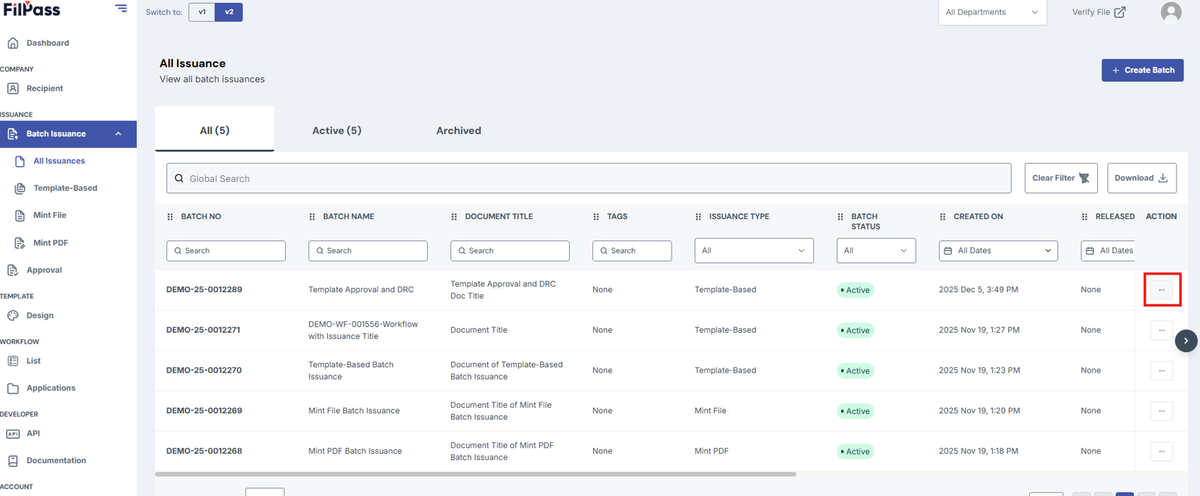
1. Go to your preferred batch with a Document Release Controller to download your document by clicking on the “Action” button
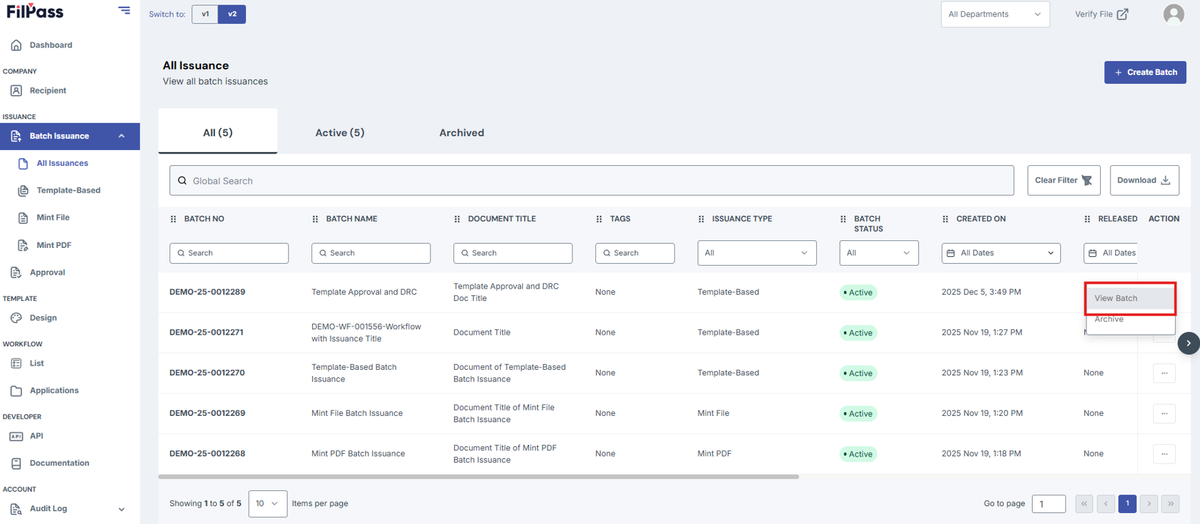
2. Click on View batch.
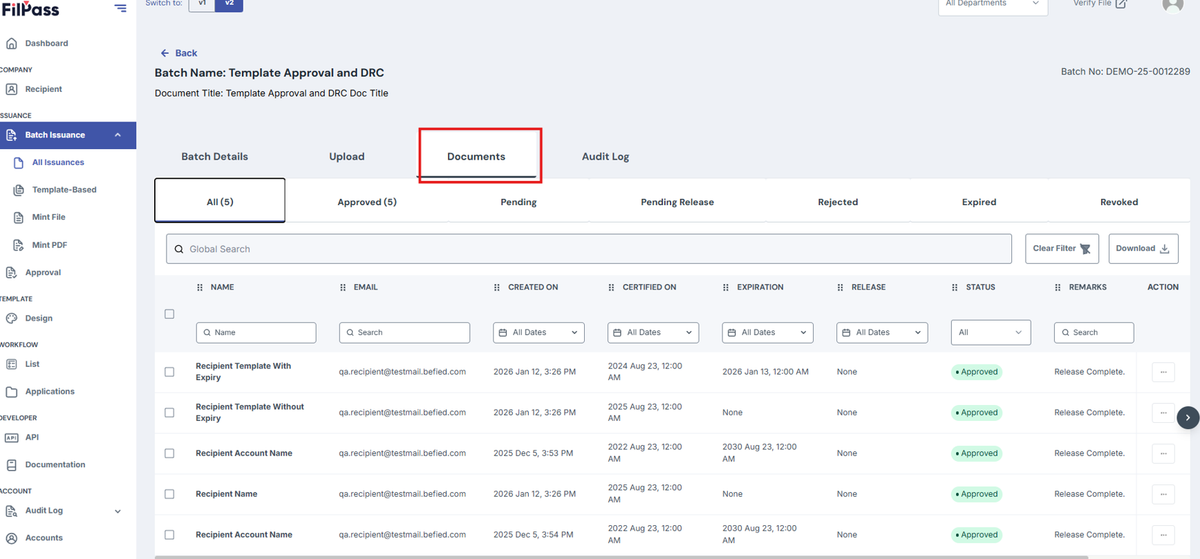
3. Go to Documents tab
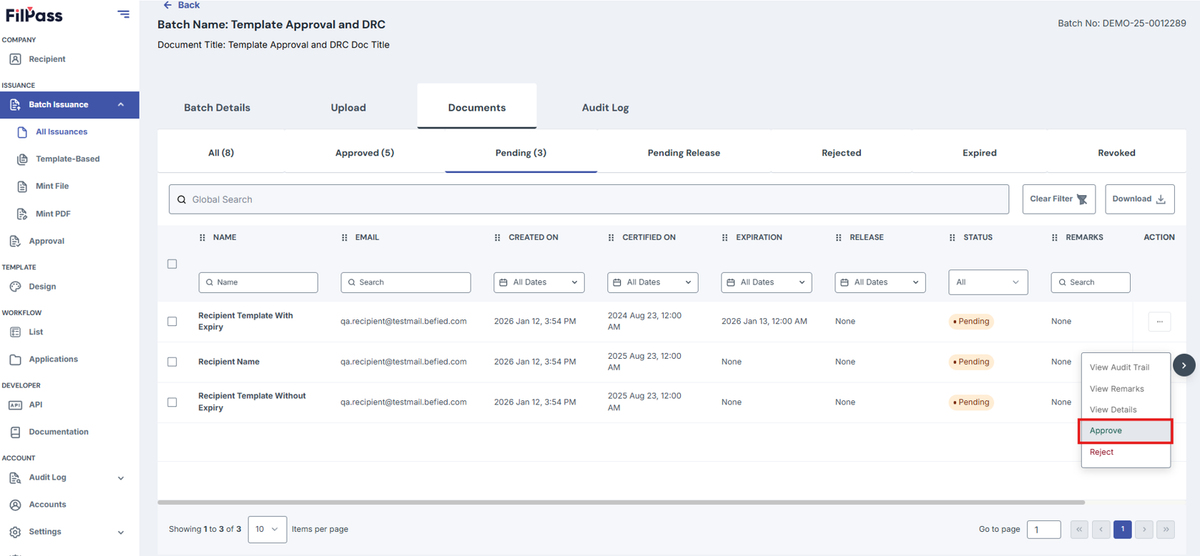
4. Select documents to Approve and click on Approve
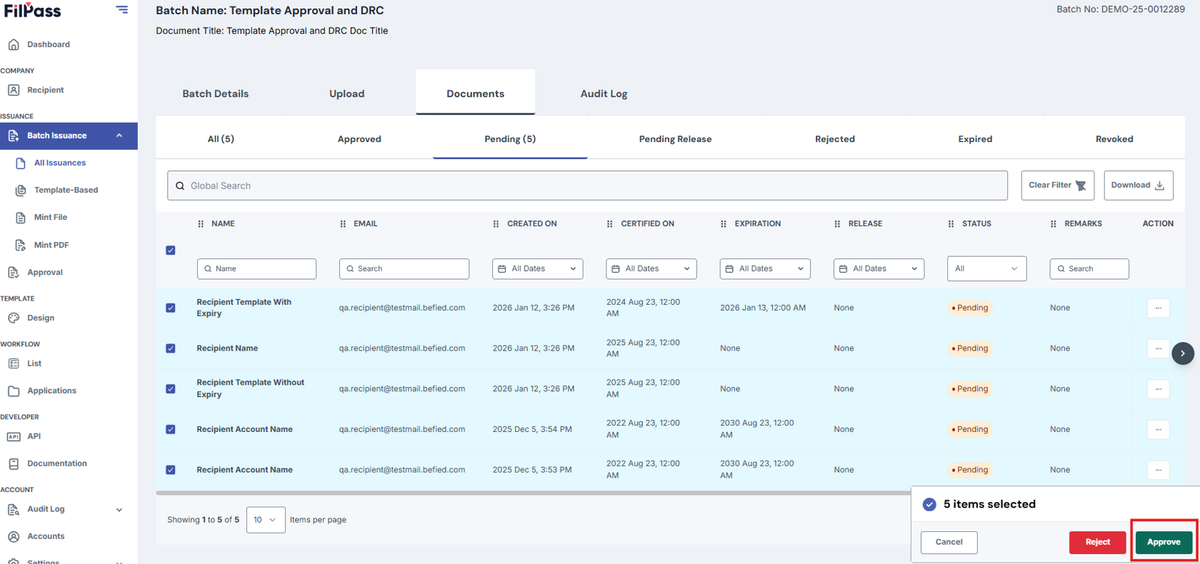
If User only wants to Approve one document, click on the Action button and click on Approve
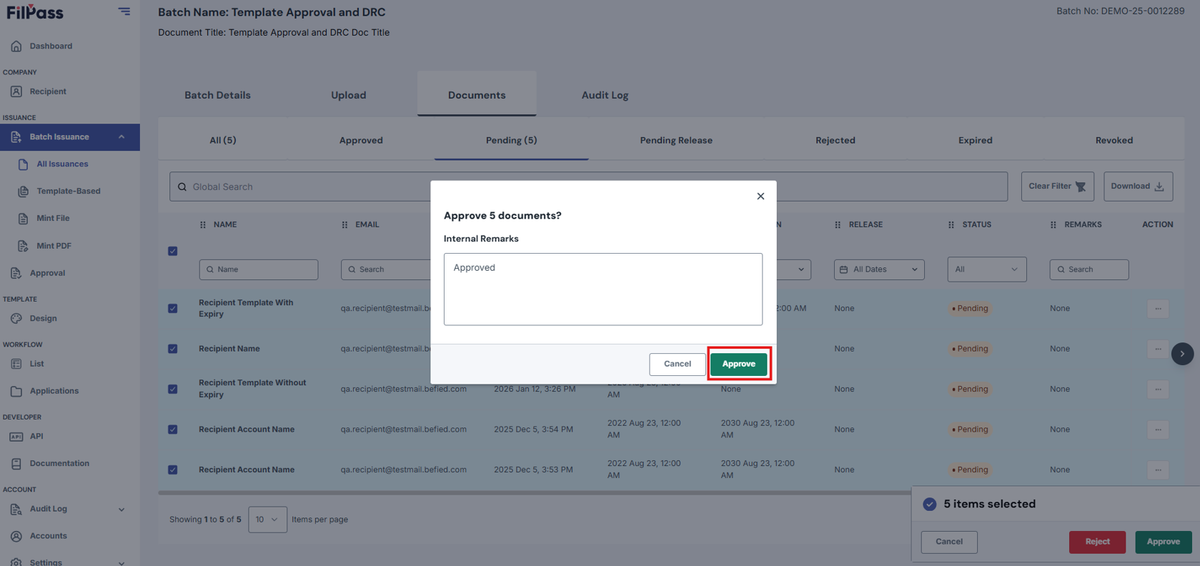
5. Enter reason for approval if needed and click on Approve again
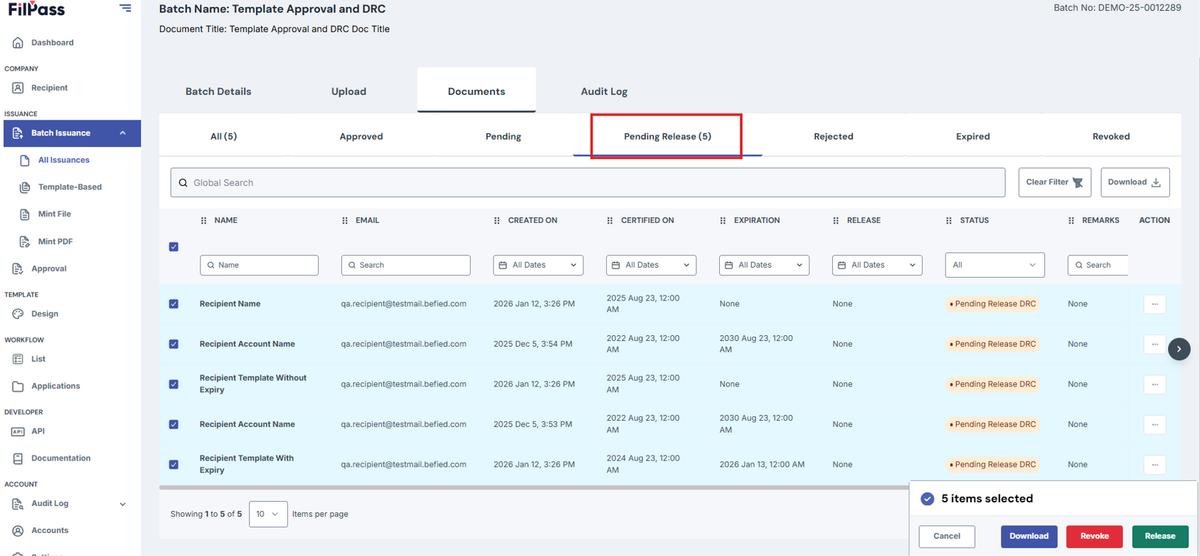
6. Go to Pending Release
7. Select Documents to Release
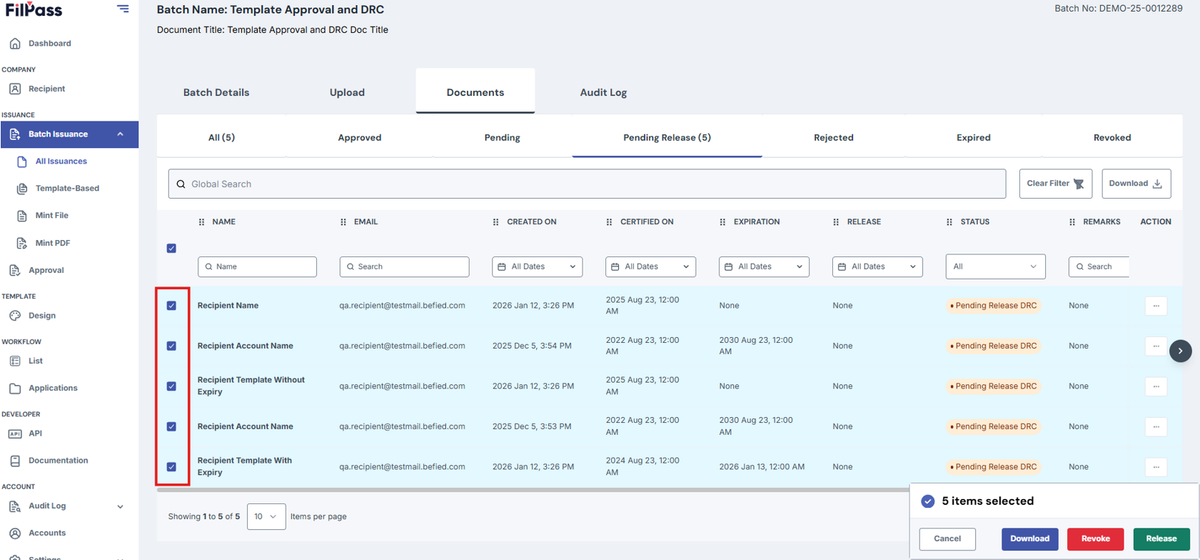
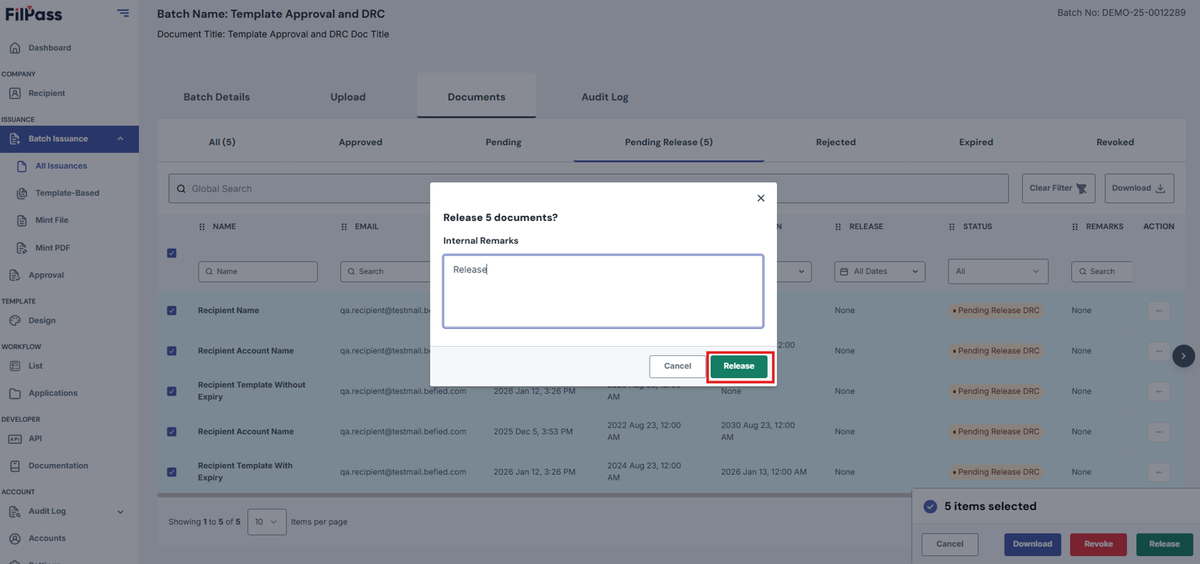
8. Click on Release
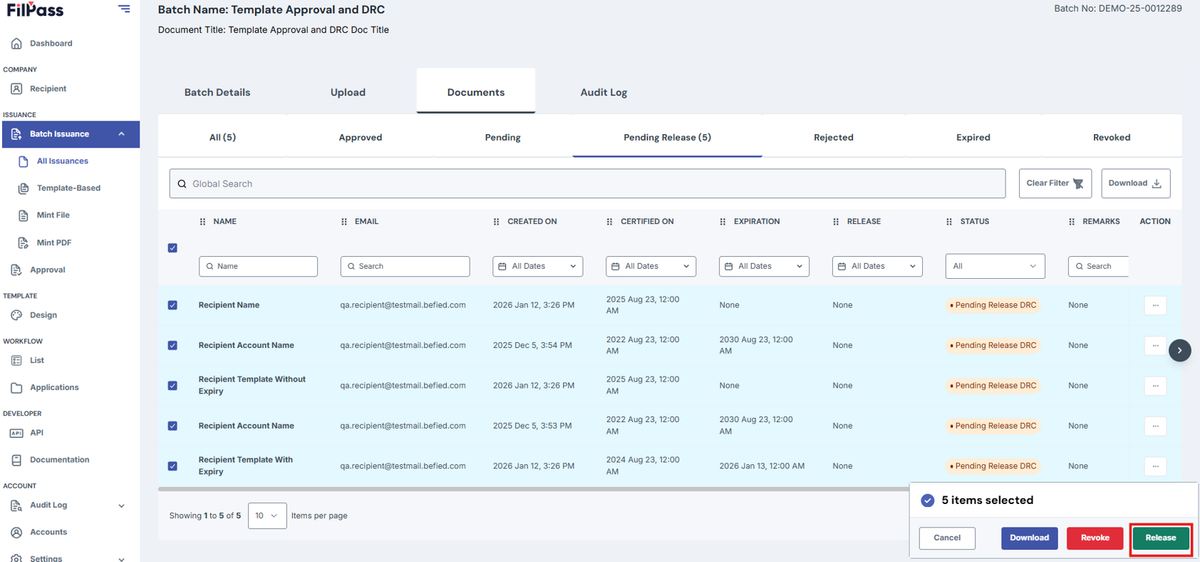
9. Enter reason for Release if needed and click on Release again.
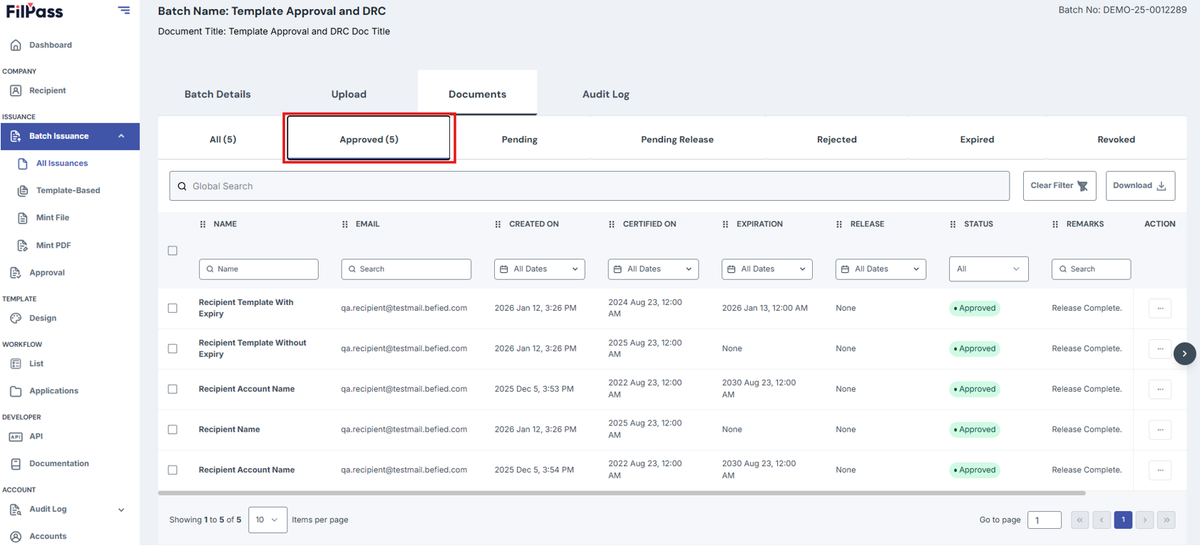
10. User can go to Approved tab to view the Released Documents.
Was this helpful?