

How to Filter Templates by Department
- Log in to the FilPass System using your Issuing Authority (IA) account.
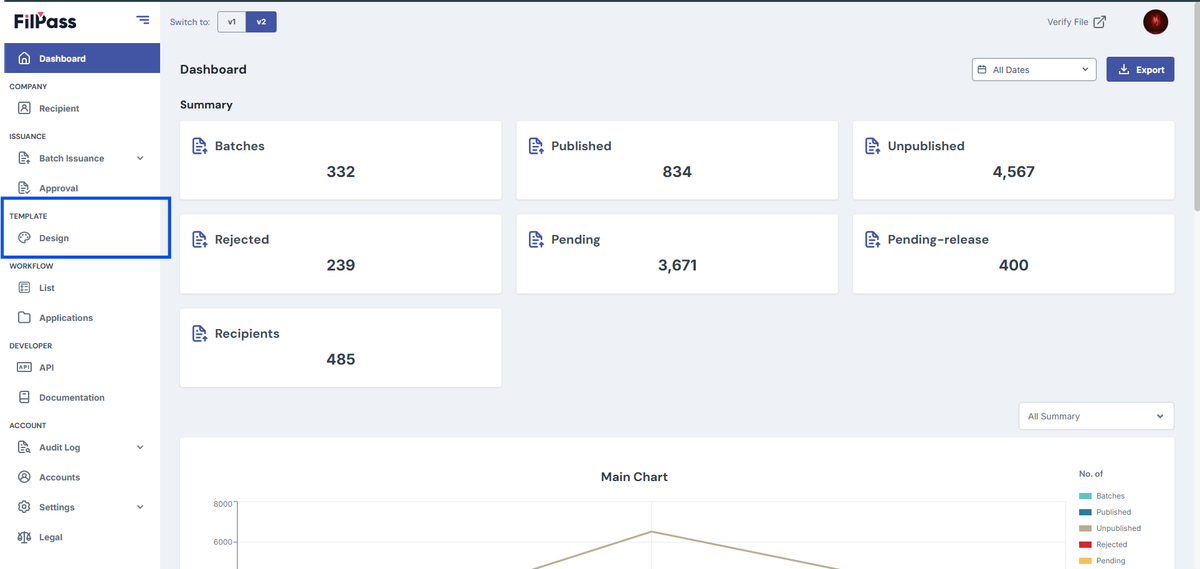
- From the left sidebar, click Design under the Template section.
- Note: The Template Design module will open in a new browser tab.
3. On the Template Design page, locate the Select Department dropdown.
4. Click the dropdown and choose the department you want to view.
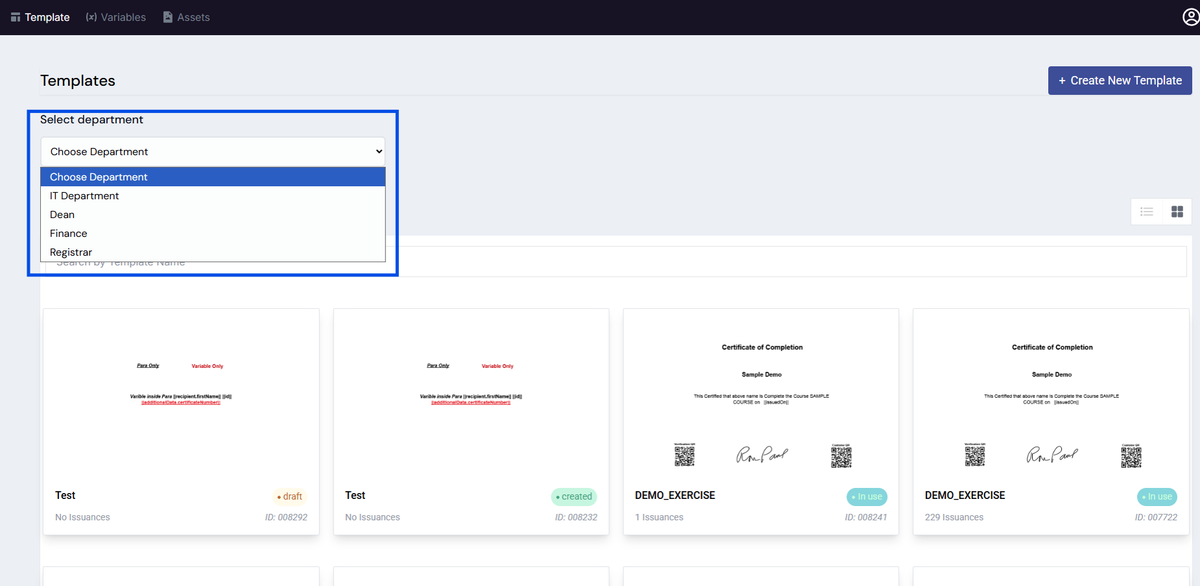
5. The template list will automatically update to display templates associated with the selected department.
Notes:
- Only templates assigned to the selected department will be displayed.
- To view all templates, select the default option (e.g., IT Department).
Was this helpful?