

How to Create a Flippable Template
- Log in to the FilPass System using your Issuing Authority (IA) account.
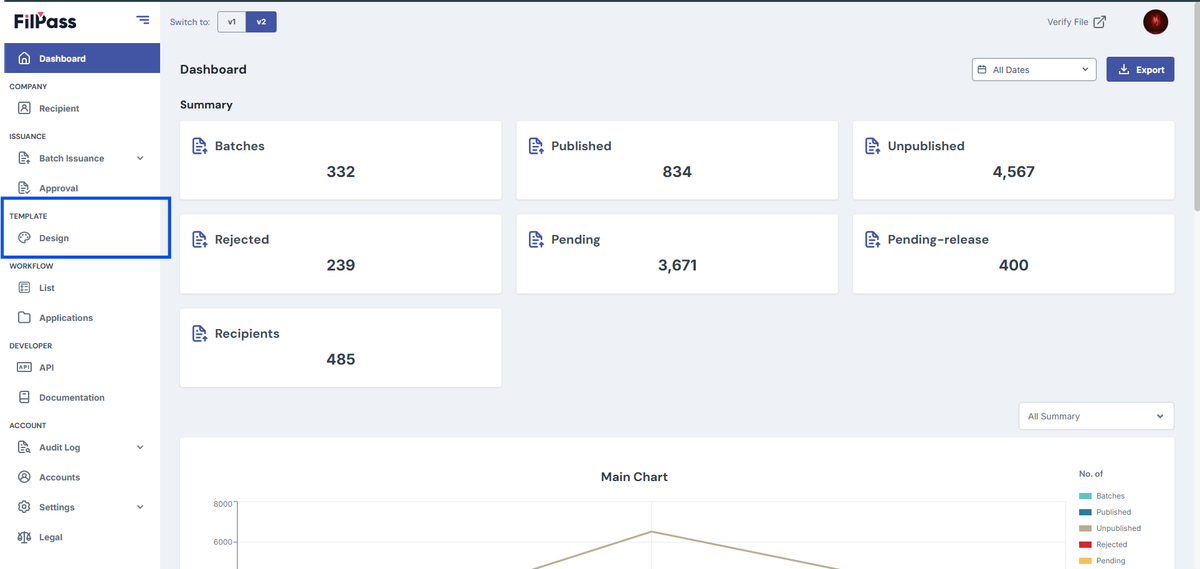
- From the left sidebar, click Design under the Template section.
- Note: The Template Design module will open in a new browser tab.
3. Click + Create New Template.
4. In the New Template modal:
- Enter the Template Label
- Select the desired Size
- Select a Department
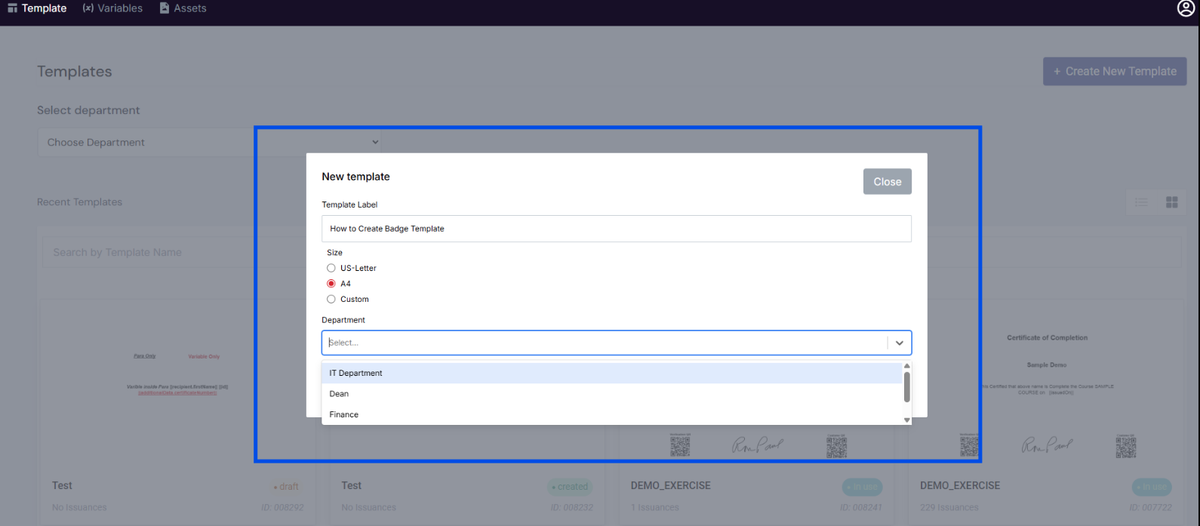
5. Click Create to proceed to the Template Editor.
6. In the Template Editor, go to the Settings panel on the left side.
7. Enable the Flippable toggle.
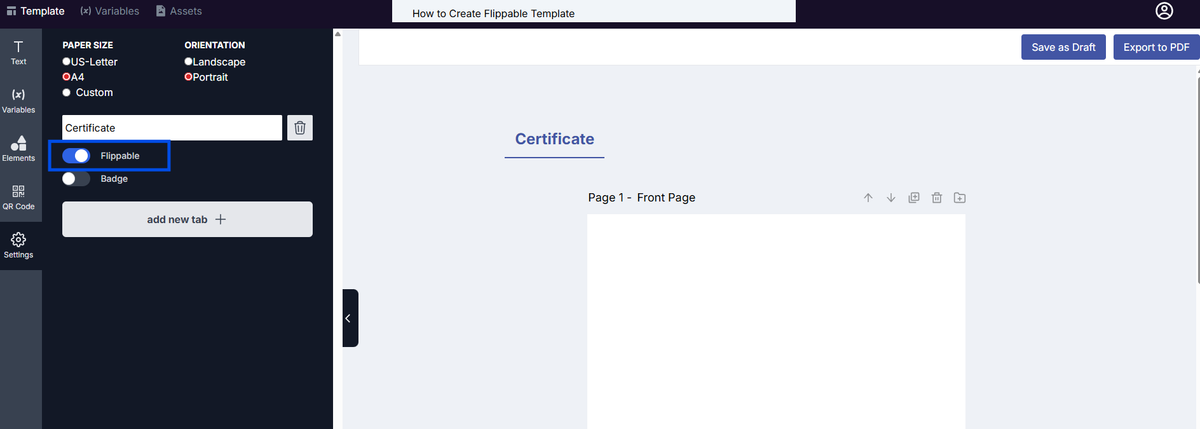
8. The template will automatically generate two pages (front and back).
9. Design both pages as needed.
10. Click Save as Draft to save your template.
Notes:
- Flippable templates automatically include two pages (front and back) when enabled.
- You can customize the size and orientation of the template based on your preference.
- Ensure the Badge toggle is disabled to allow flexible sizing.
Was this helpful?