

How to Add Variables Inside a Paragraph in Template Design?
- Log in to the FilPass System using your Issuing Authority (IA) account.
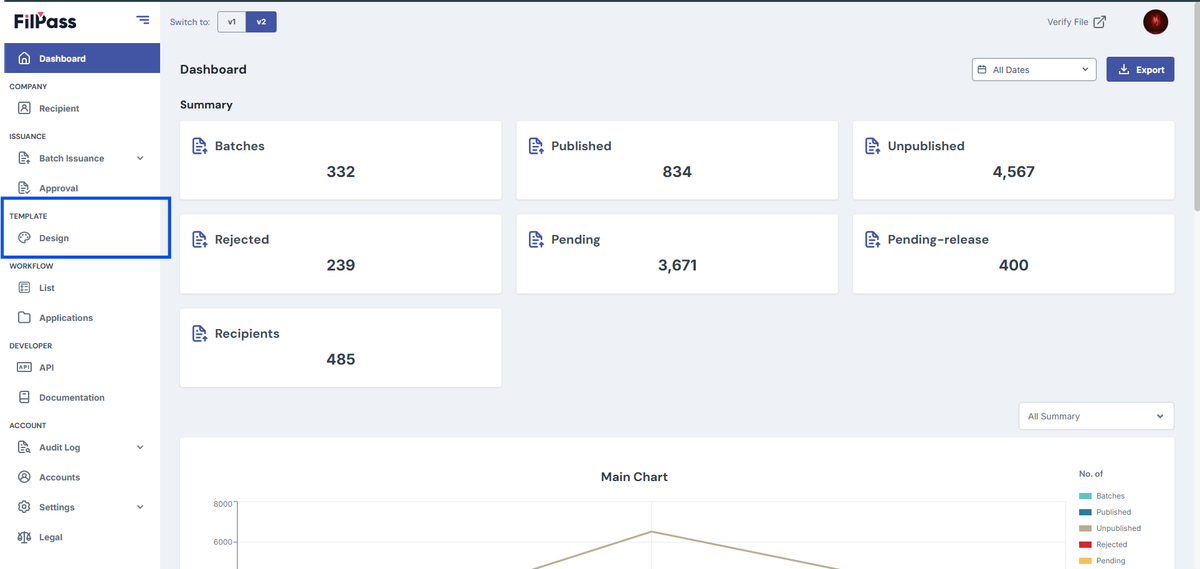
- From the left sidebar, click Design under the Template section.
- Note: The Template Design module will open in a new browser tab.
3. Open or create a template in the Template Editor.
4. From the left panel, click Text and select Add Paragraph.
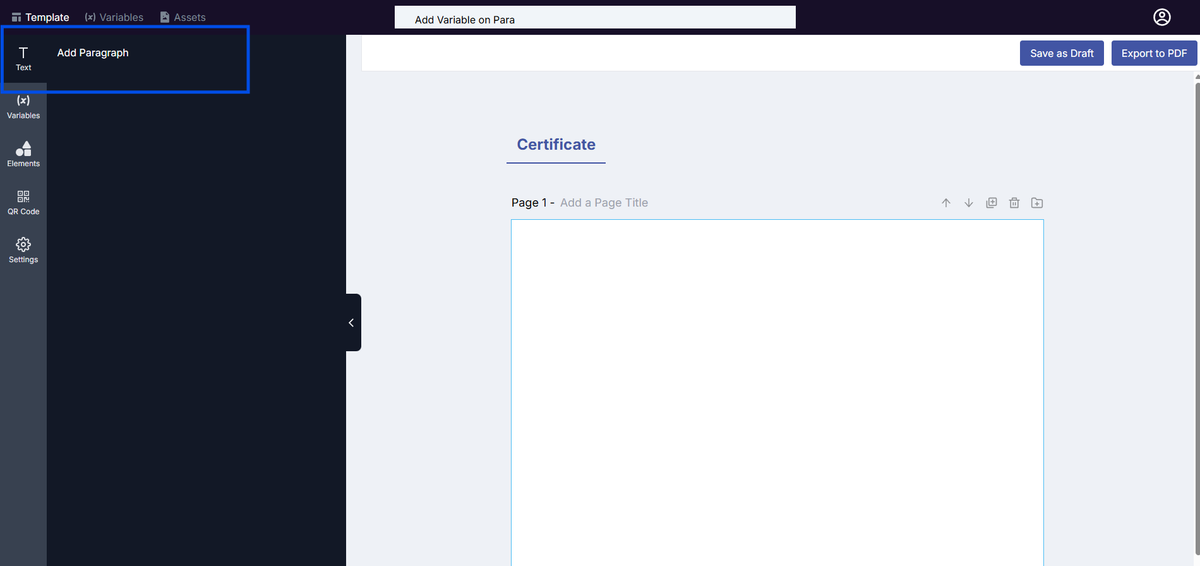
5. A text box will appear on the template canvas. Click inside the text box to start editing.
6. From the left panel, click Variables, then select the variable you want to insert.
- Example: Certificate Printed Name
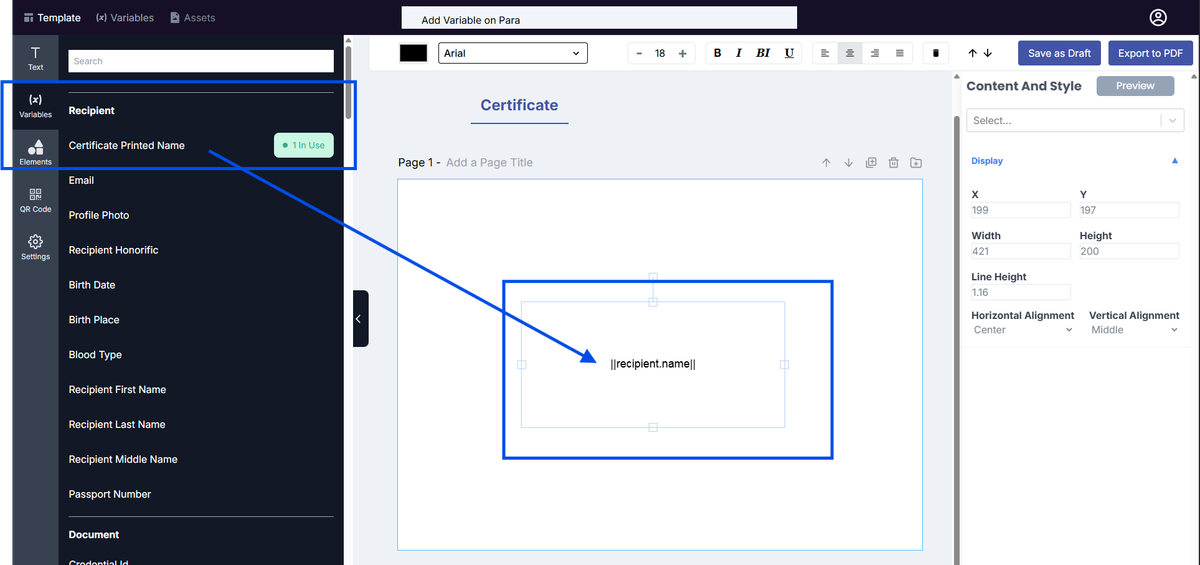
7. The variable will be inserted into the paragraph in this format: ||recipient.name||
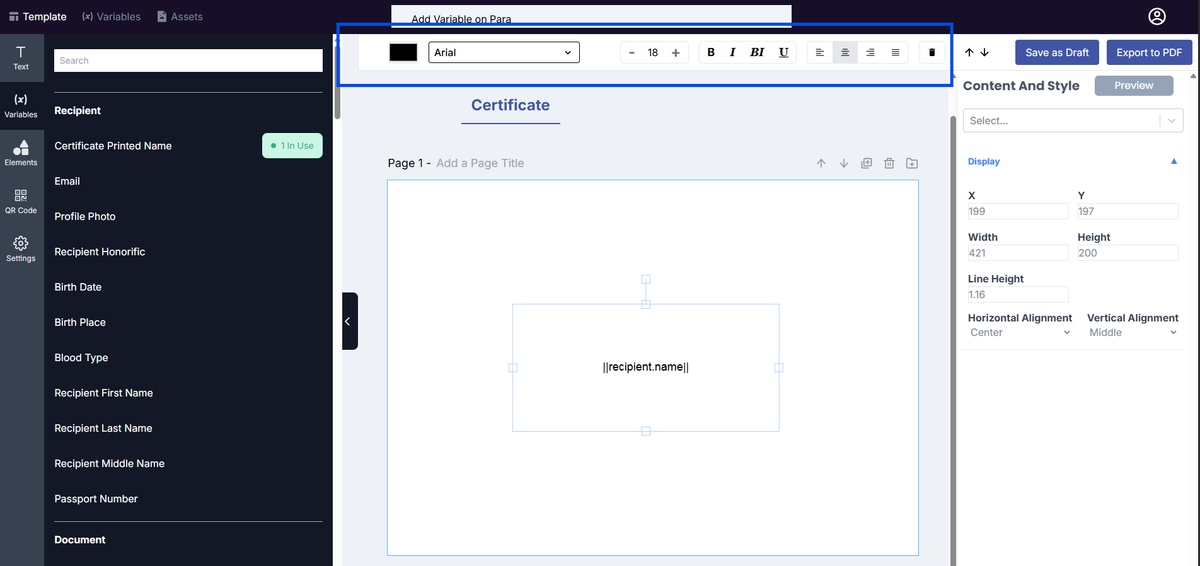
8. You can format the variable using the text editor toolbar above the canvas.
- Adjust font style (e.g., Arial)
- Change font size
- Apply bold, italic, underline
- Modify text color
- Align text (left, center, right)
9. Select the text box, then go to the Content and Style panel on the right side.
10. Assign a sample value to the variable (e.g., Juan dela Cruz).
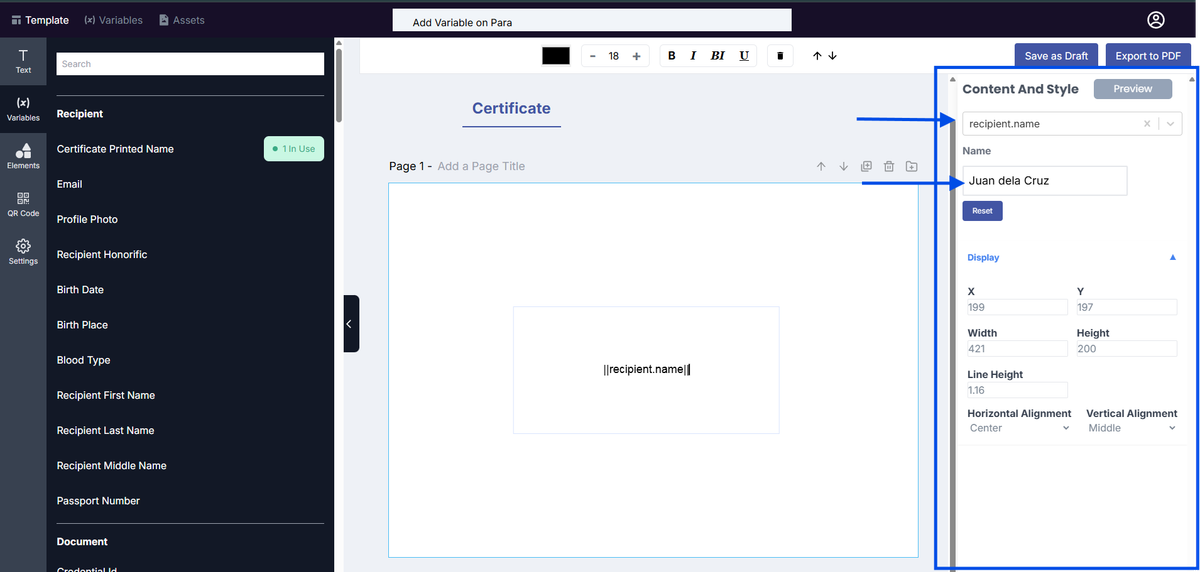
11. Click Preview to view the actual output.
12. The canvas will display the assigned value instead of the variable (e.g., Juan dela Cruz).
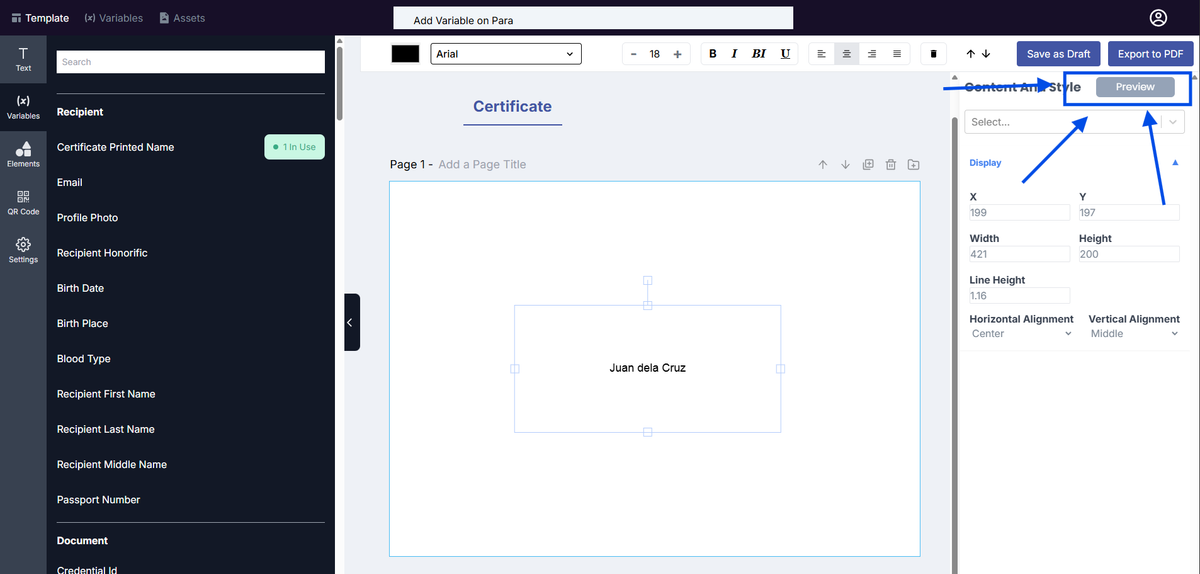
Notes:
- The variable name shown in the list (e.g., Certificate Printed Name) corresponds to its merge tag (e.g., ||recipient.name||).
- Formatting applied to the variable will be reflected in the final issued document.
- Preview helps verify how dynamic data will appear before publishing the template.
Was this helpful?