

How to Add User
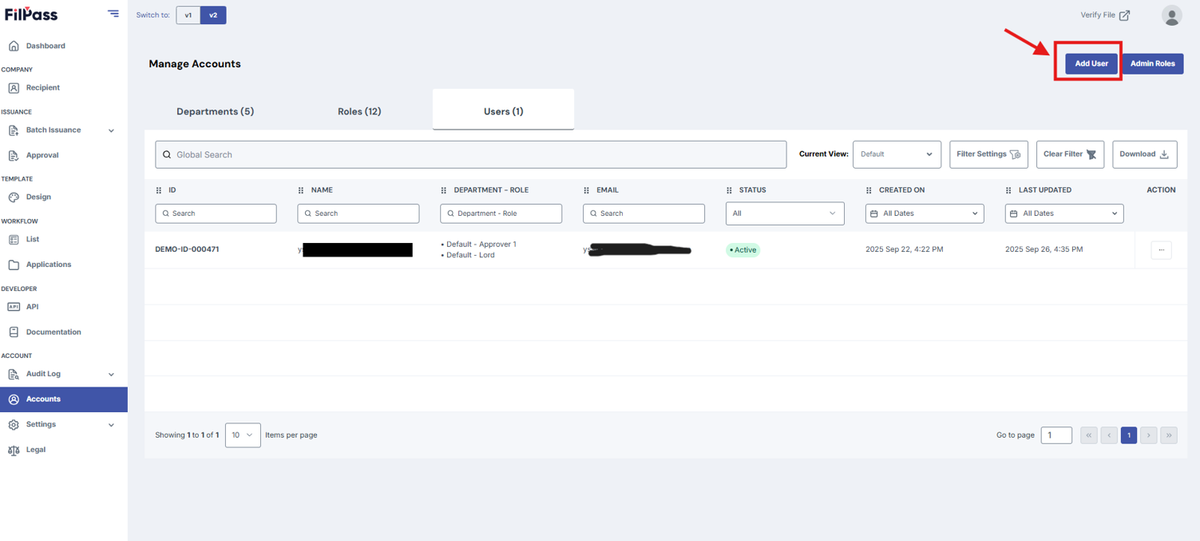
1. To create a user, simply click the Add User button on the upper-right next to the Admin Role Button.
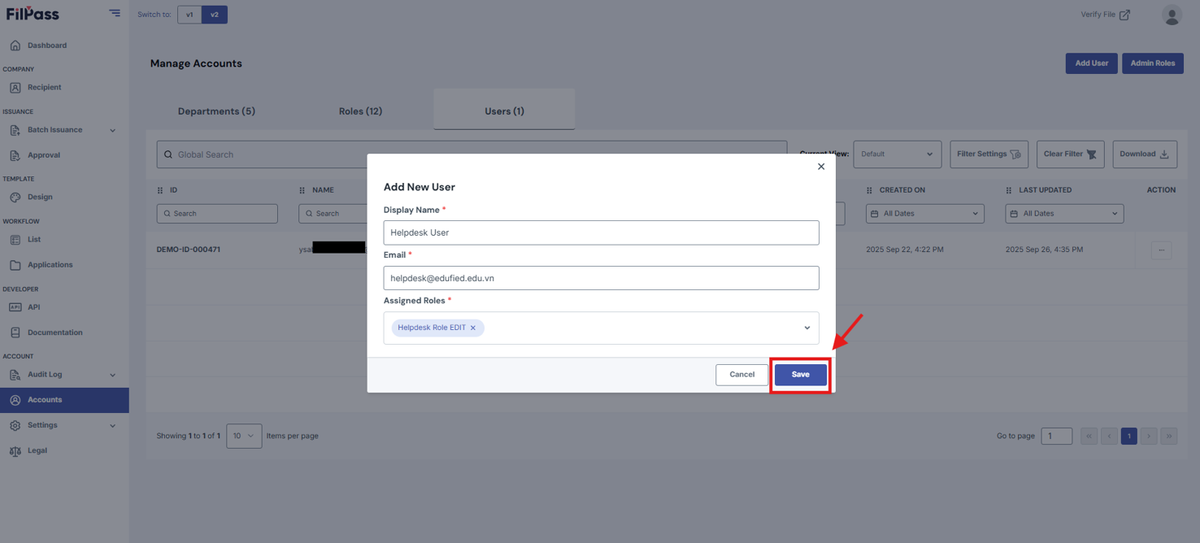
2. Enter the display name, email, and assigned roles for that user. Once that is done, click Save.
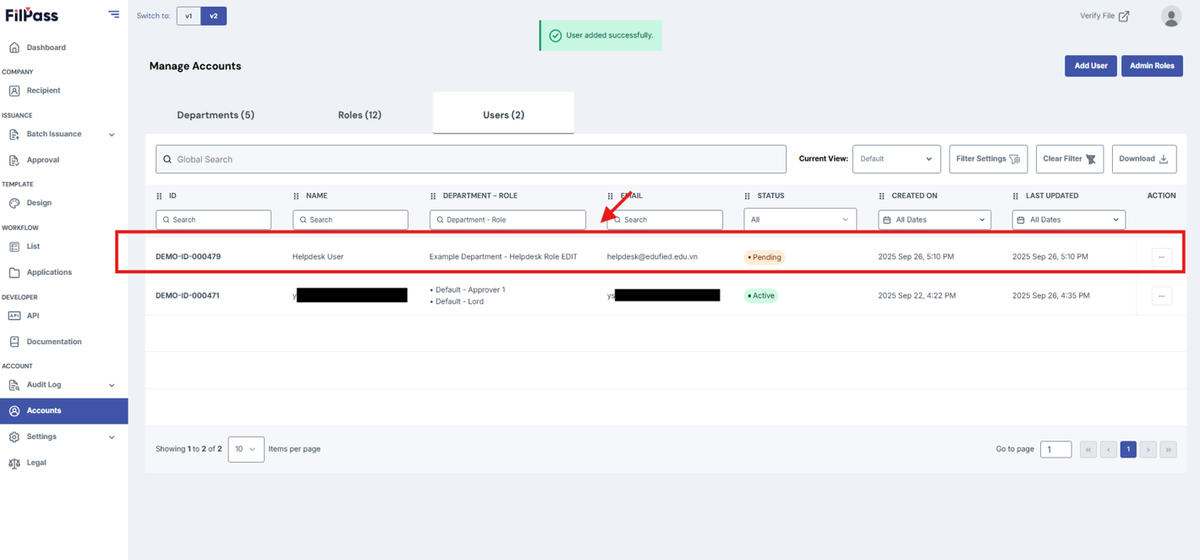
3. You have now created a user.
Was this helpful?