

How to Add Role
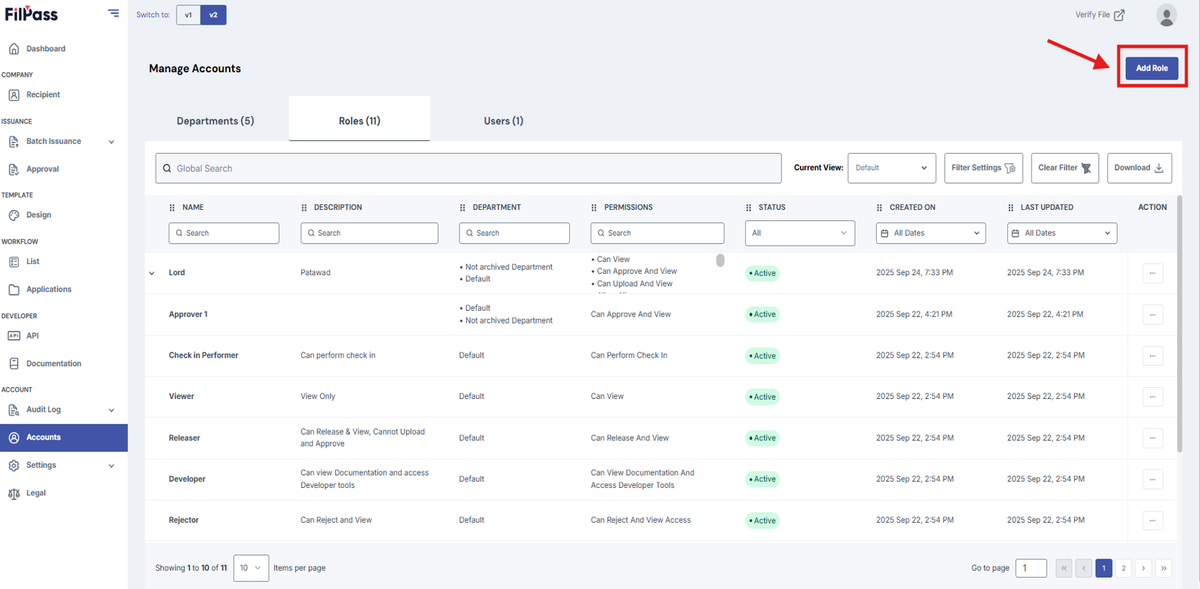
1. To create a role, simply click the Add Role button on the upper right.
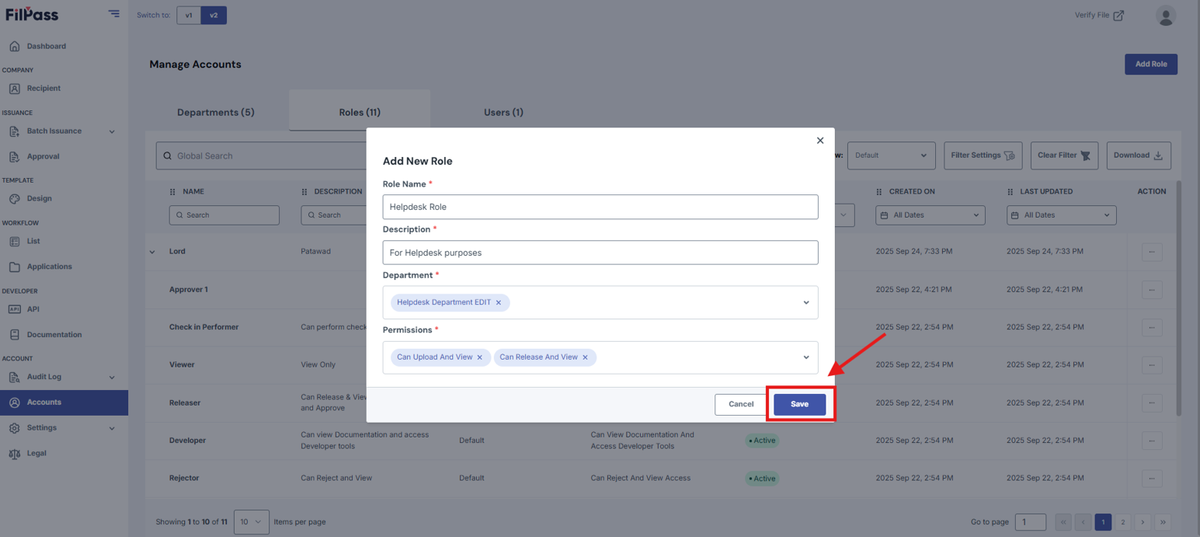
2. Enter the role name, description, departments, and permissions for that role. Once that is done, click Save.
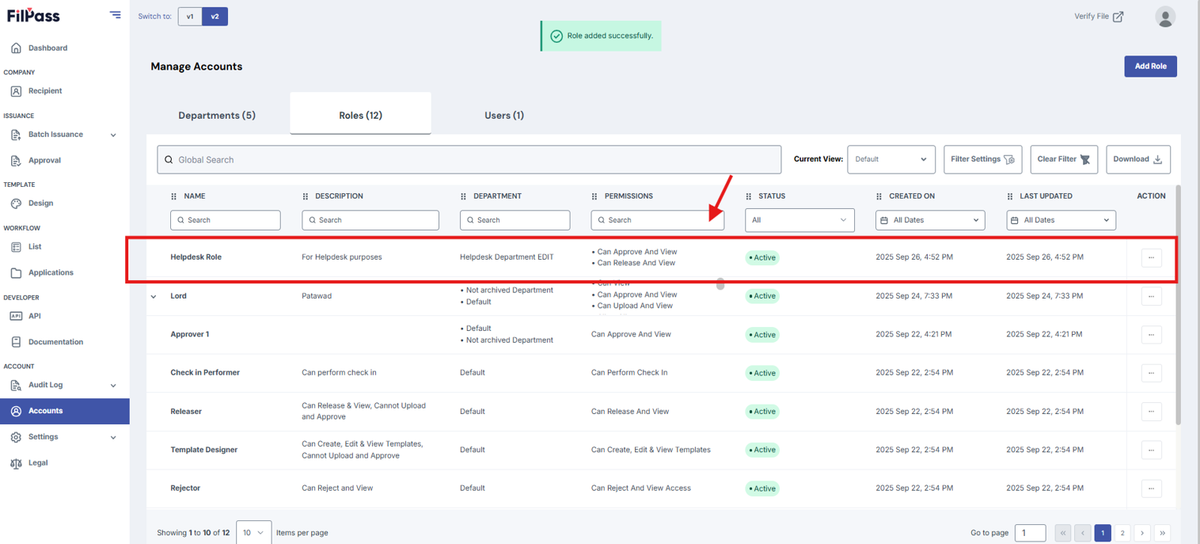
3. You have now created a role.
Was this helpful?