

How do I add or change my profile picture?
1. Log into your account

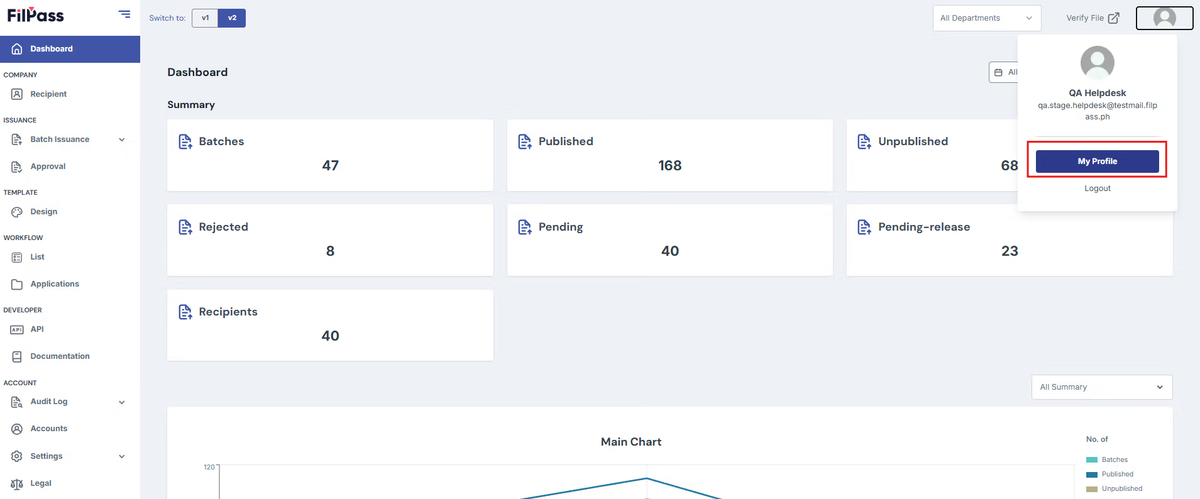
2. Click on your profile icon on the upper right then press "My Profile".
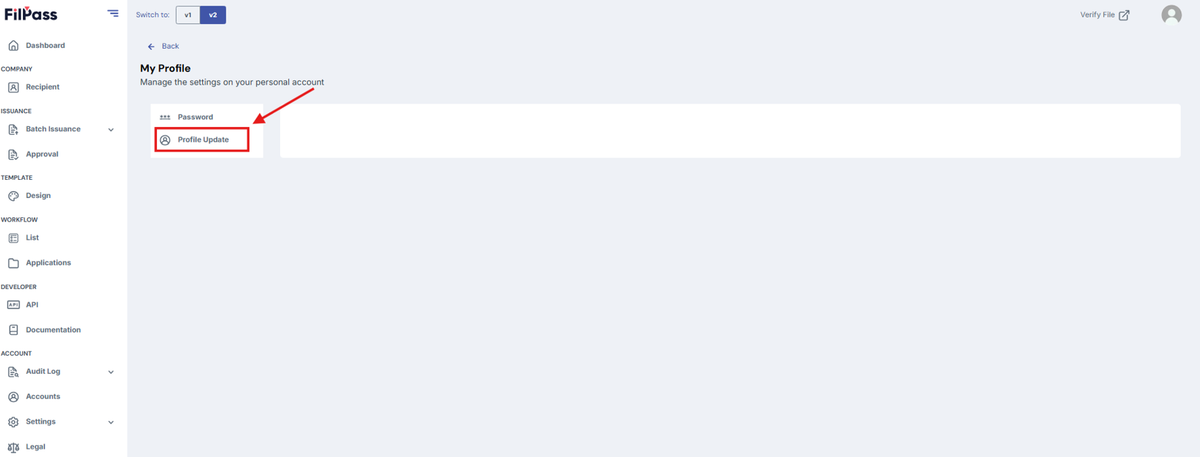
3. Click “Profile Picture”
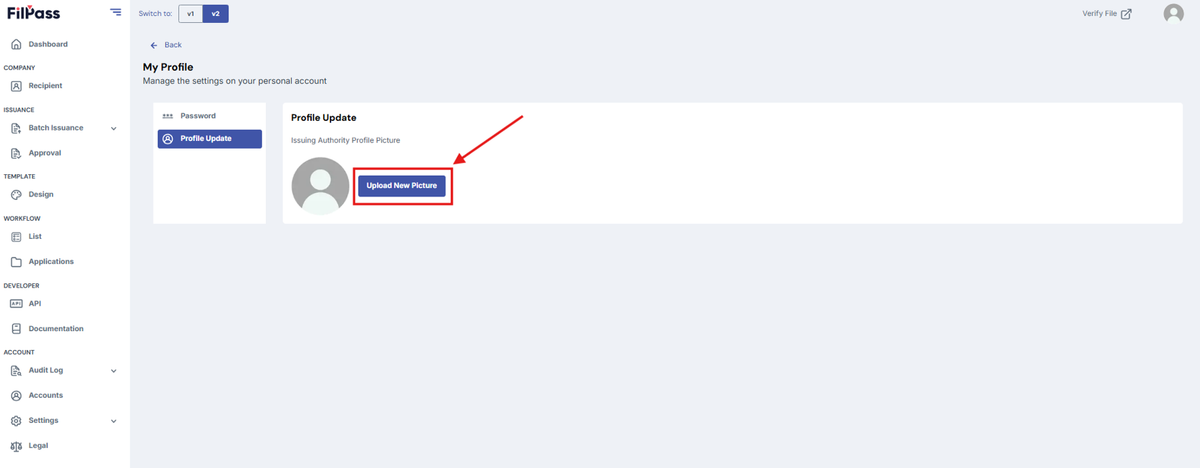
4. Press “Upload New Picture”
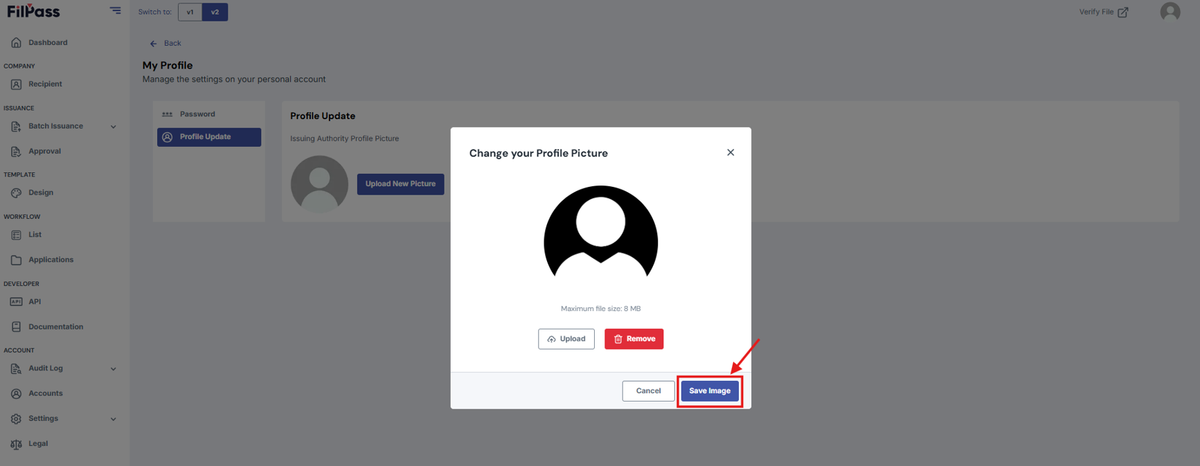
5. Press “Upload” and upload your new profile picture.
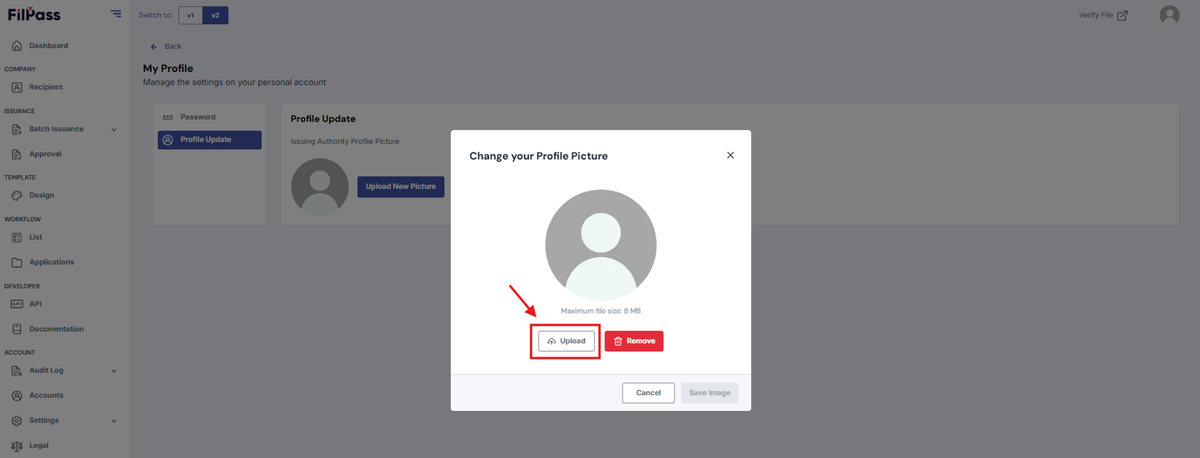
6. Upon uploading, press “Save Image”
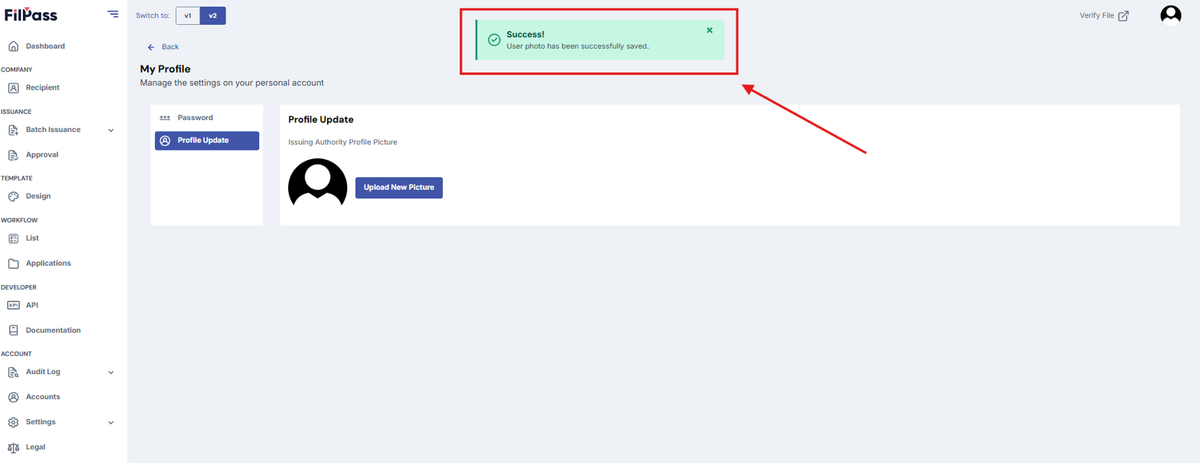
7. You have successfully changed the image.
Was this helpful?