

Document Request Form Actions
This section details the actions you can do in Document Request Form:
These are the actions you can do with a document request form based on their status:
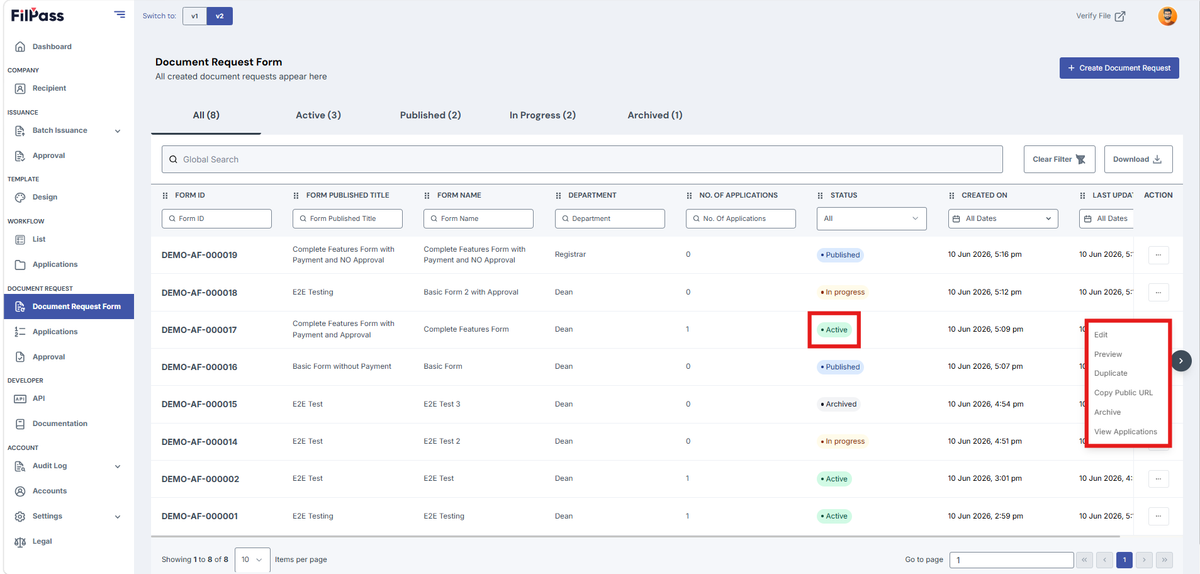
- Active Document Request Form
- Edit: Allows you to edit the document request form and change the contents
- Preview: Shows a preview for your document request form that recipients will see.
- Duplicate: Duplicates the document request form, and you can edit it and change the settings.
- Copy Public URL: Copies the link to your published document request form to be answered by recipients.
- Archive: Archives your document request form and makes it inactive.
- View Applications: Opens a page to show all applications to that specific document request form.
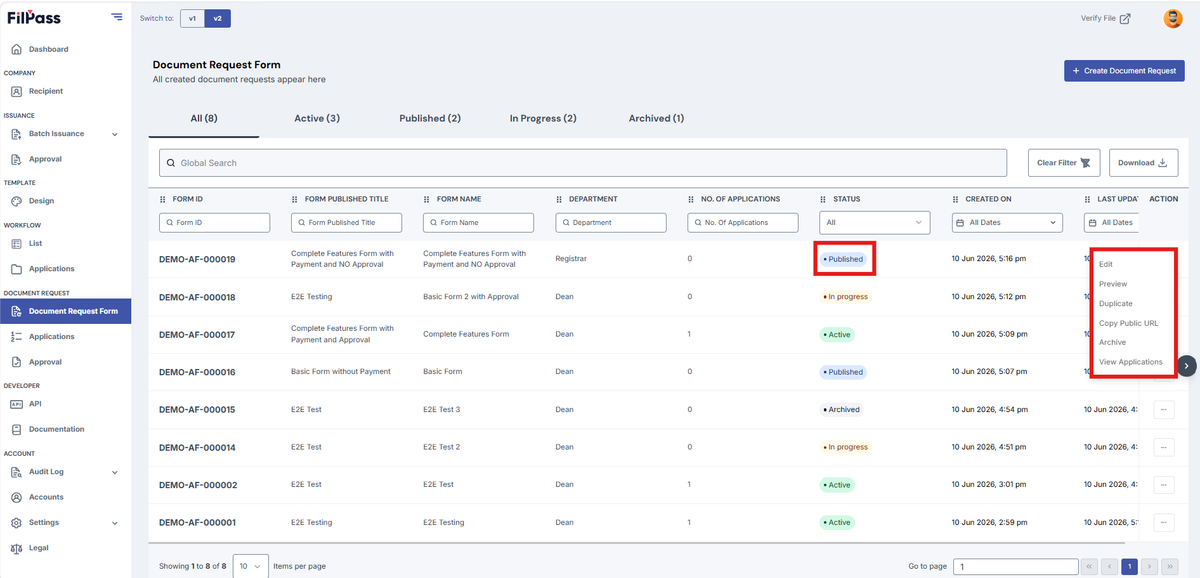
- Published Document Request Form
- Edit: Allows you to edit the document request form and change the contents
- Preview: Shows a preview for your document request form that recipients will see.
- Duplicate: Duplicates the document request form, and you can edit it and change the settings.
- Copy Public URL: Copies the link to your published document request form to be answered by recipients.
- Archive: Archives your document request form and makes it inactive.
- View Applications: Opens a page to show all applications to that specific document request form.
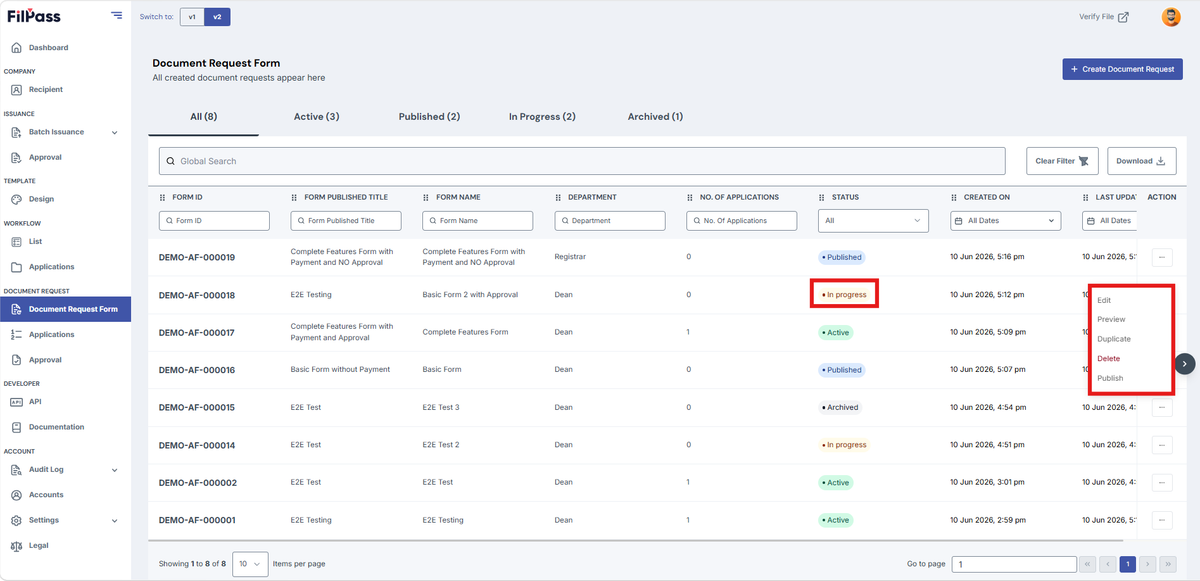
- In Progress Document Request Form
- Edit: Allows you to edit the document request form and change the contents
- Preview: Shows a preview for your document request form that recipients will see.
- Duplicate: Duplicates the document request form, and you can edit it and change the settings.
- Delete: Permanently removes the in-progress document request form from your account.
- Published: Finalizes the document request form, making it active and ready to be sent out or accessed by recipients.
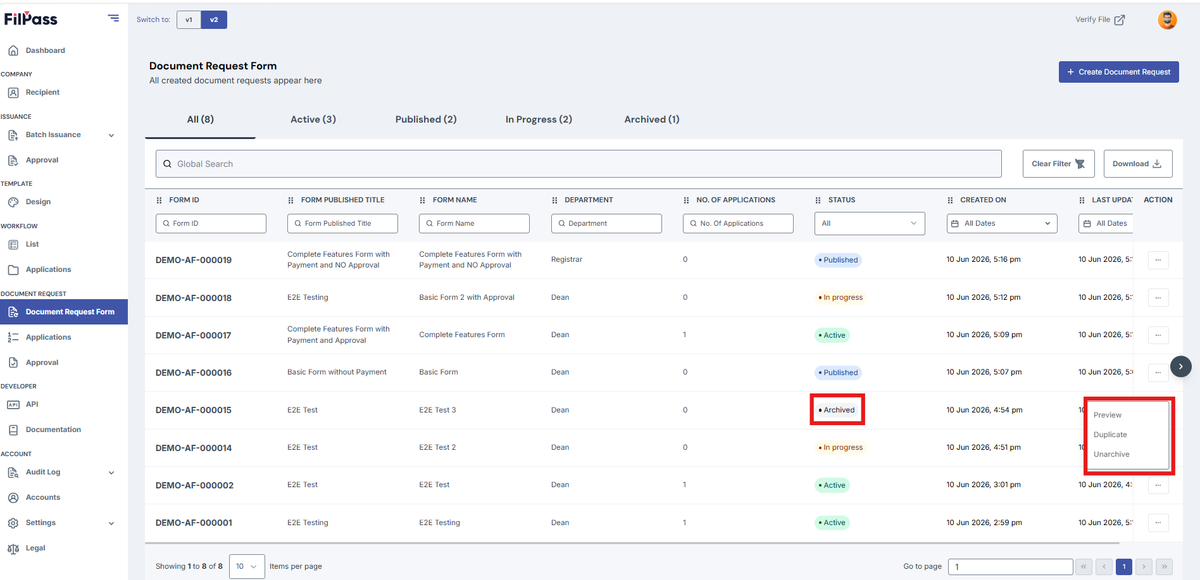
- Archived Document Request Form
- Preview: Shows a preview for your document request form that recipients will see.
- Duplicate: Duplicates the document request form, and you can edit it and change the settings.
- Unarchived: Restores the document request form back to your active list, allowing it to be edited, sent, or managed again.
Was this helpful?