

Document Request Form Applications Actions
This section explains the Actions you can do within the Document Request Form Applications Tab.
Actions in Document Request Form Applications:
Status: Approve & Success
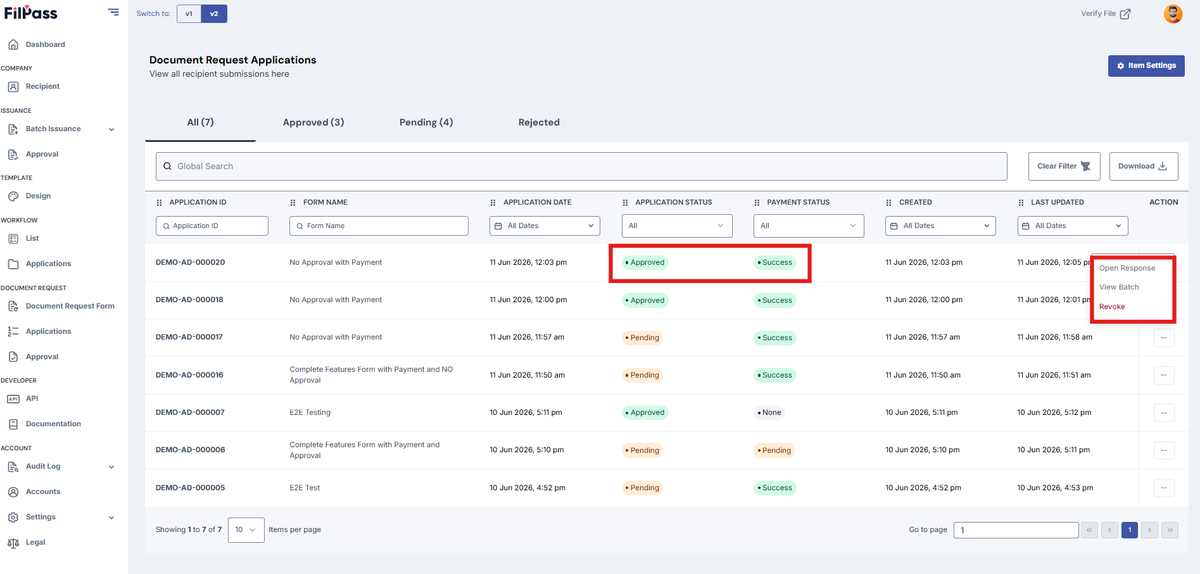
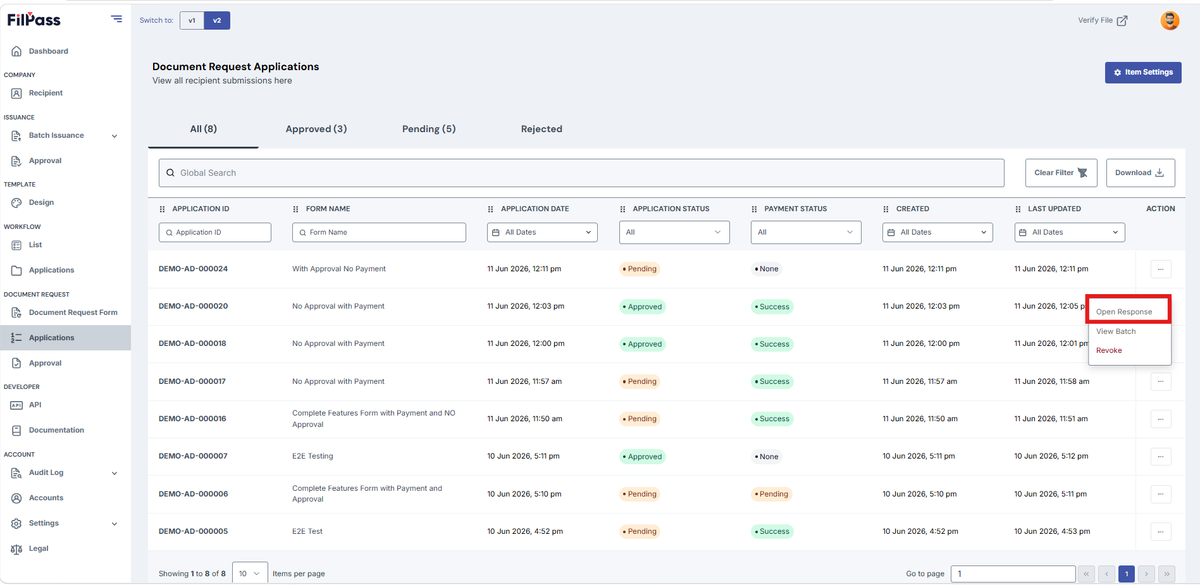
- Open response: Opens that specific response by the applicant / recipient / user.
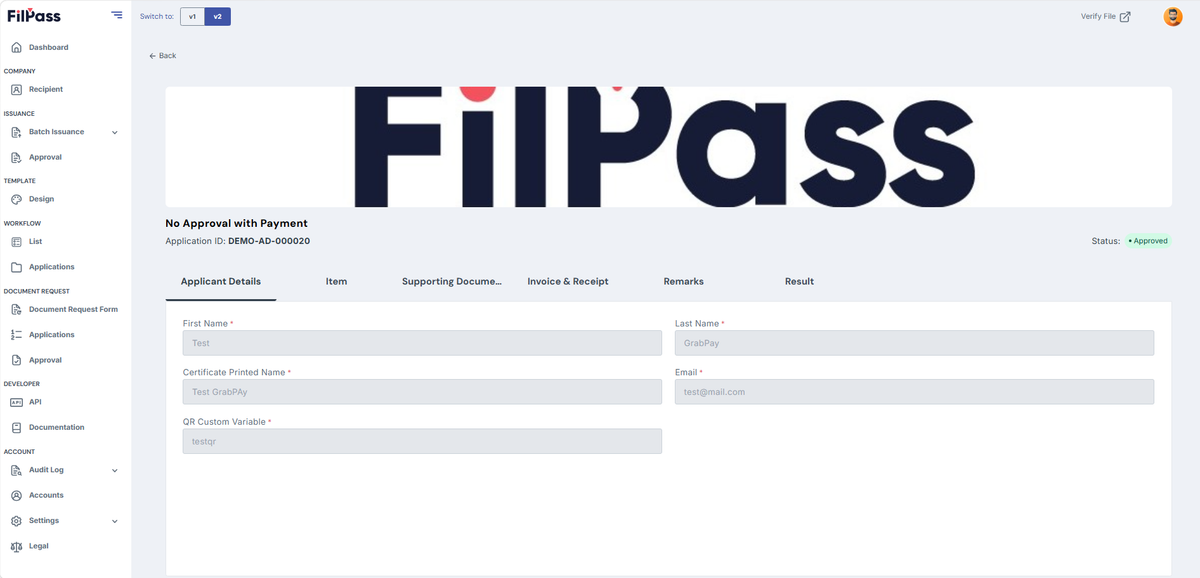
- Below is the sample image of a response when opened.
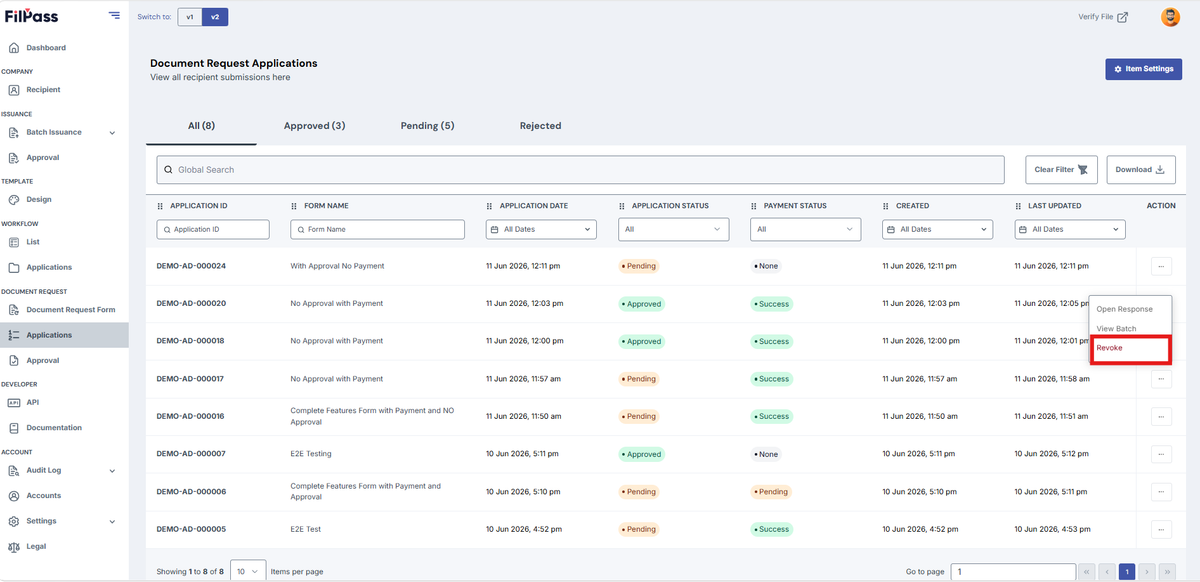
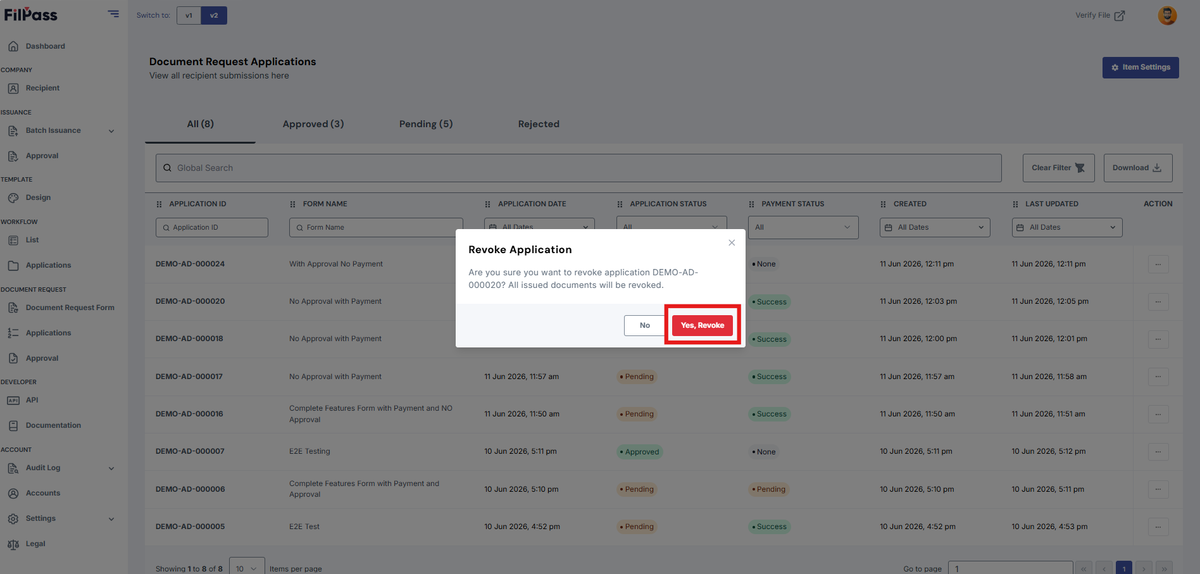
- Revoke: Cancels or voids an active or processed application, pulling back its official status and preventing further processing or access by the applicant.
- Cilck Revoke
- The confirmation modal will show
- Yes Revoke: To proceed revoking the request
- No: To cancel
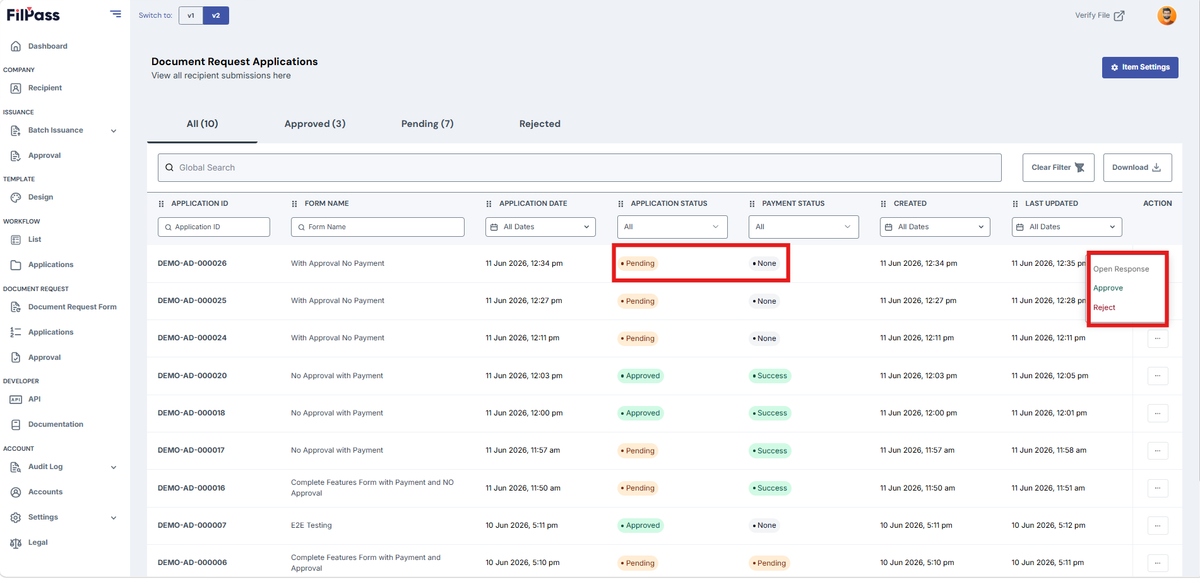
Status: Pending & None
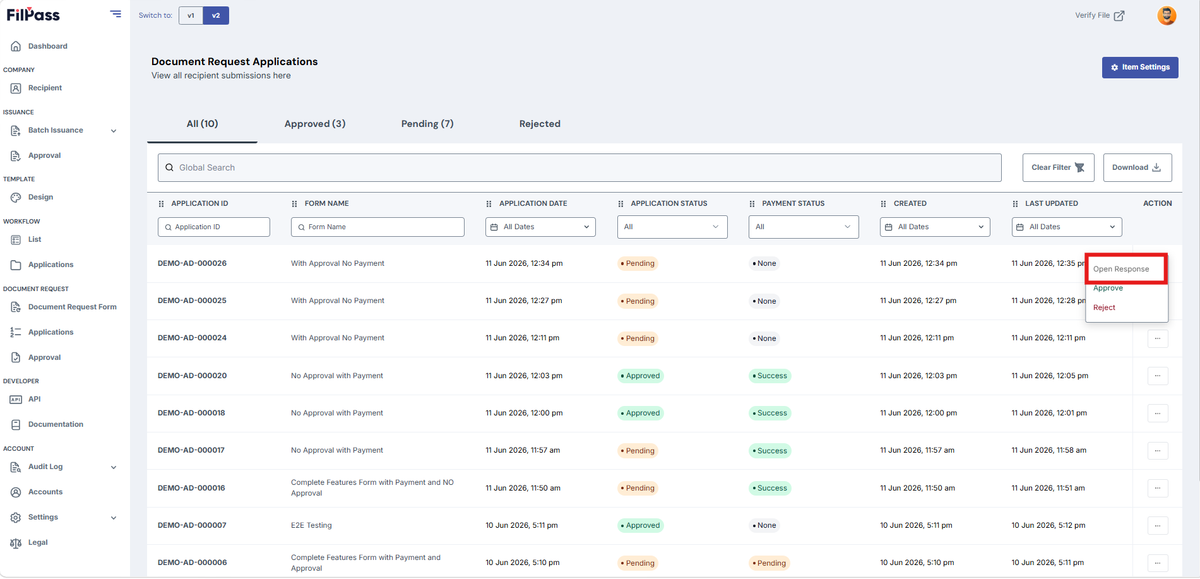
- Open response: Opens that specific response by the applicant / recipient / user.
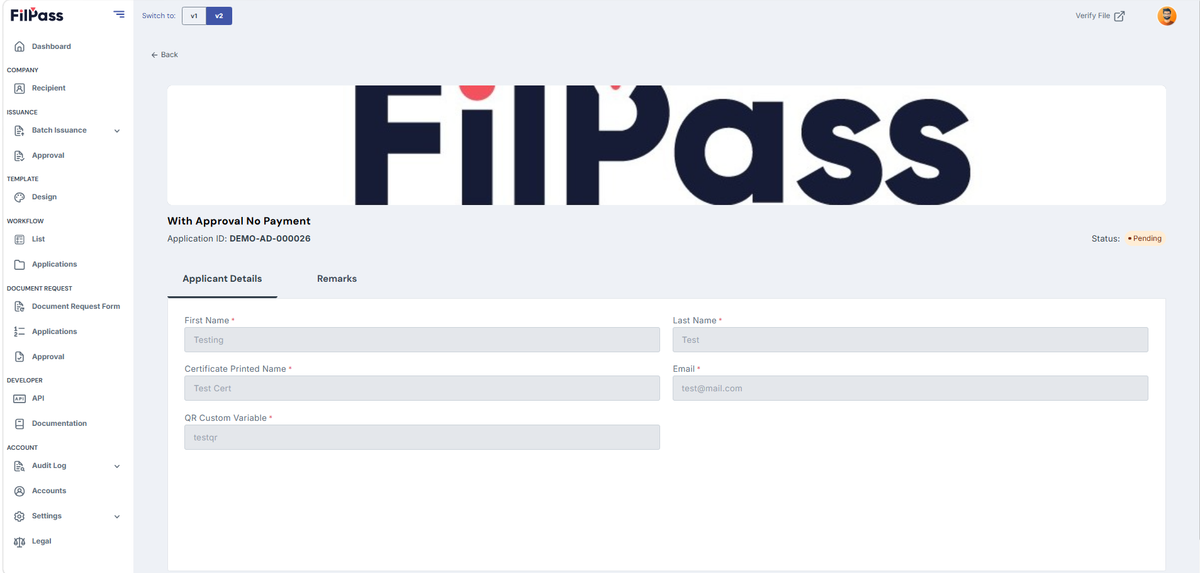
- Below is the sample image of a response when opened.
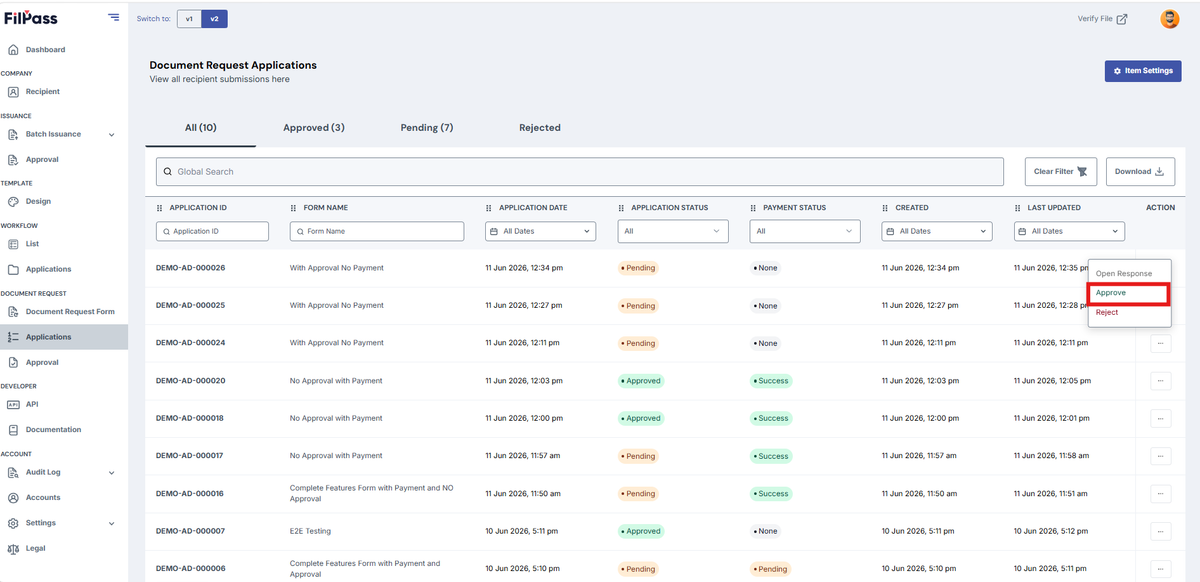
- Approve: Accepts the submitted response or application, marking it as approved.
- Click Approve on the Actions
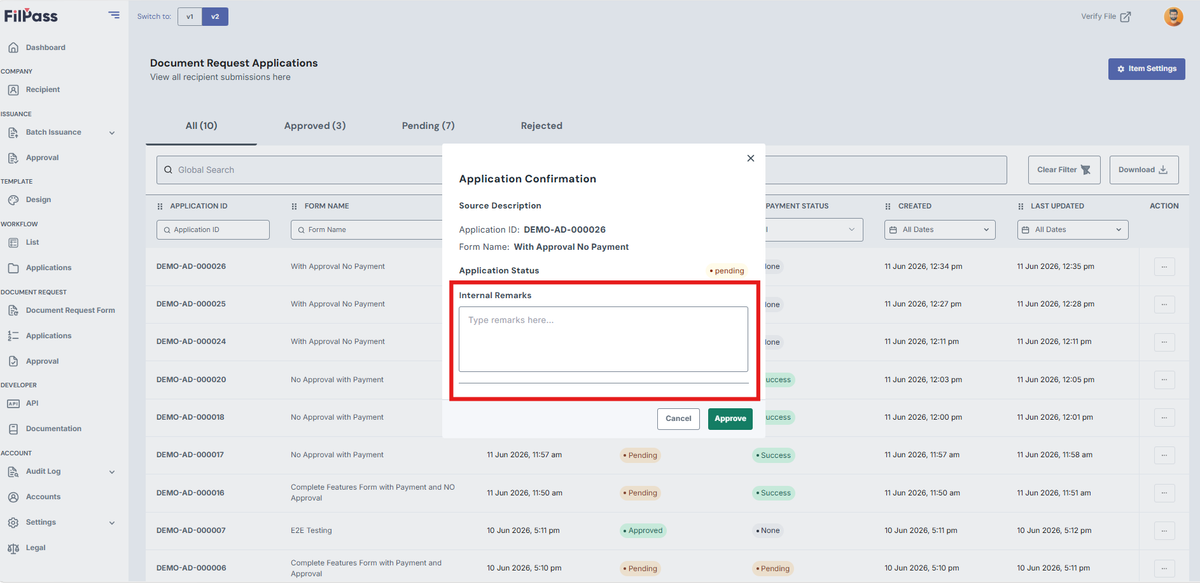
- Enter Internal Remarks (e.g., Approve)
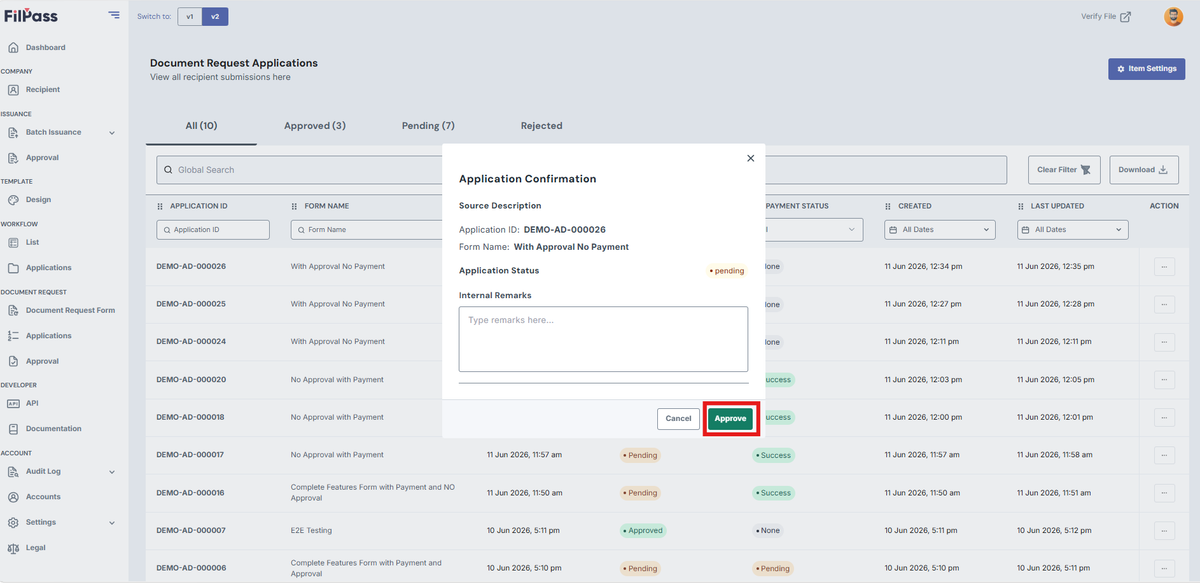
- Click Approve to proceed in approving the application
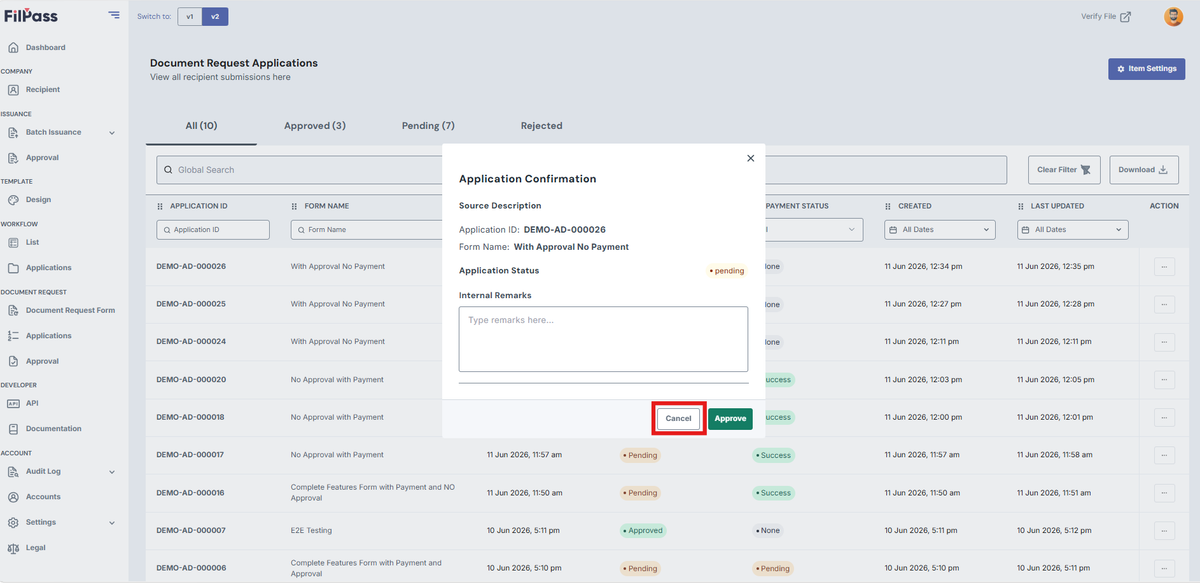
- Click Cancel if you don’t want to proceed in approving the application
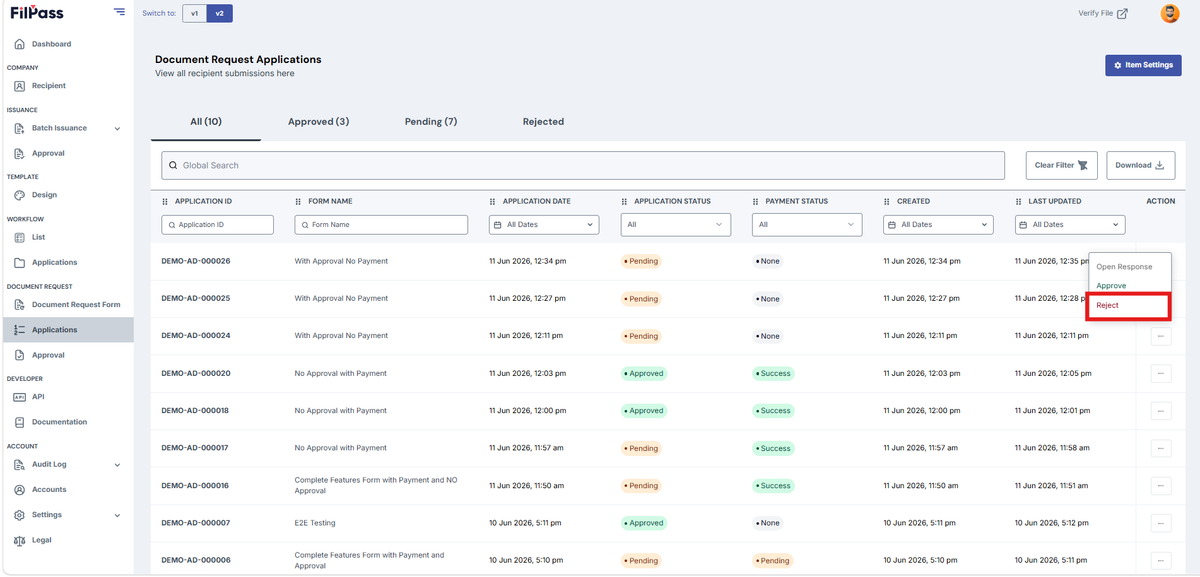
- Reject: Declines the submitted response or application, marking it as rejected
- Click Reject in Actions
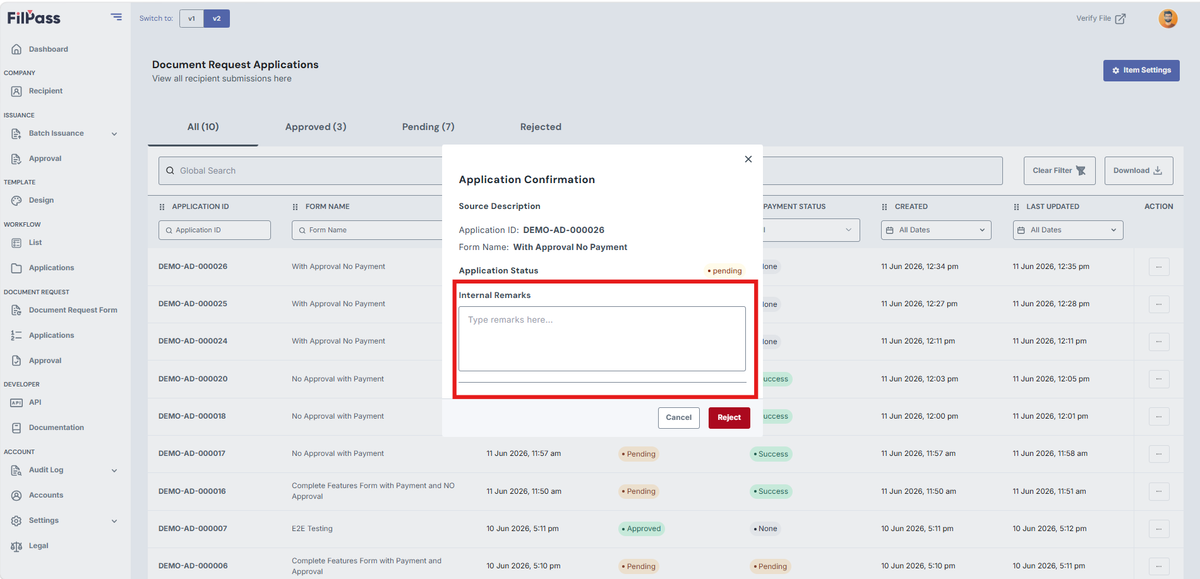
- Enter Internal Remarks (e.g., Rejected)
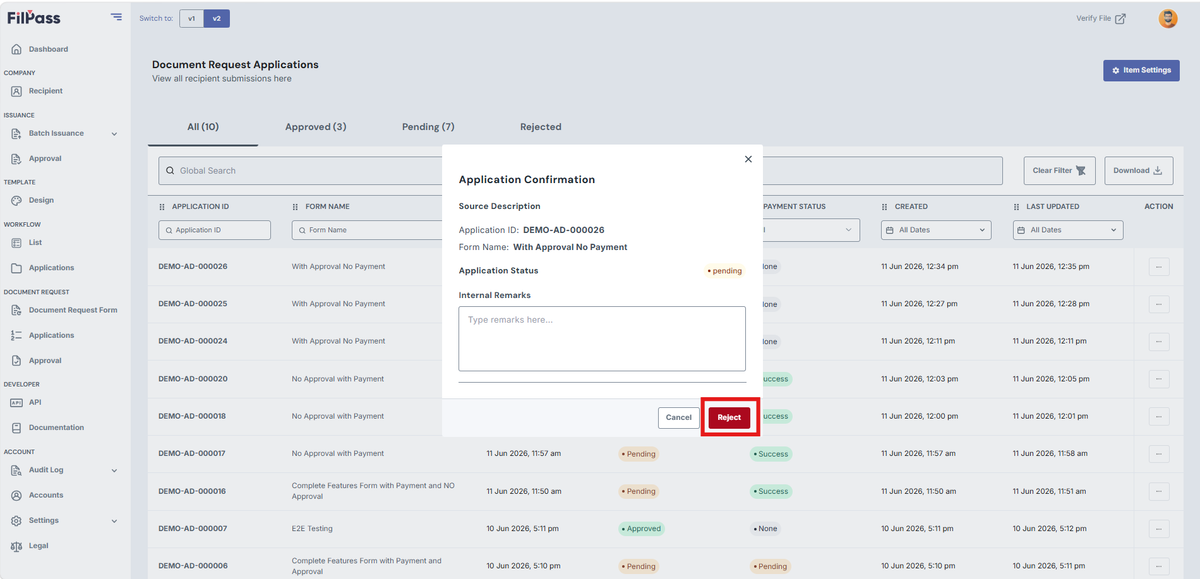
- Click Reject to proceed in rejecting the application
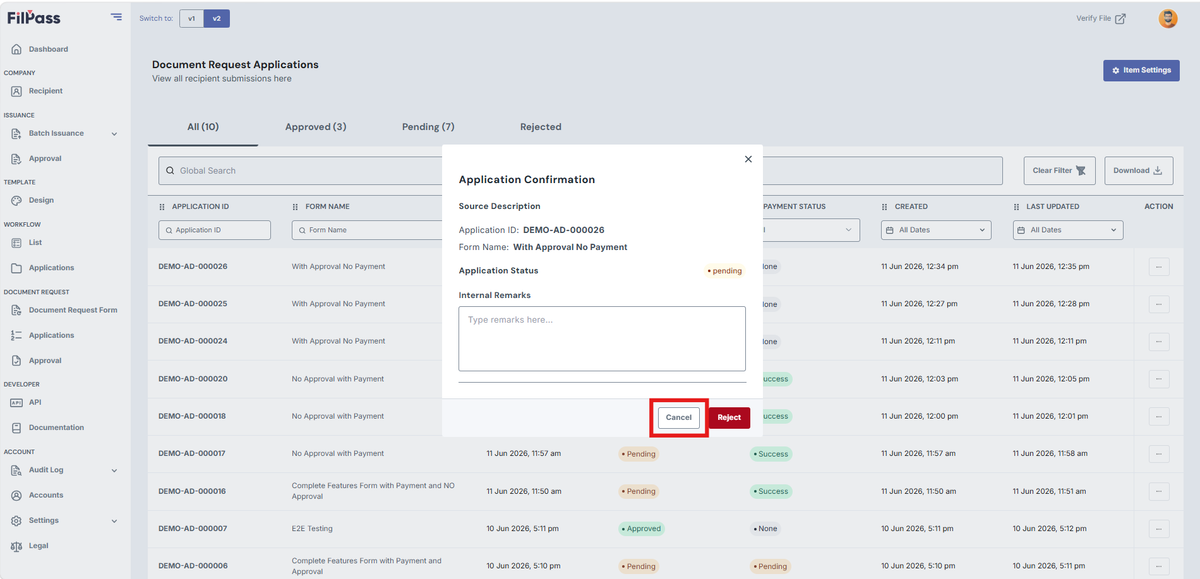
- Click Cancel if you don’t want to proceed in rejecting the application
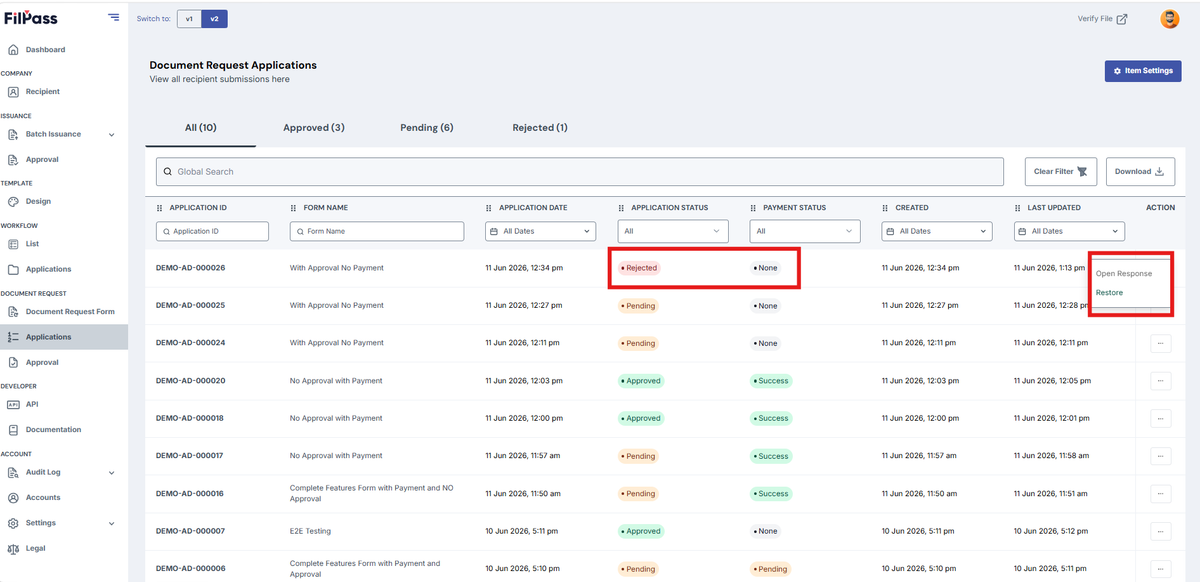
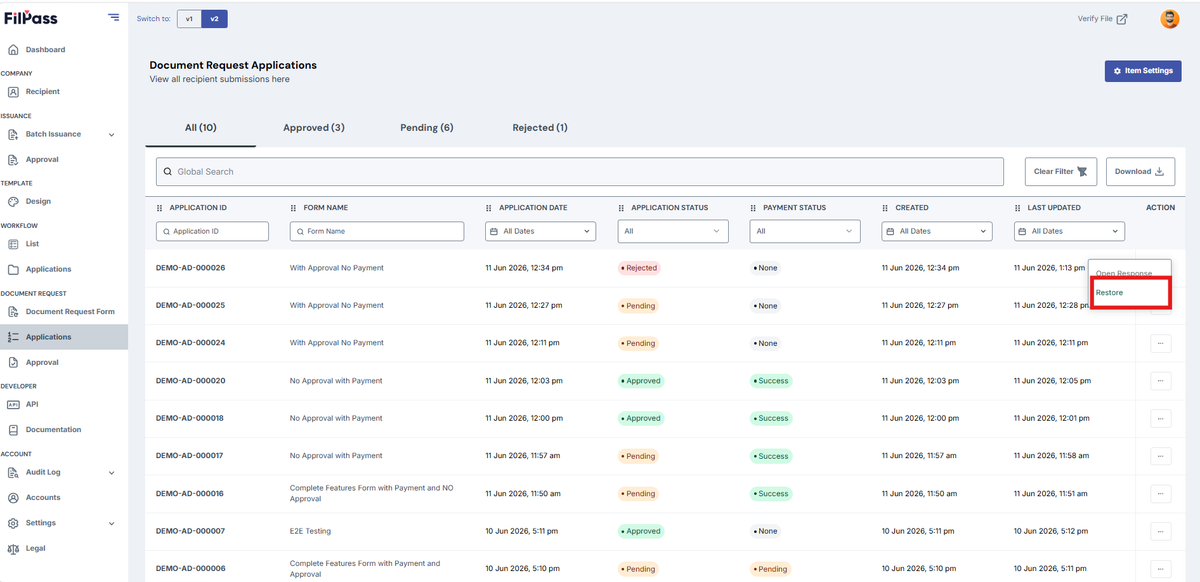
Note: Specific actions may only appear based on the Applications Status and Payment Status
Was this helpful?