

How to view Workflow Details?
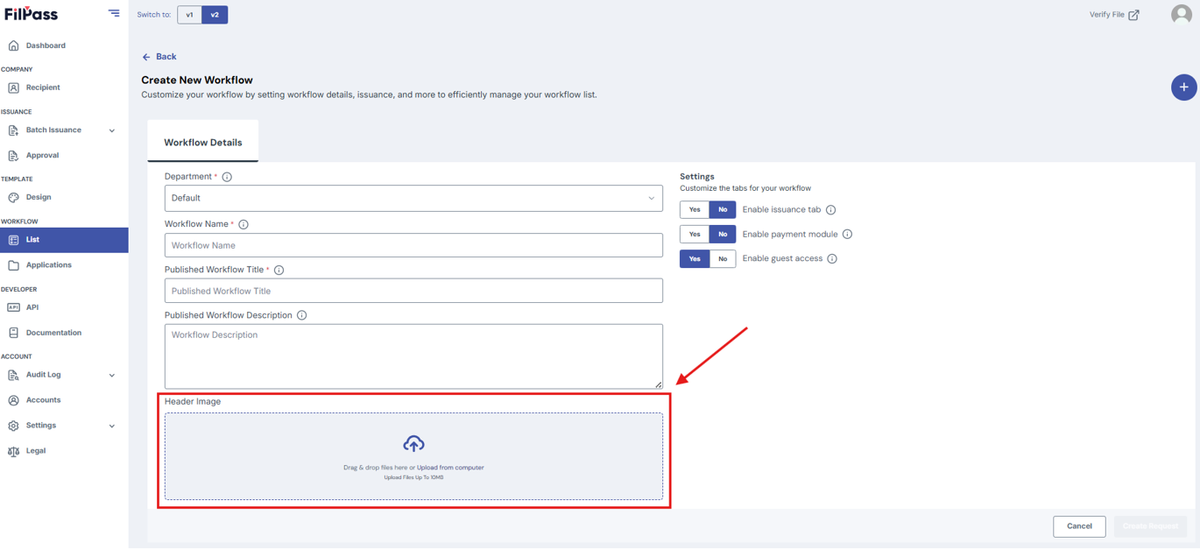
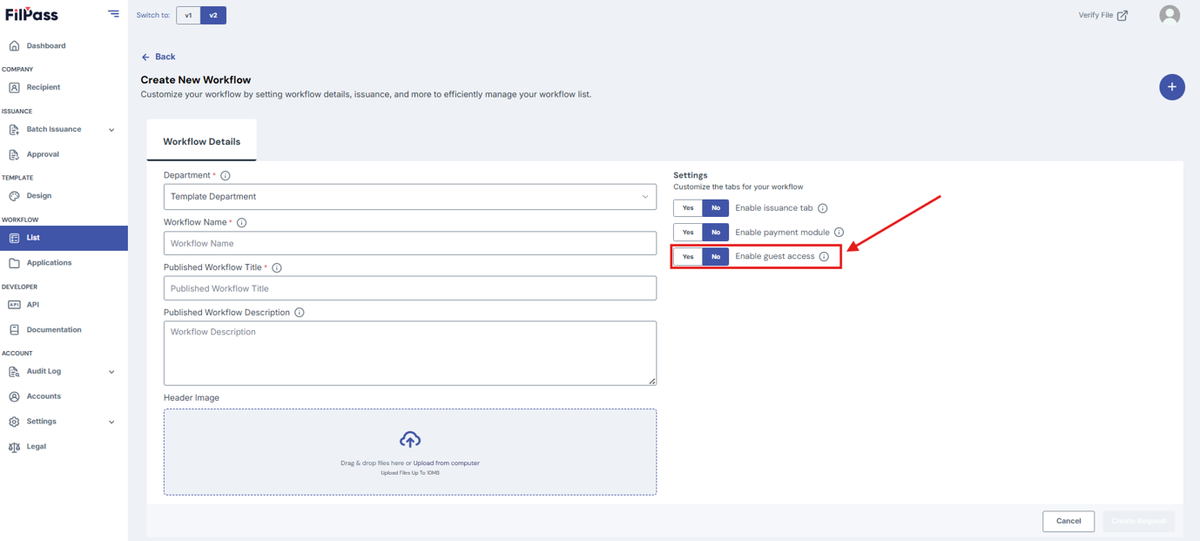
Select/Fill in the following details:
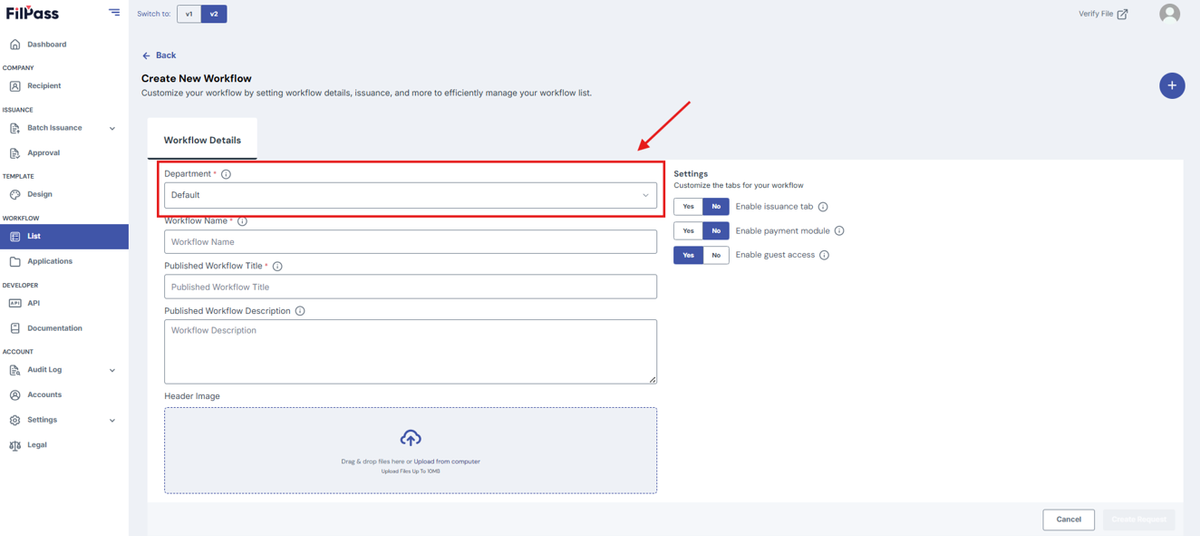
- Department (Required)
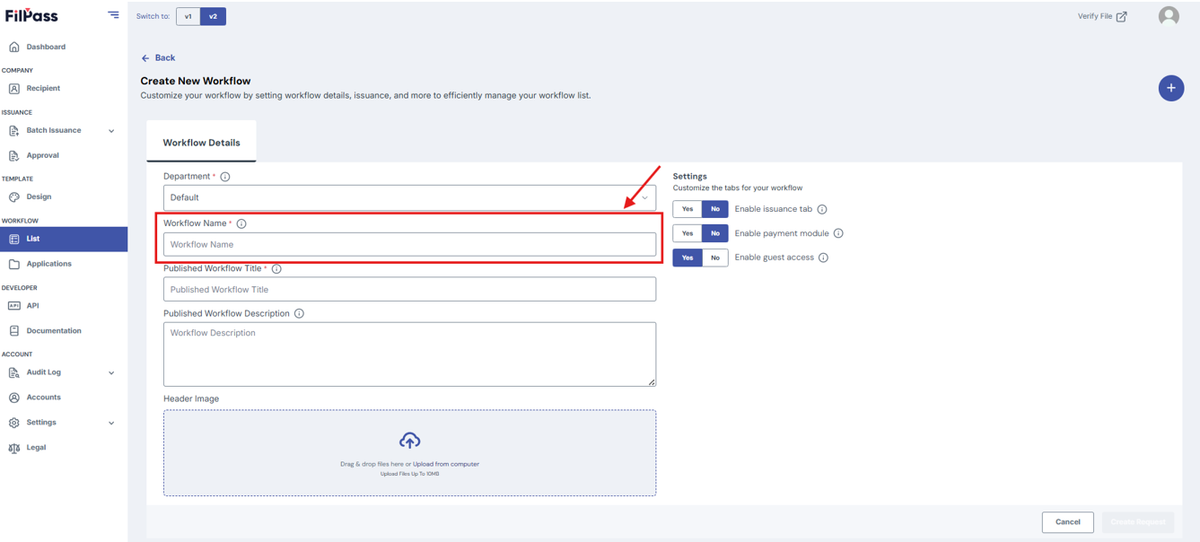
- Workflow Name (Required)
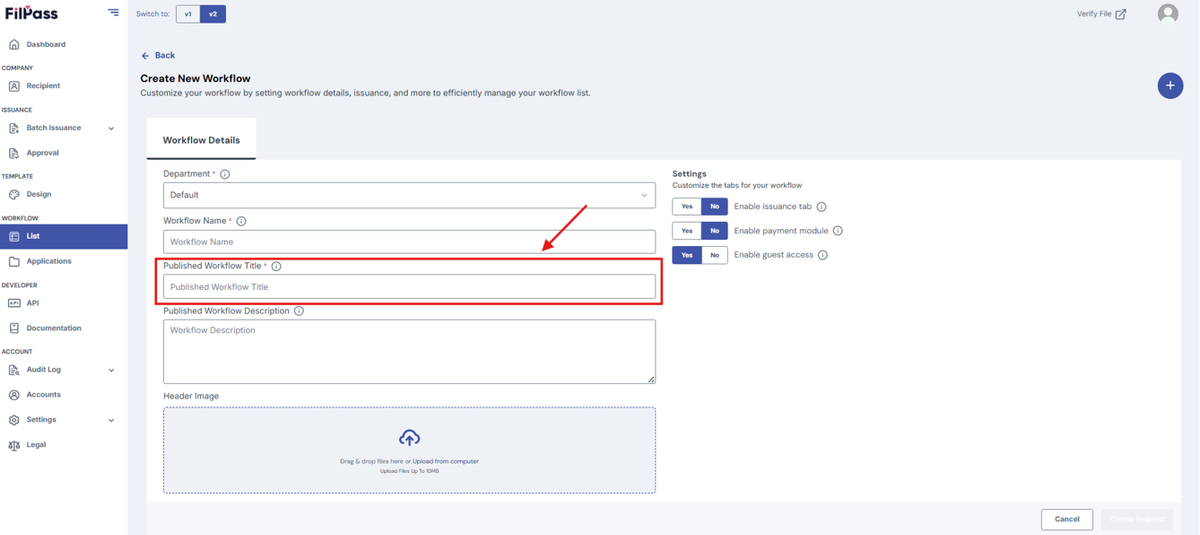
- Published Workflow Title (Required)
- Published Workflow Description (Optional)
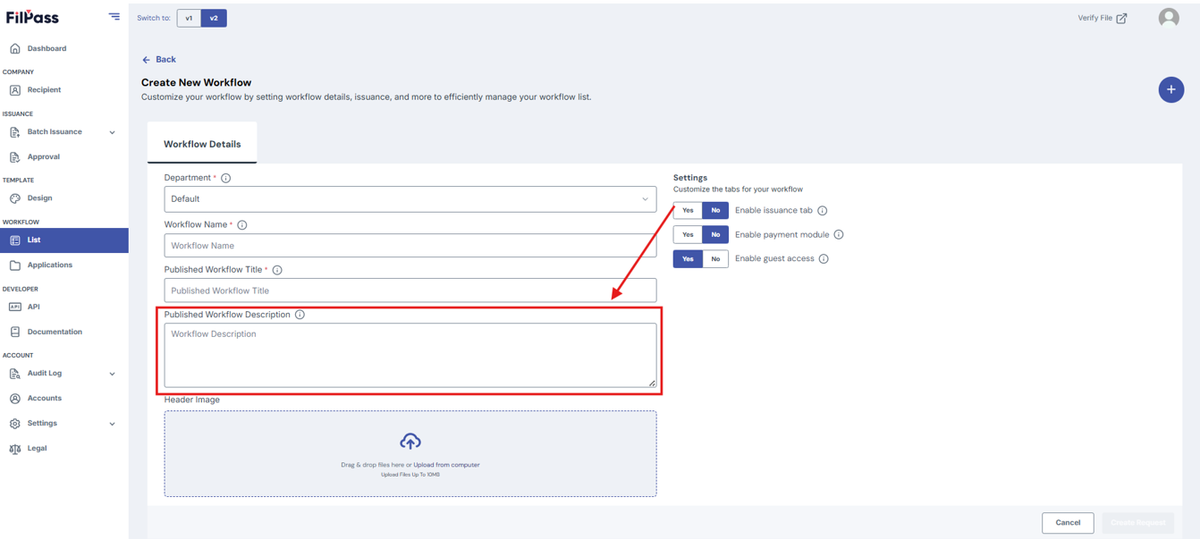
5. IA can upload a header image for the workflow.
Workflow Settings
Under “Settings”, there are four toggles to customize the workflow:
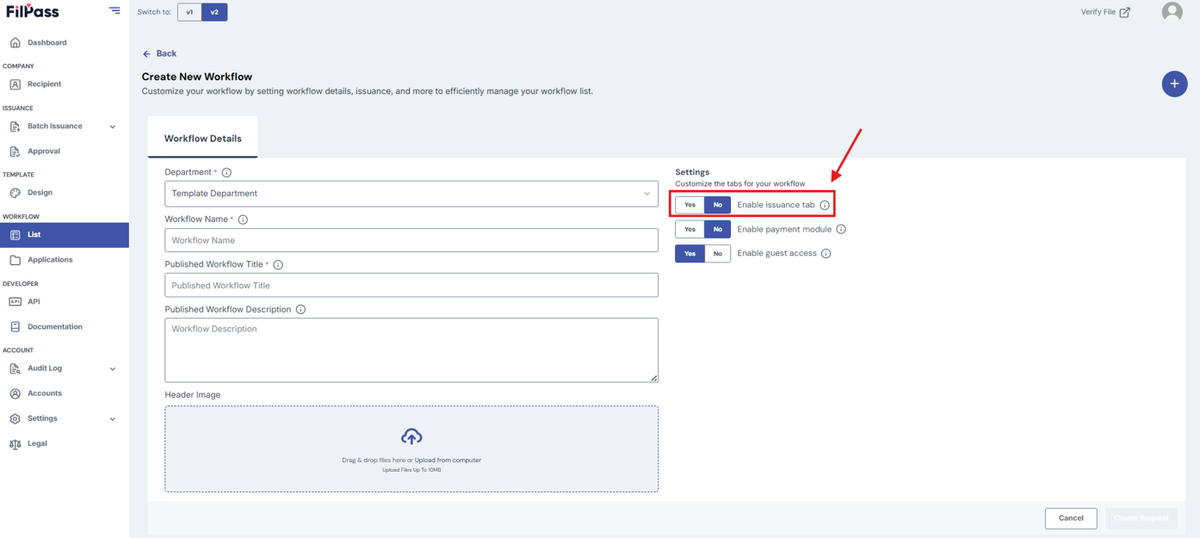
I. Enable Issuance Tab
- YES – enables the Issue Document Feature inside the workflow
- Approval Tab Toggle will be visible.
- NO - disables the Issue Document Feature inside the workflow
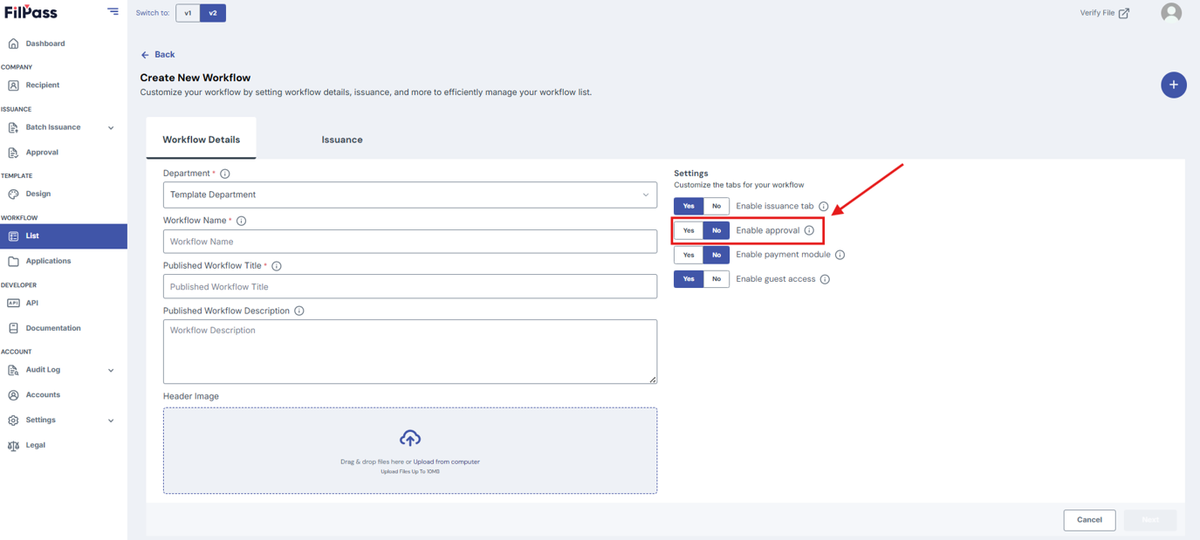
II. Enable Approval
- YES - can assign a person(s) to approve documents
- NO - documents will not need approval
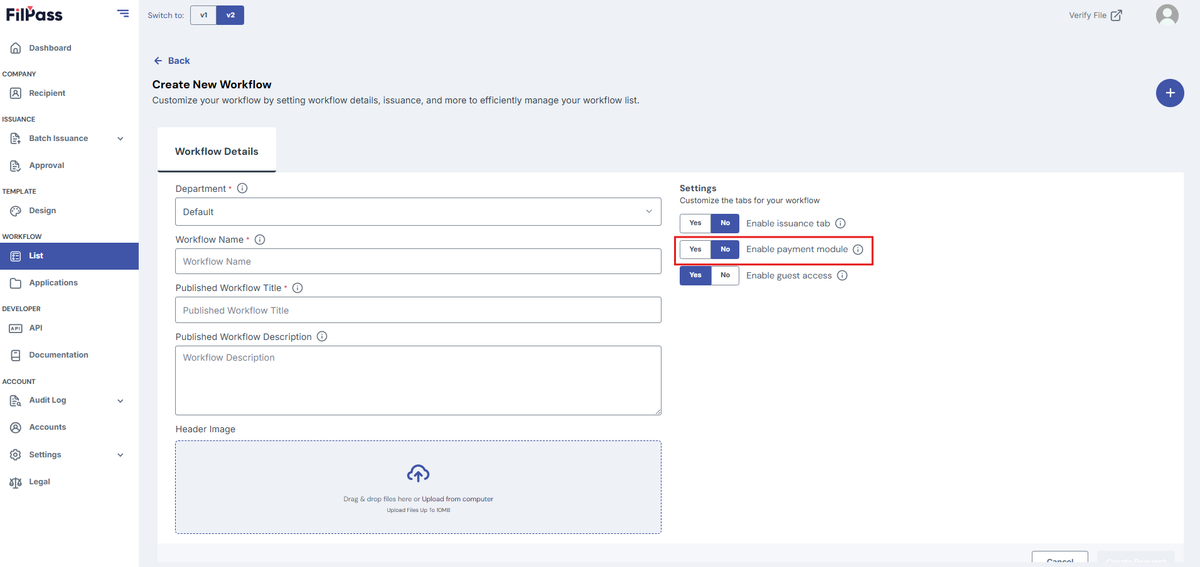
III. Enable Payment Module
- YES - will have payment gateway for documents
- NO - remove the payment gateway for documents
IV. Allow for guest access
Guest access is Yes by default.
- YES - Guest can access the workflow
- NO - Guest can't access the workflow
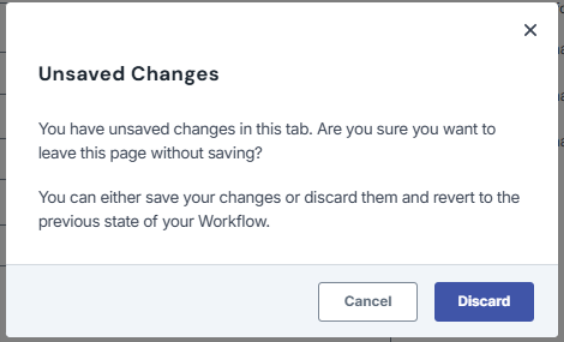
Note: If you exit the page or go to another page without saving, a discard modal will appear and ask for confirmation in leaving the page.
Was this helpful?