

What is the Accepted Date format in the Batch Issuance Excel Template?
The Date entry in the Batch Issuance Excel Template can be:
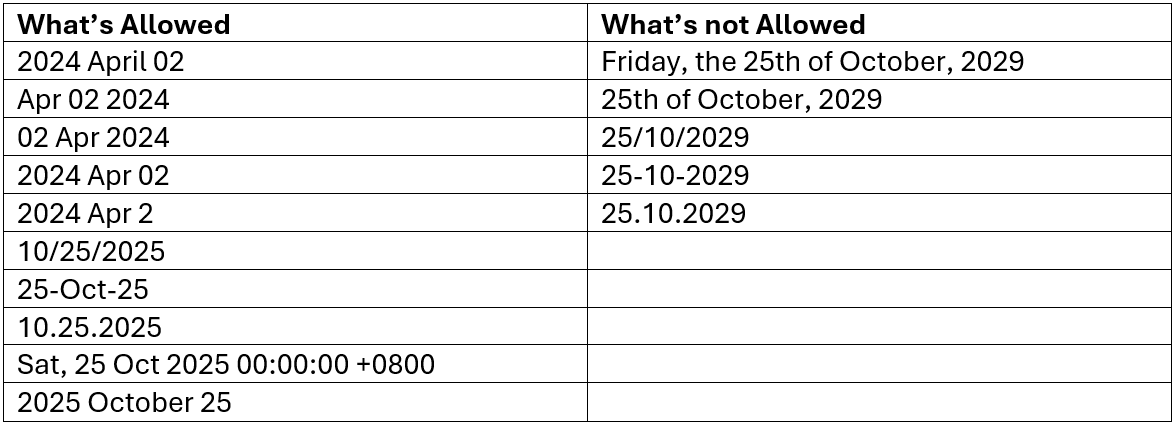
Take note:
- Month can be full name or abbreviation - Apr / April
- Month can be lower or uppercase - april / APRIL
- Day can be one or two-digit number - 02 or 2
- Year should be always at four digits – 2024
- We recommend NOT using only the European date format like Day–Month–Year. - since there’s more risk of confusion with this format.
- Should the event that Excel has autoformatted the date, add an apostrophe (“) in front of the text.
As long as the Excel is in the correct Date format, the system will input that Date and display that according to the agreed output style.
The System will validate the Date cell and reject any improper Date format (if any).
Was this helpful?