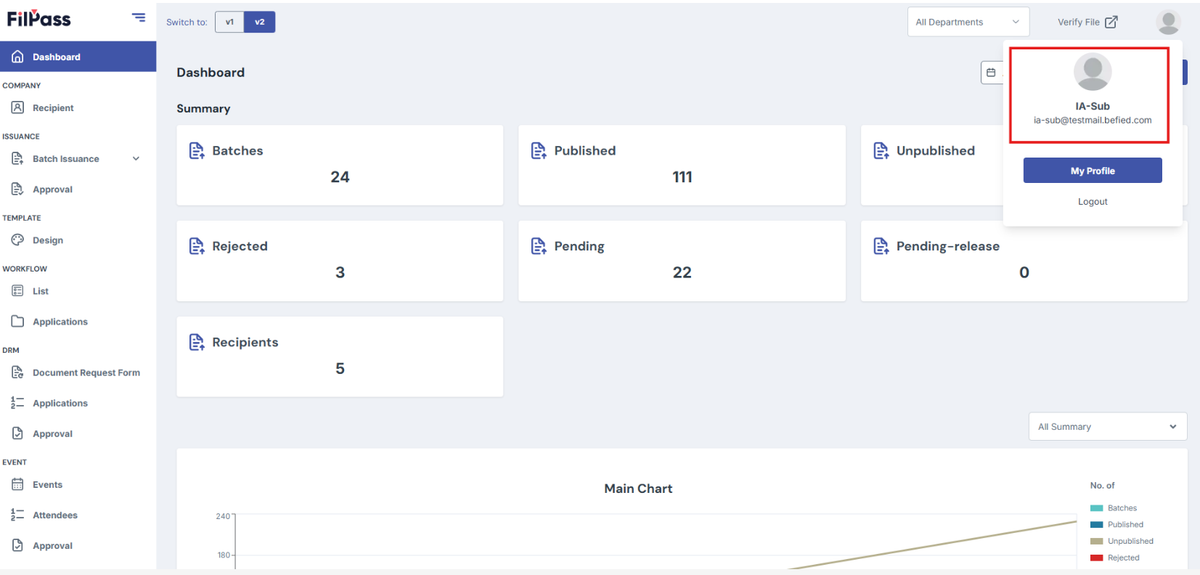
SubUser Verification Process
On this page
When an Issuing Authority (IA) adds a new SubUser and assigns a specific role (such as Approver), the invited user must complete the verification process before they can access the assigned account.
Step 1: Receive the Invitation Email
Once the IA added the SubUser account and assigns a role, the invited user will receive an email invitation containing a verification link.
Note: If the email is not found in the inbox, check the Spam or Junk folder.
Step 2: Open the Verification Link
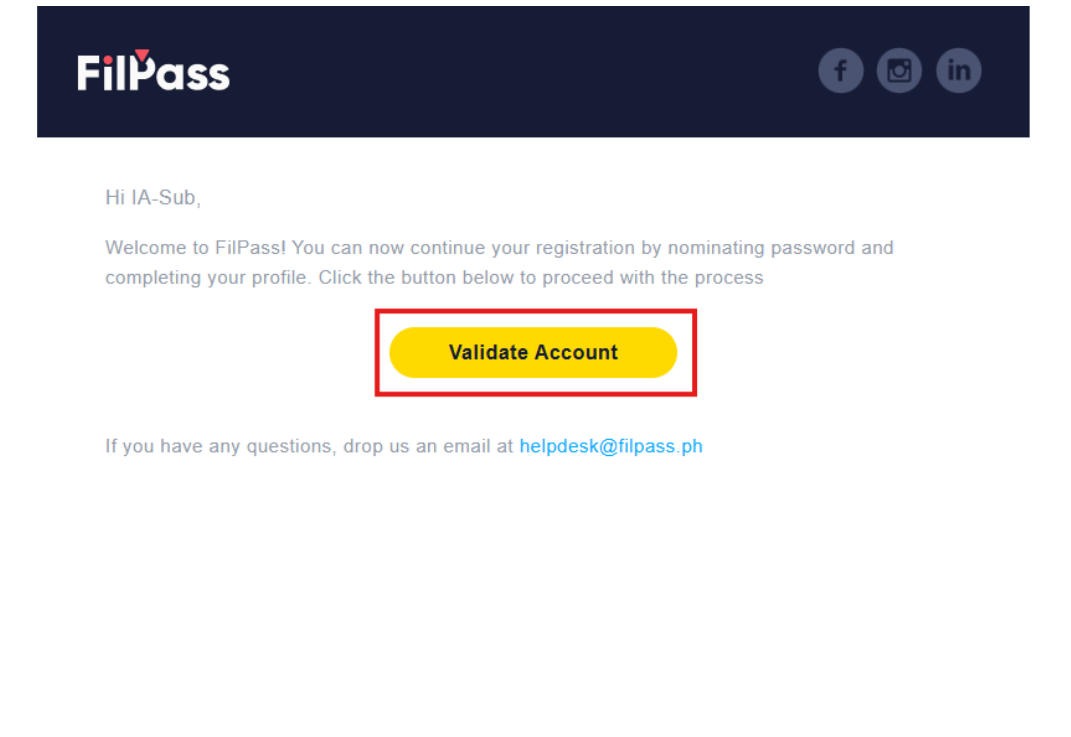
Click the Validate Account button.
The link will redirect the user to the verification page to set up your account password.
Step 3: Verify the Account
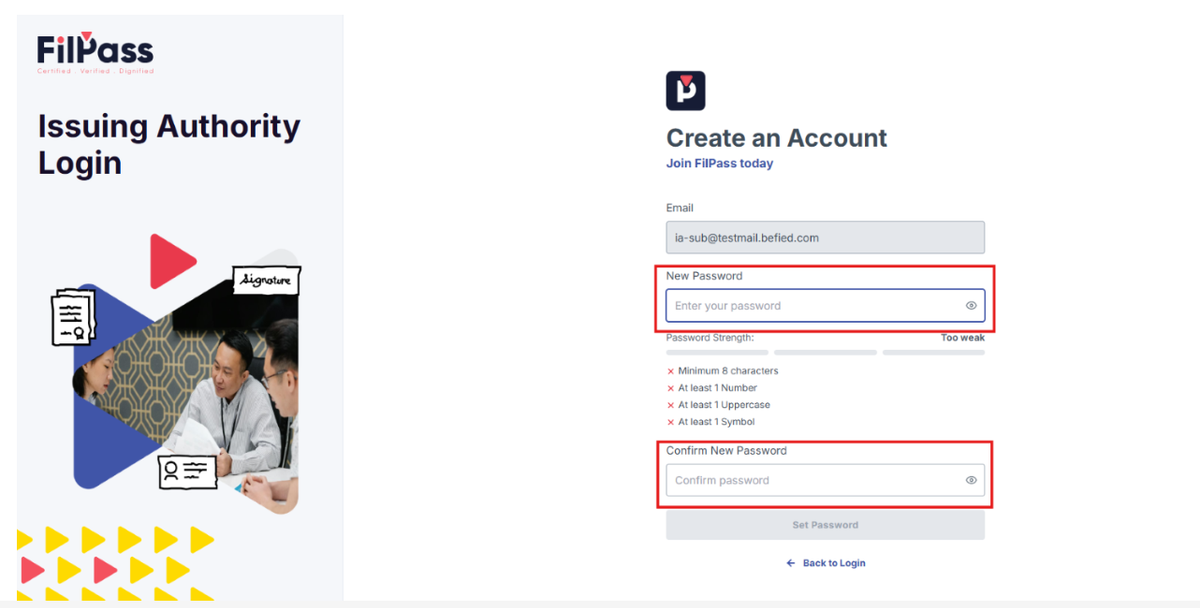
Follow the on-screen instructions to complete the account verification process.
- Input your password
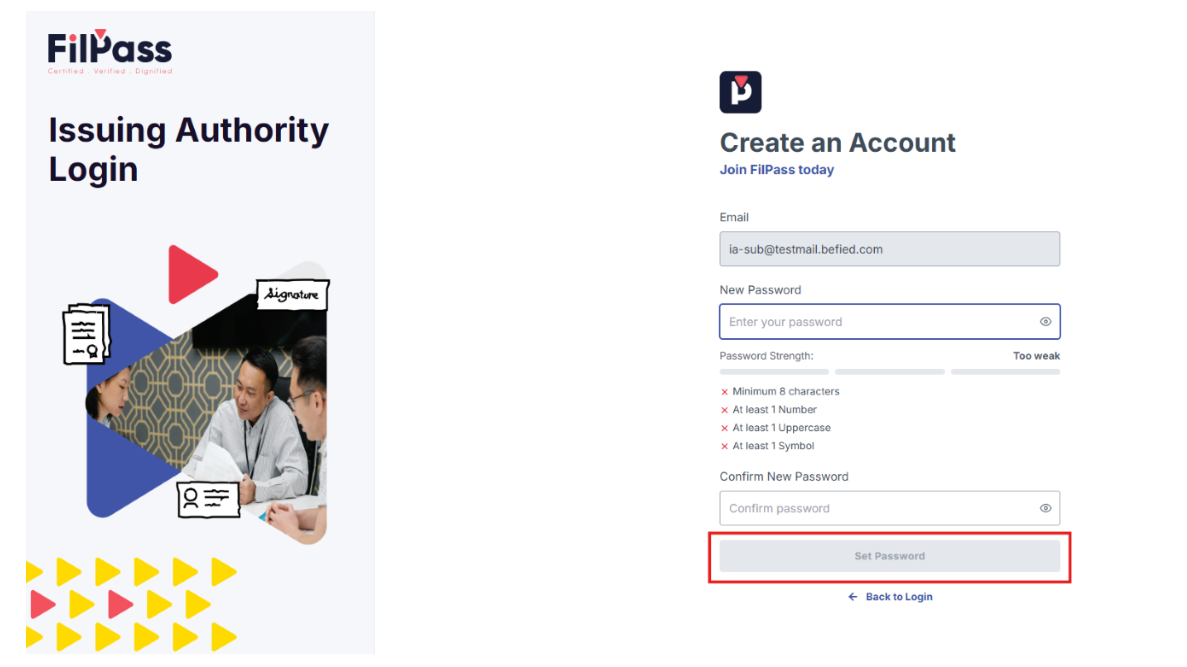
- Click Set Password
Step 4: Sign In
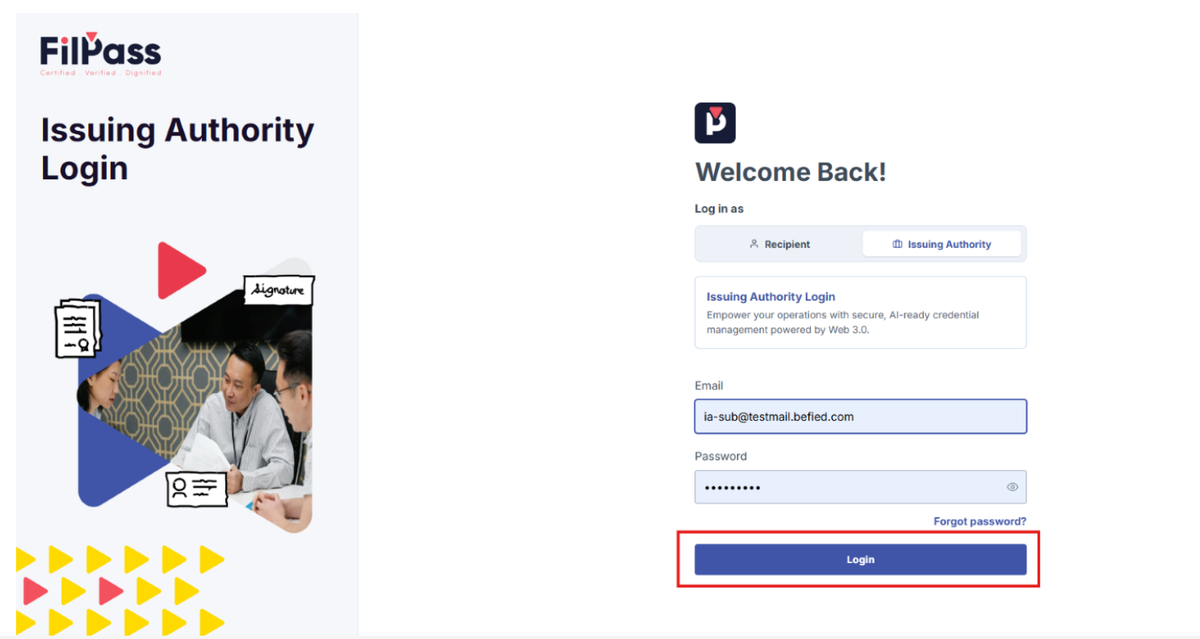
After successful verification, the SubUser can sign in using their registered email address and newly created password.
The user will only be able to perform actions permitted by the role assigned by the Issuing Authority (for example, Approver).
- Click Login
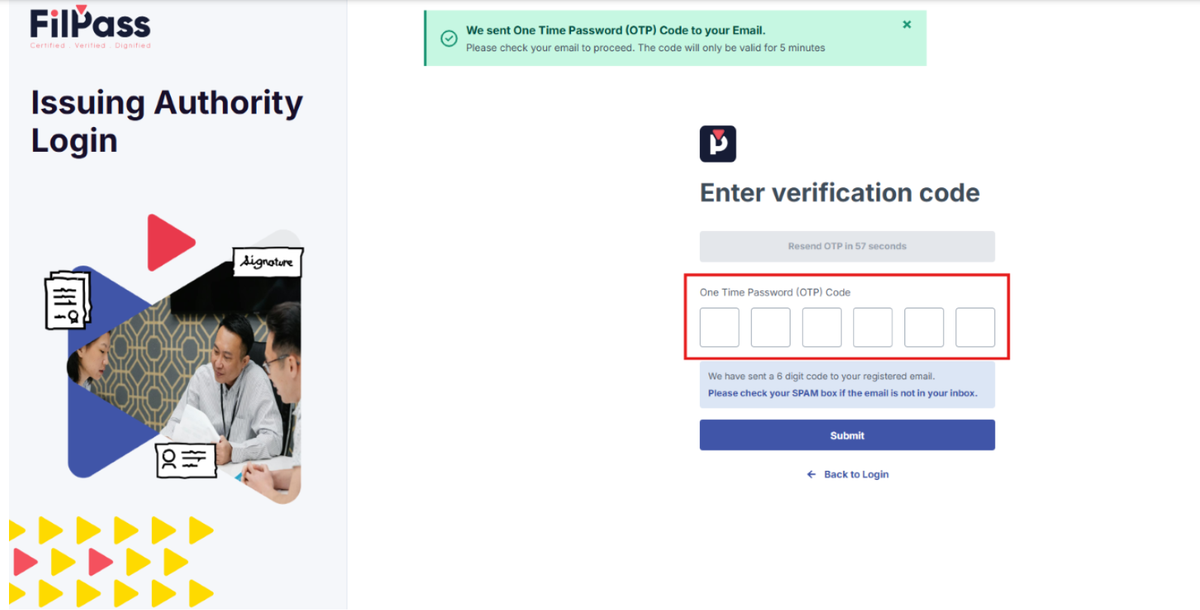
- Enter OTP sent through your account’s email
- You have successfully verified your SubUser account and signed in to FilPass.