

Recipient Registration Events Payment
This section explains how the recipient can pay their respective event
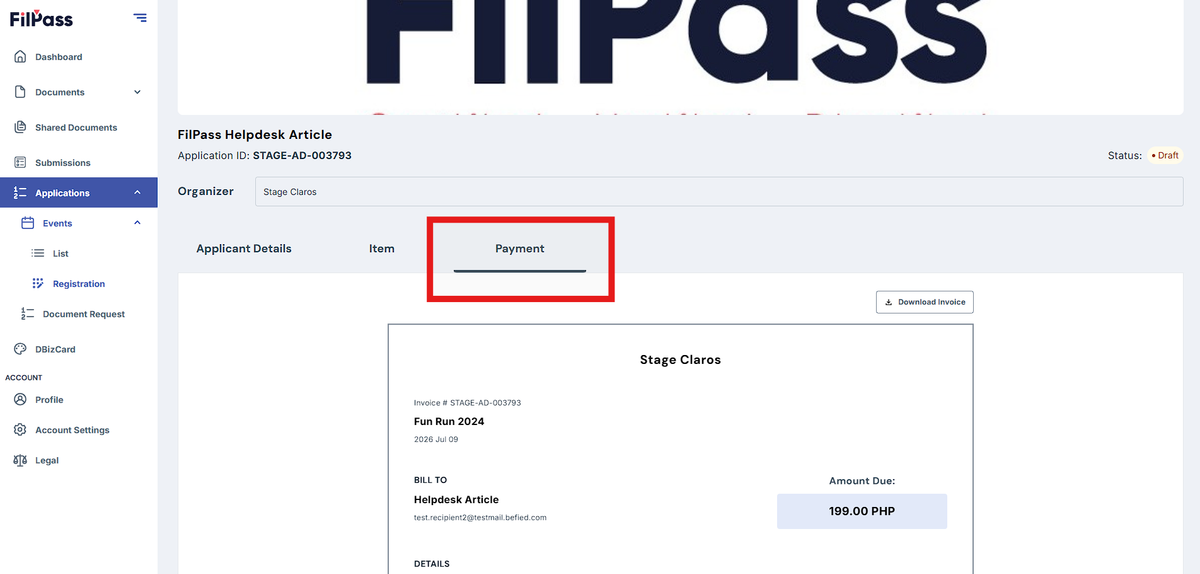
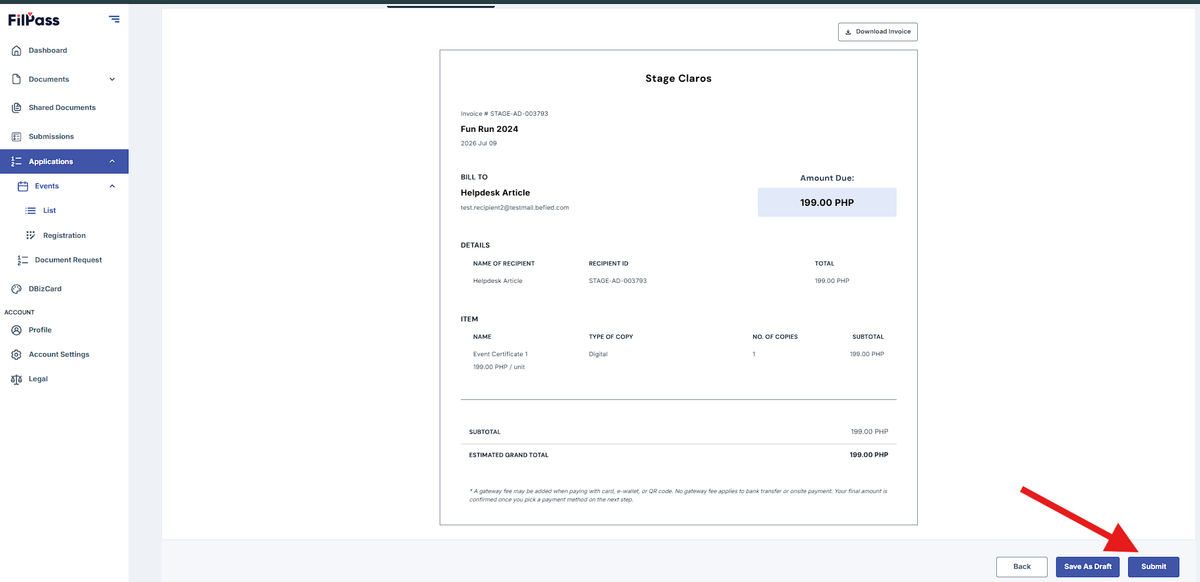
- After filing up all the needed information, click next. You will be redirected to the Payment tab. This will only exist if the payment is enabled.
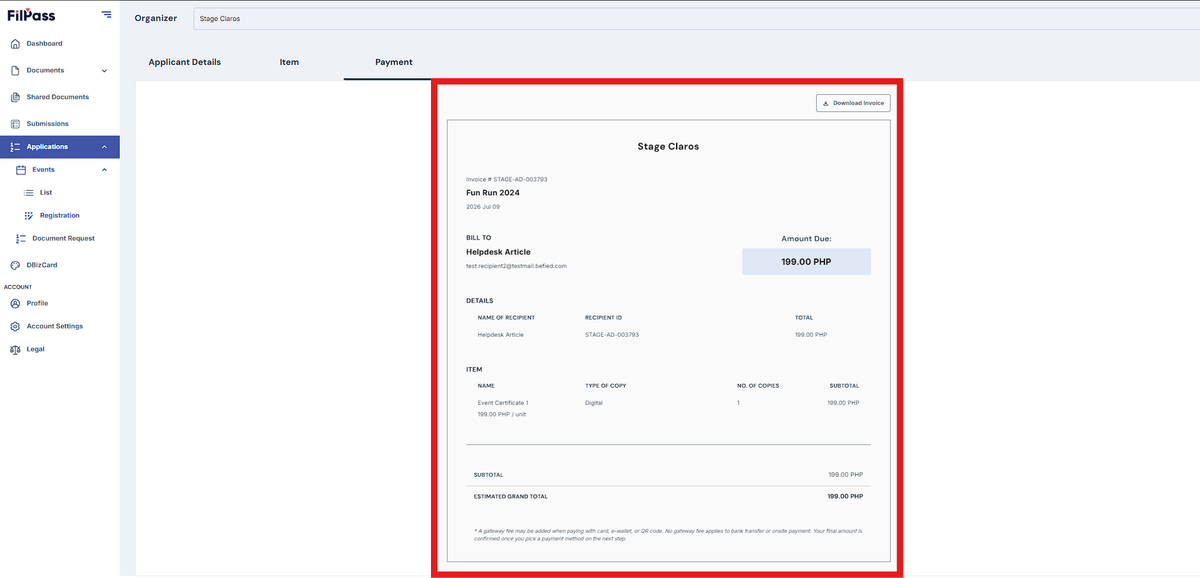
2. You can see the details of your payment
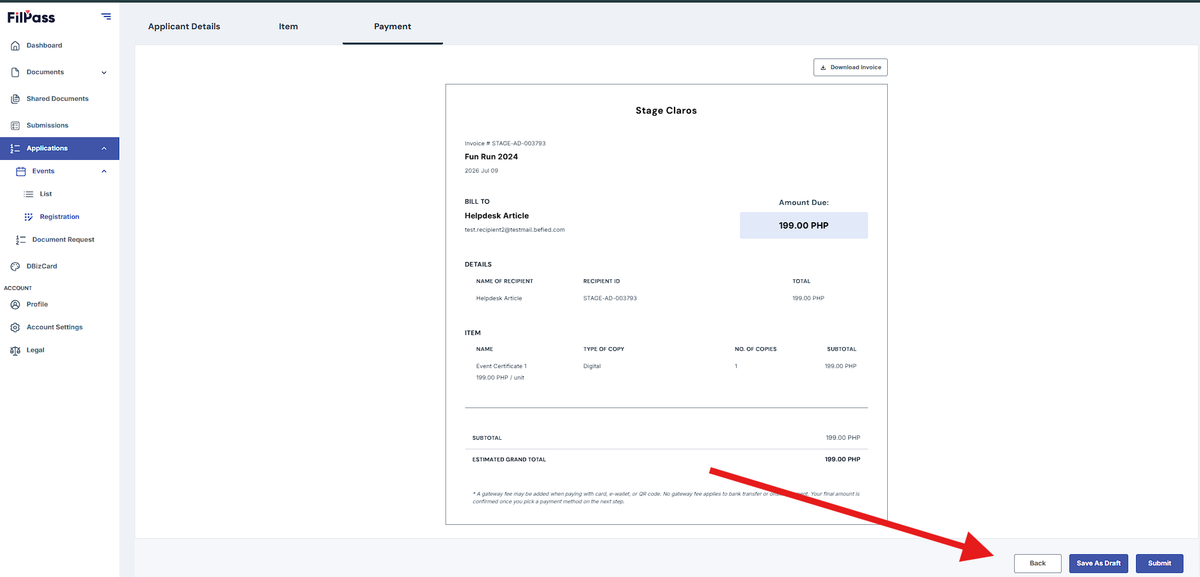
3. Click “Back” to go back to the previous page.
4. Click “Save As Draft” to draft and continue later.
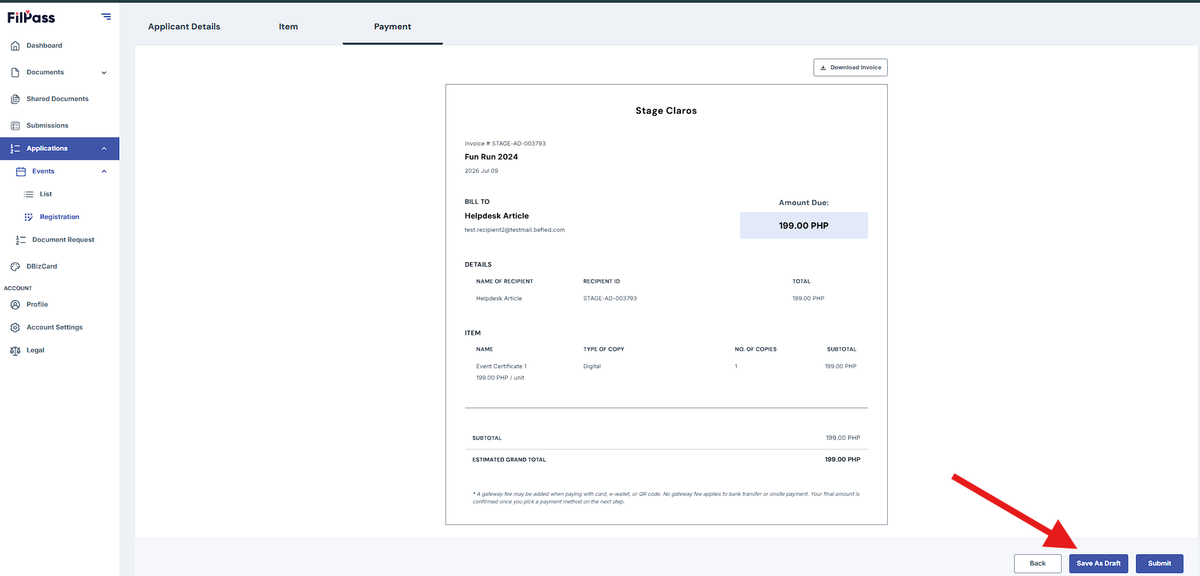
- Navigate to “Continue Draft” to continue the previous registration.
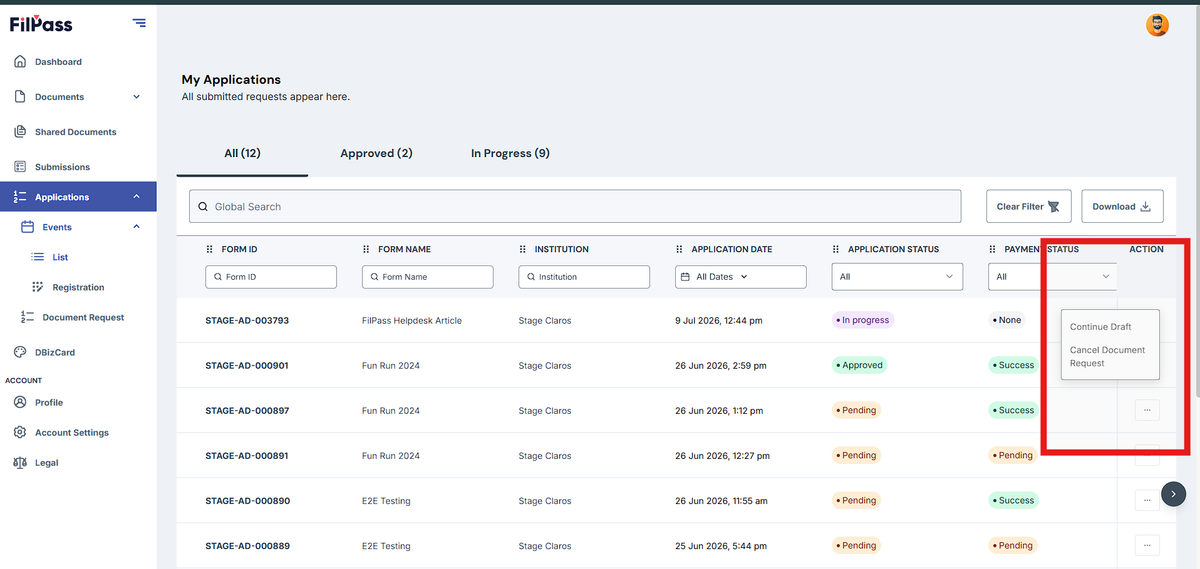
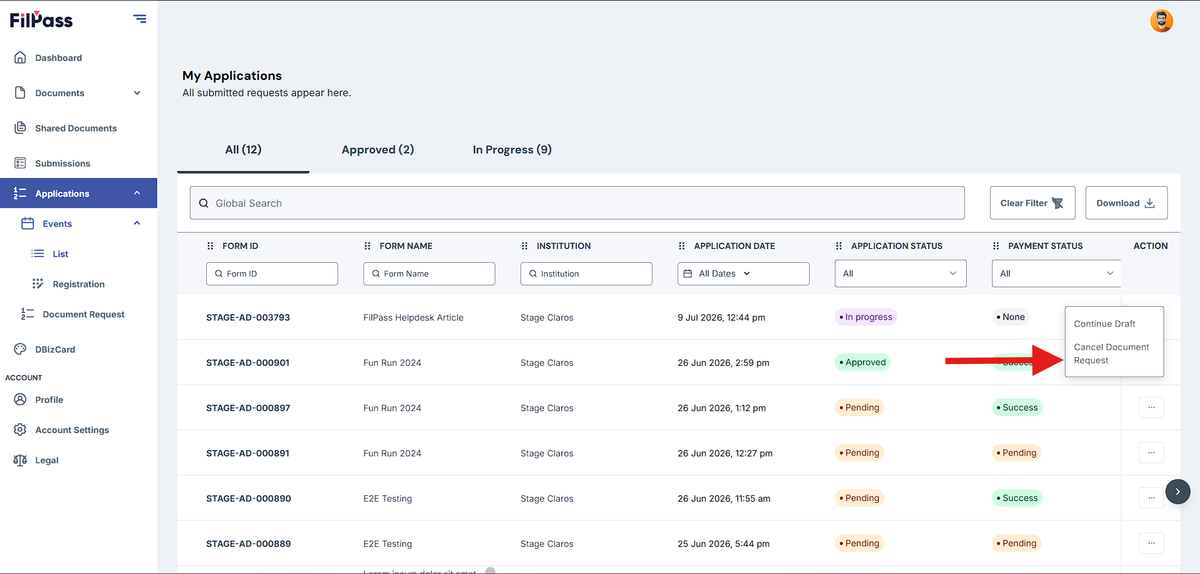
- Navigate to “Cancel Document Request” to discard application.
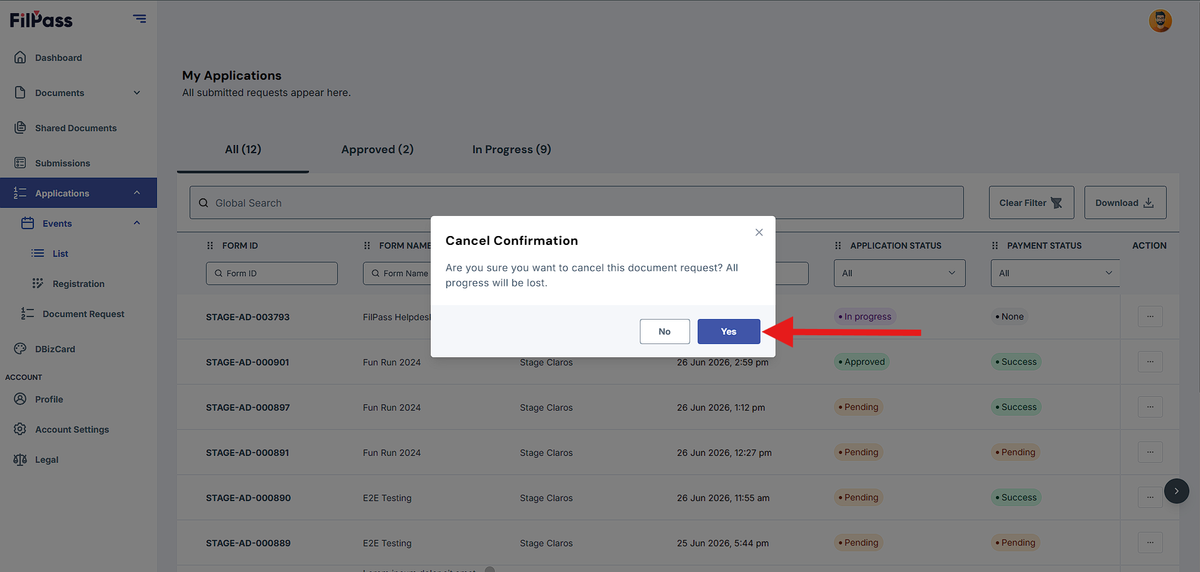
- Click “Yes” to discard.
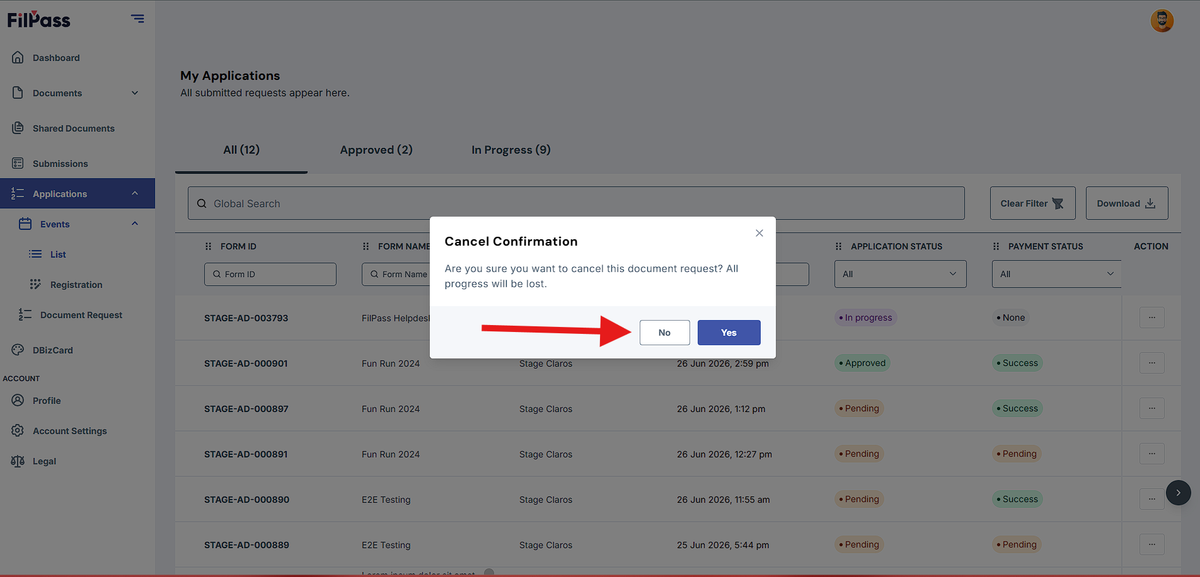
- Click “No” to cancel discard.
5. Click “Submit” to proceed.
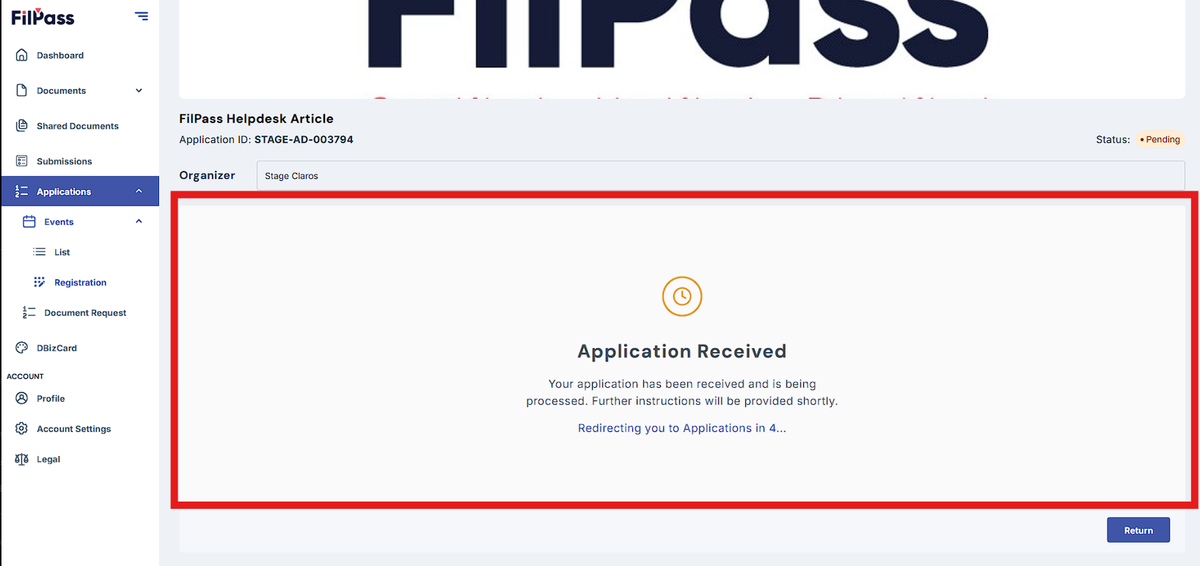
6. Application Received.
Was this helpful?