

Recipient Event Attendee Details
Some event organizers require attendee information for each ticket purchased. If enabled, you'll need to complete the required attendee details before proceeding to payment.
Steps to Complete Attendee Details
1. On the Item tab, choose the ticket(s) you want to purchase and set the desired quantity.
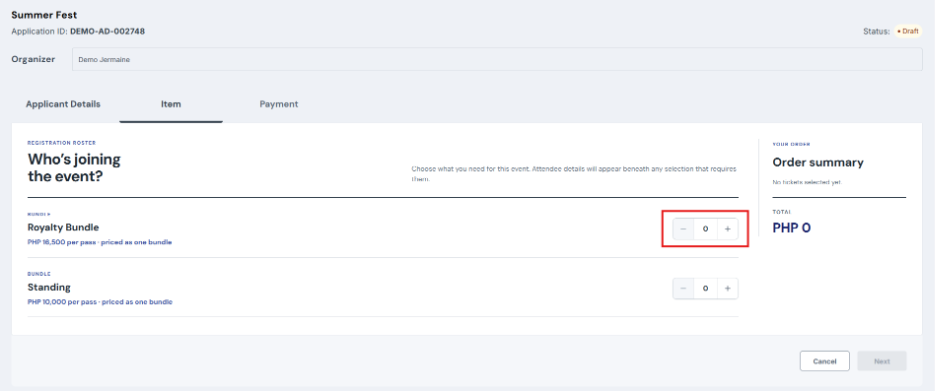
2. If the selected ticket requires attendee information, an Attendee Details section will automatically appear below the ticket.
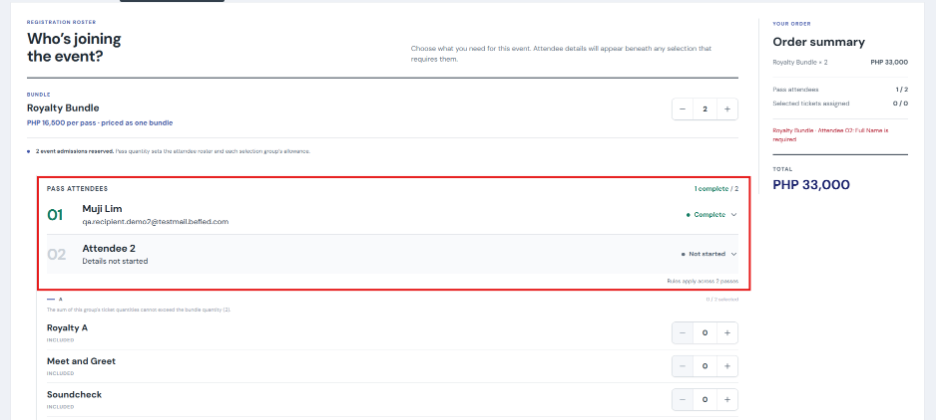
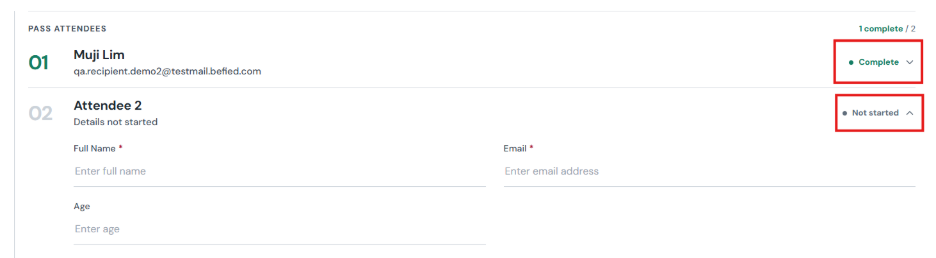
3. Expand each attendee form and enter the required information.
a. Full Name and Email Address are always required.
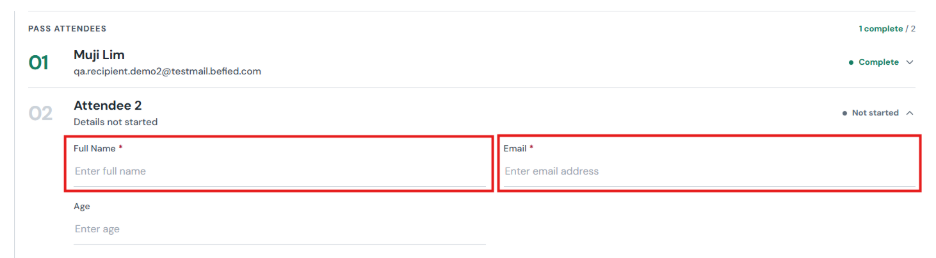
b. Additional fields may appear depending on the organizer's requirements (for example: Phone Number, Date of Birth, Dropdown selections, etc.).
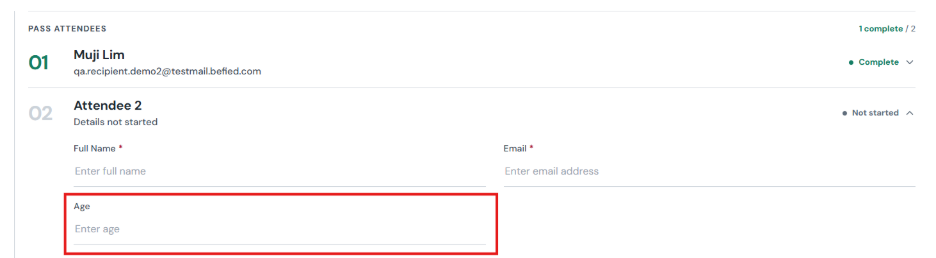
4. Complete the attendee details for each attendee form that appears.
5. If you selected a bundle ticket, assign each included ticket to an attendee until all selected tickets have been assigned.
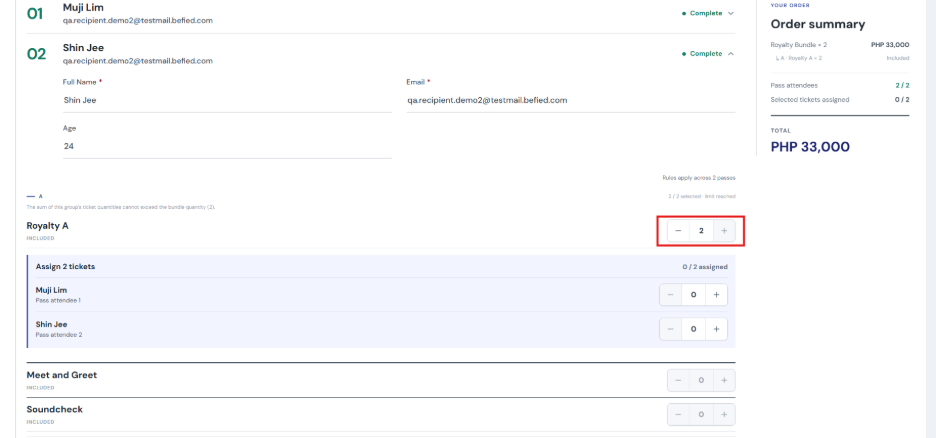
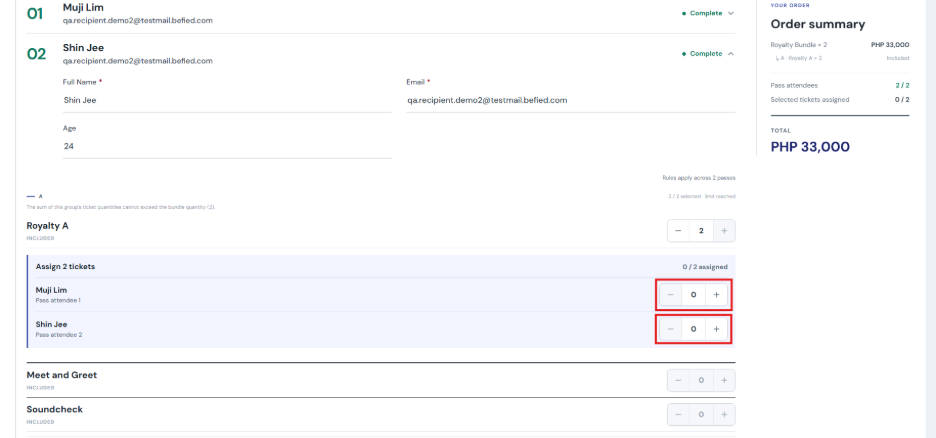
6. Verify that all attendee forms are marked as Complete and, for bundle tickets, that all included tickets have been assigned before proceeding to payment.
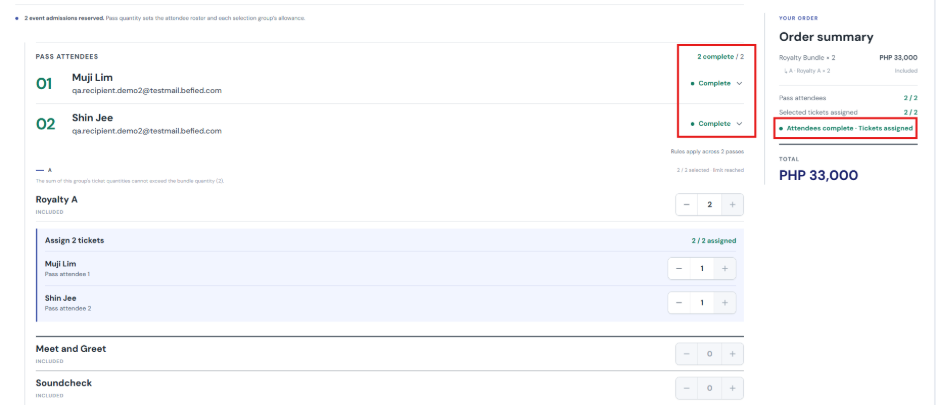
7. Once all required attendee information has been provided, click Proceed to Payment.
8. Complete your payment to finish your event registration.
Note
- You cannot proceed to payment until all required attendee details have been completed.
- Each attendee will receive a ticket issued under their provided name and email address, while the purchaser will still receive the booking confirmation.