

Payment Tab
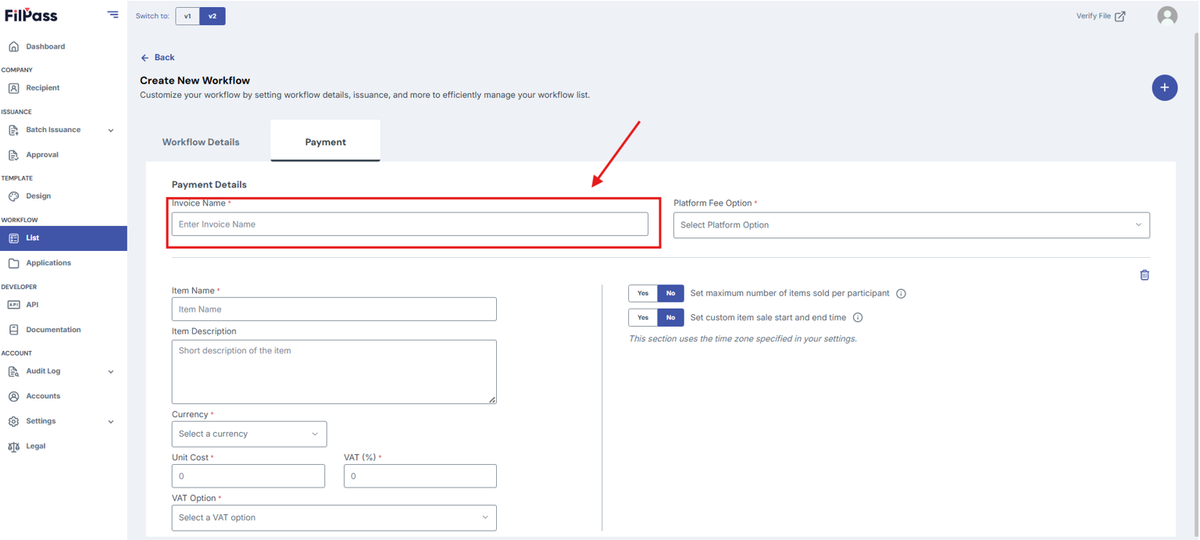
1. Under “Payment Details”, add “Invoice Name”
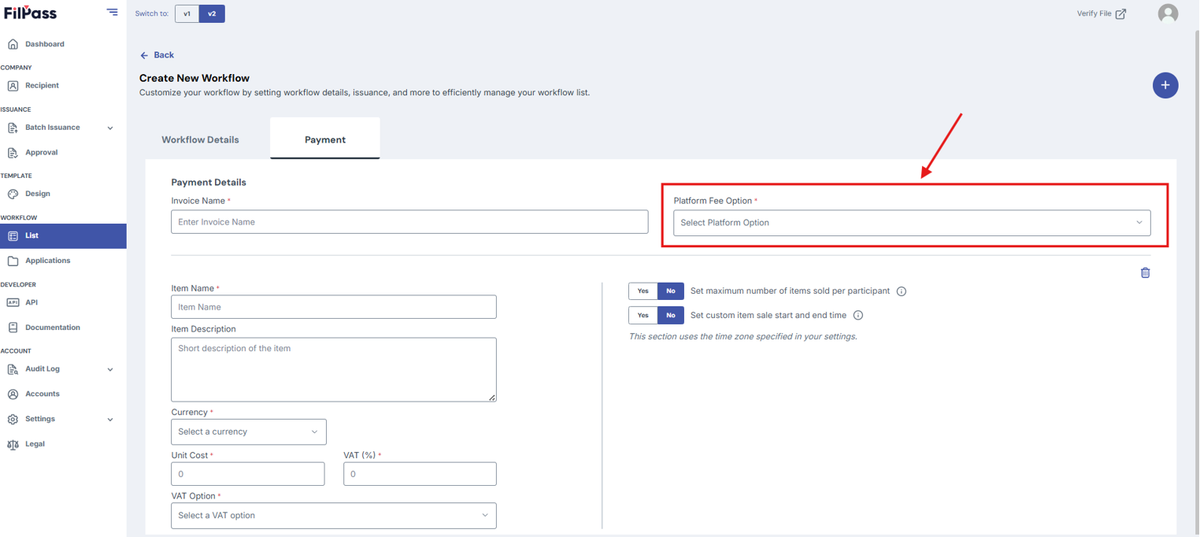
2. Select your Platform Fee Option.
- Platform Fee Option:
- Inclusive: The platform fee is included in the transaction
- Exclusive: The platform fee is charged separately from the initial transaction.
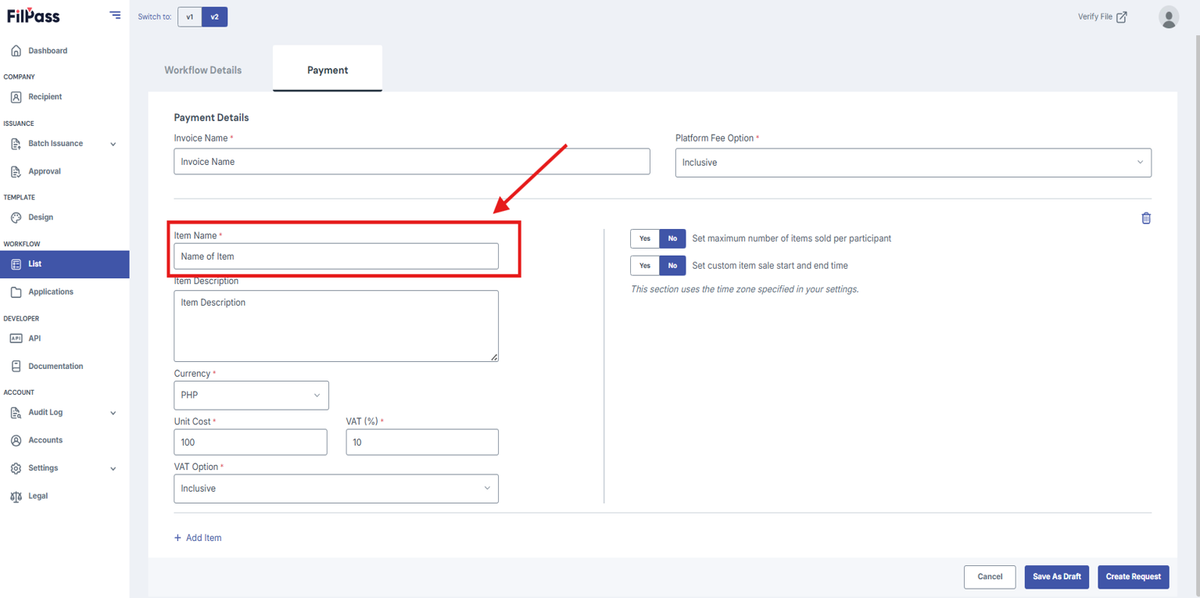
3. Type the Item Name of the item to be issued.
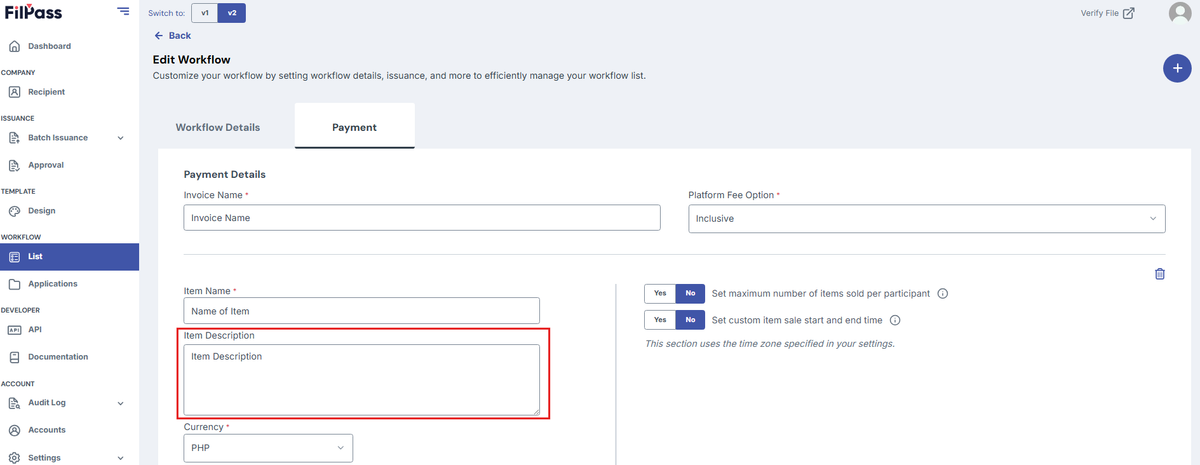
4. Type the Item Description of the item to be issued.
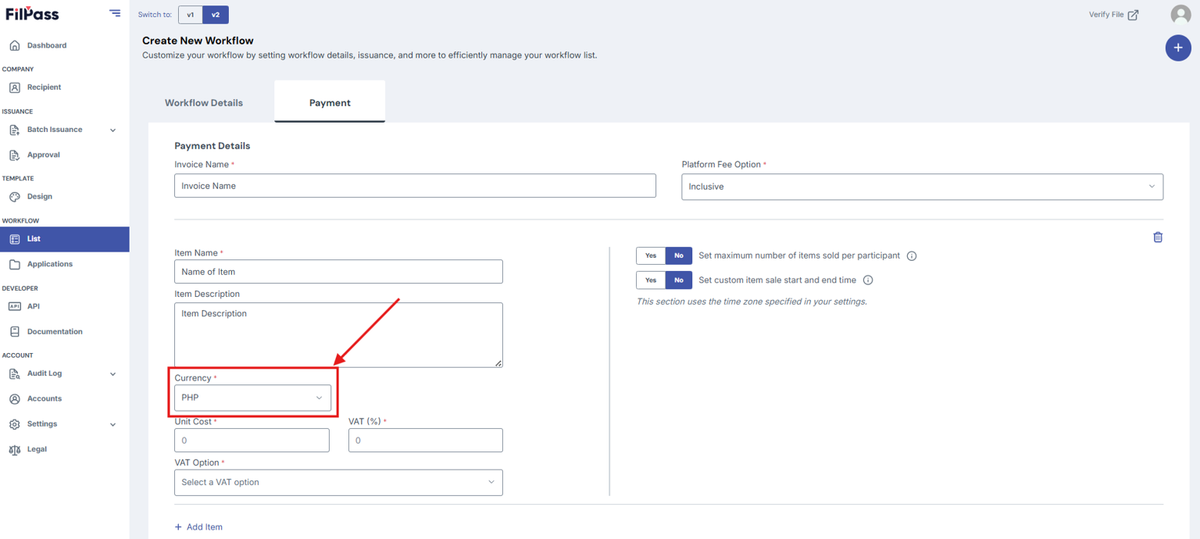
5. Under "Currency" select the currency to be used.
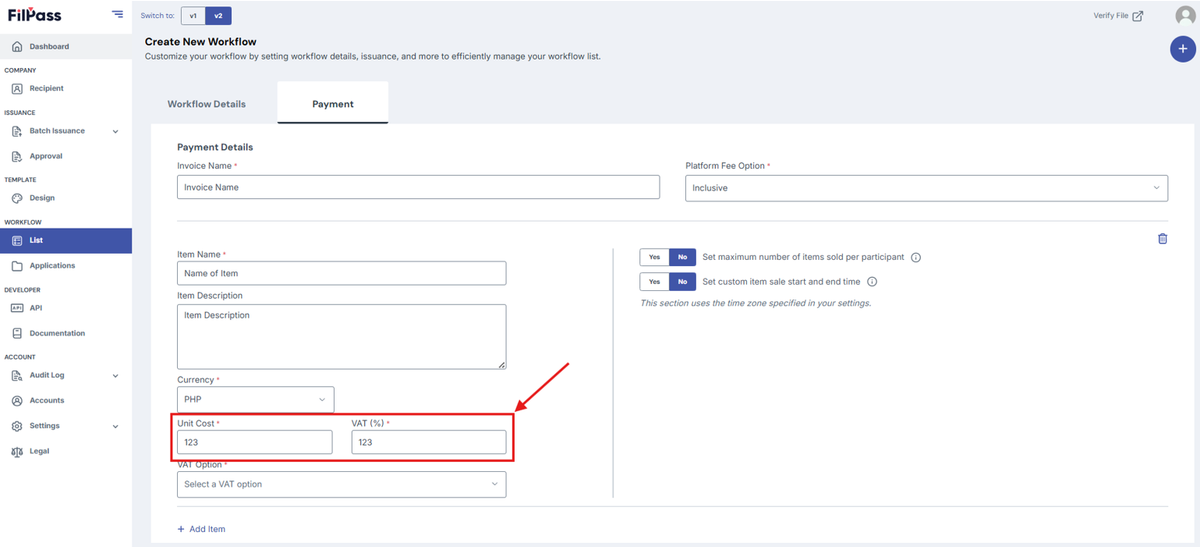
6. Type in the Unit Cost for each unit and include a VAT percentage.
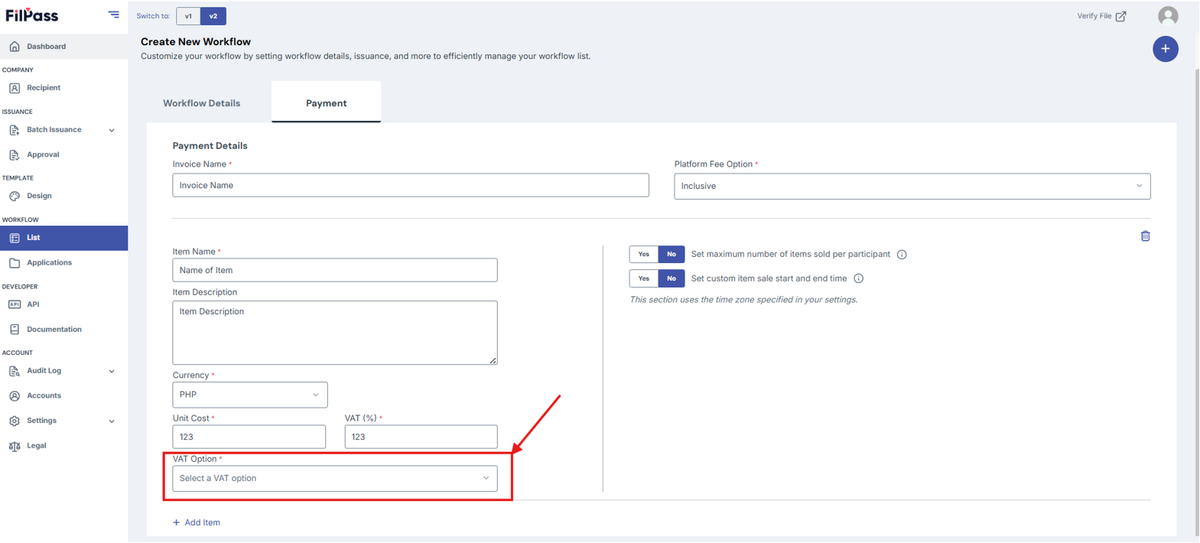
7. Select a VAT Option.
- VAT Option:
- Inclusive: VAT is included
- Non-VAT: VAT is not included
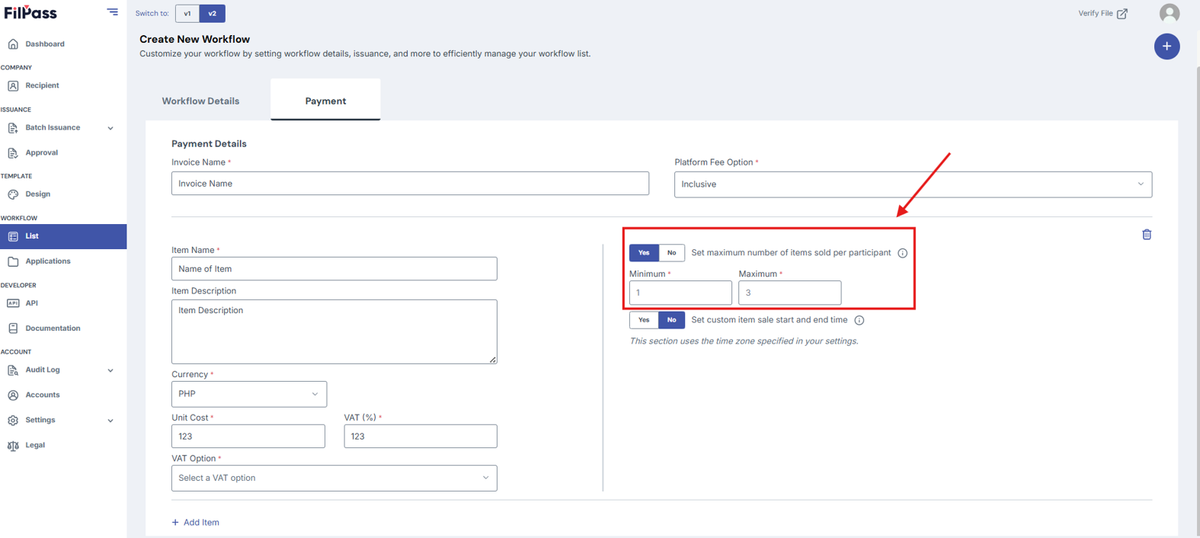
8. Set maximum of items per participant.
- YES - IA can set a minimum and maximum number of items per participant.
- NO - There will be no minimum and maximum number of items per participant.
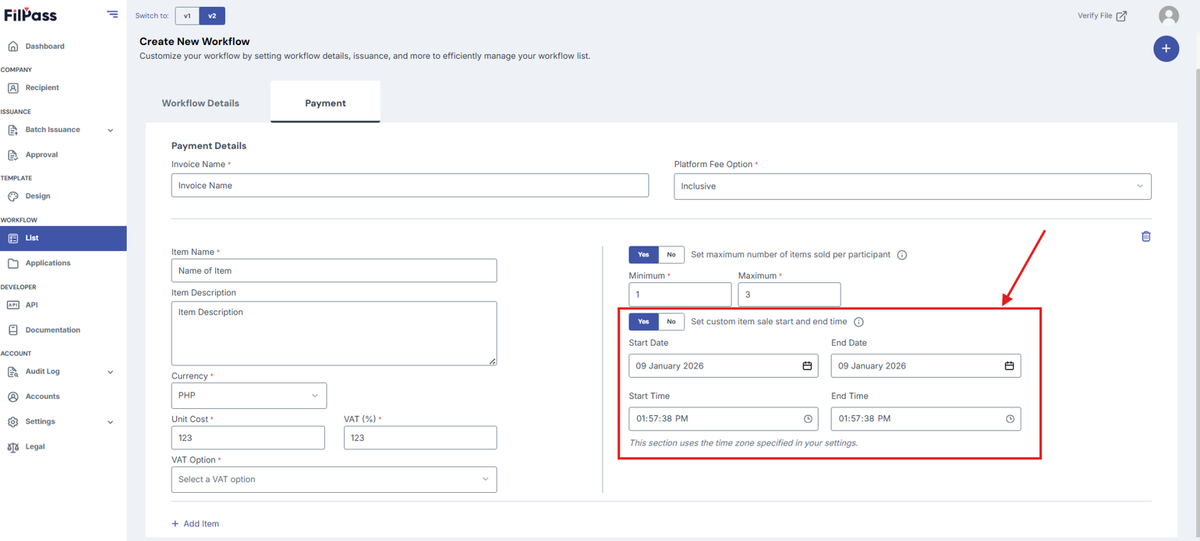
9. Set custom item sale start and end time
- YES - IA can set when the item sale starts and ends.
- NO - There will be no scheduled date for the sale.
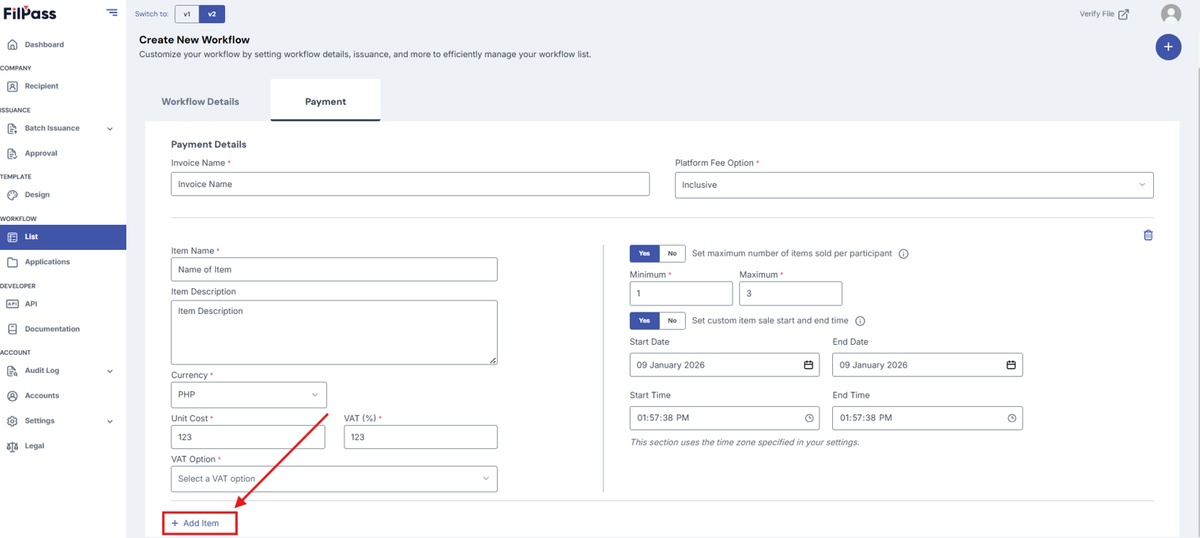
9. If more items are needed, click Add Item.
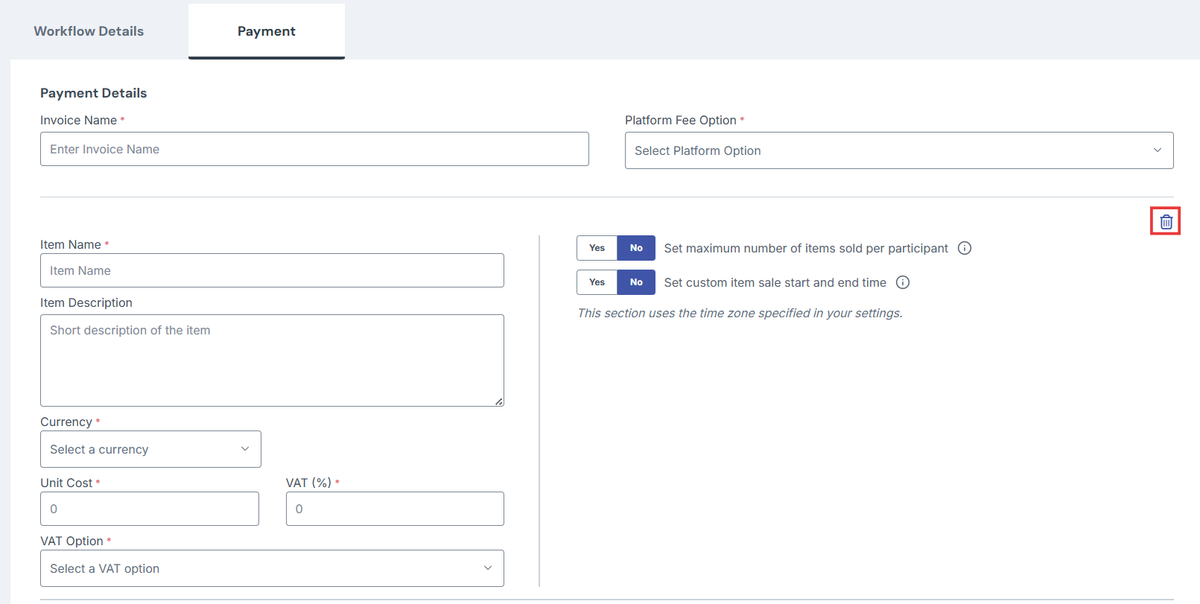
10. If items need to be removed, click the Delete button
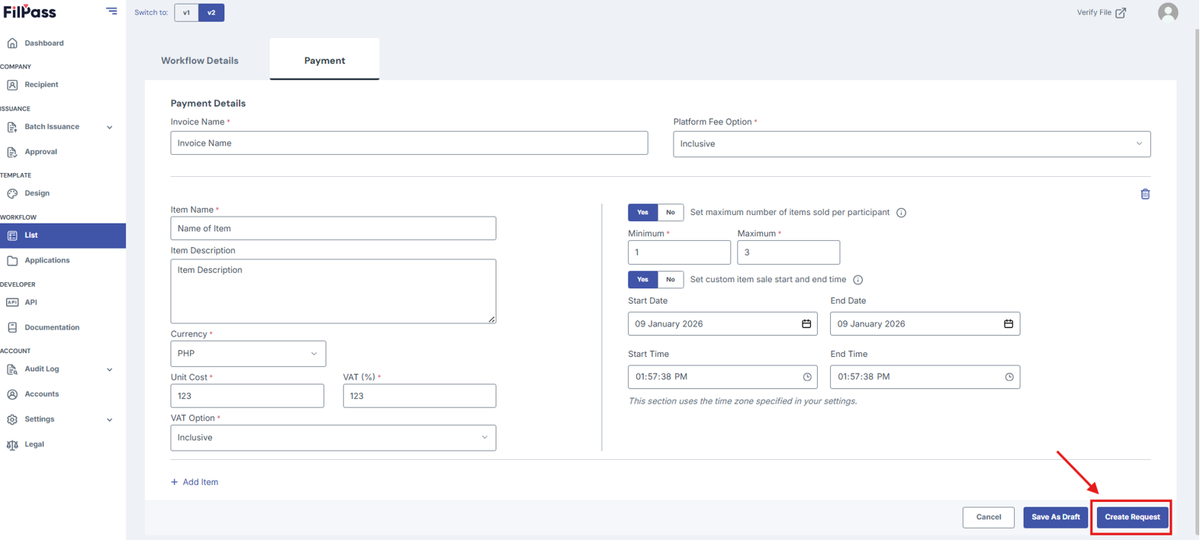
11. Once finished, Click Create Request.
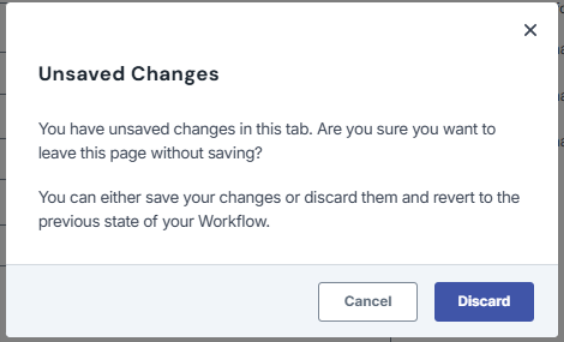
Note: If you exit the page or go to another page without saving, a discard modal will appear and ask for confirmation in leaving the page.
Was this helpful?