

IA Profile
How to Setup my IA Information?
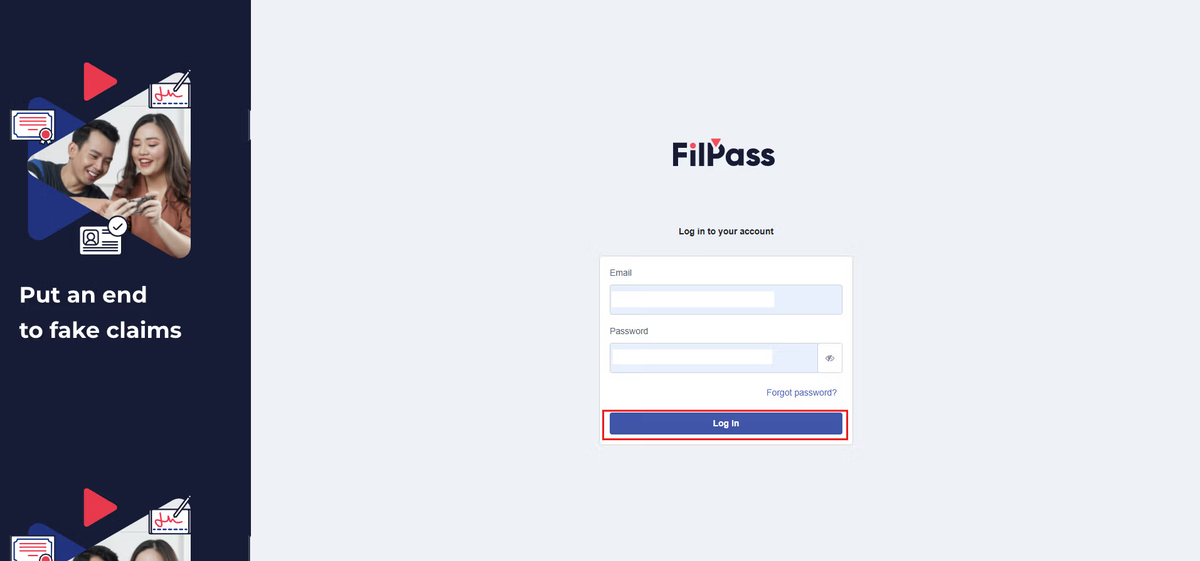
1. Log into your account
2. Click on the Settings on the Navbar then click IA profile.
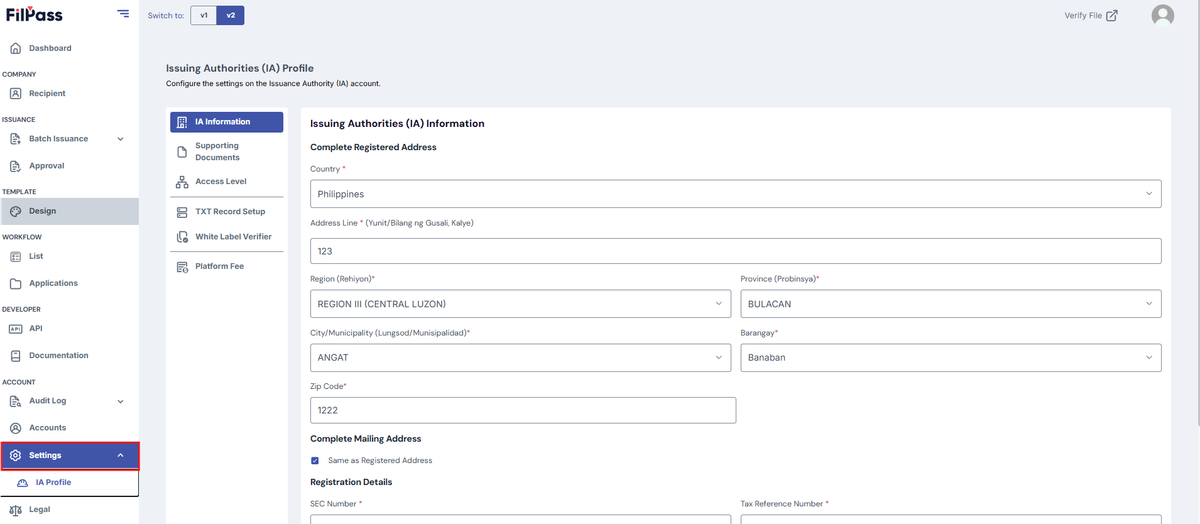
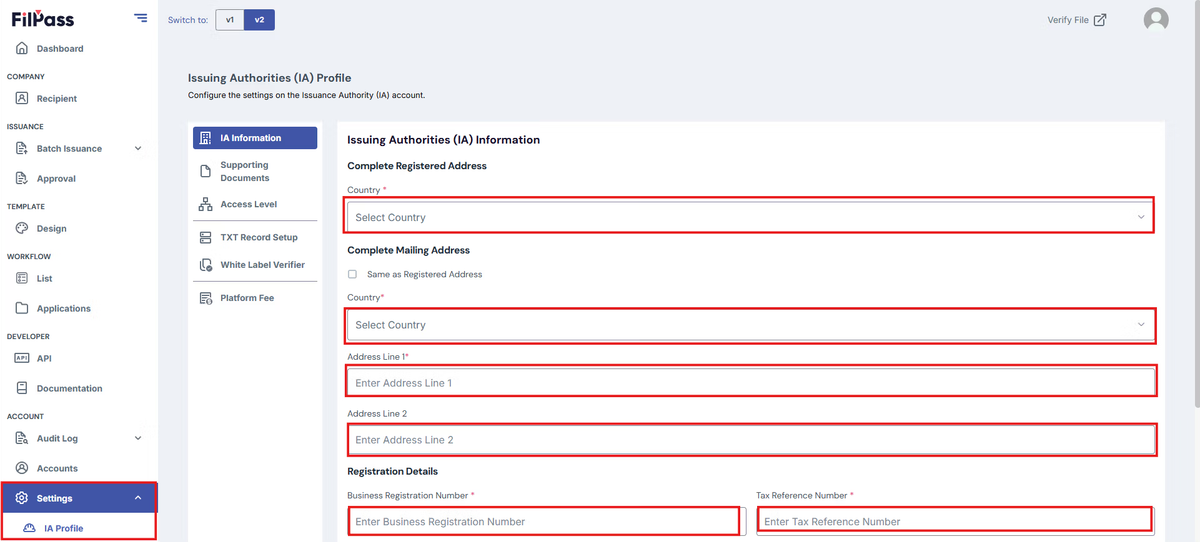
3. The landing page is the IA information.
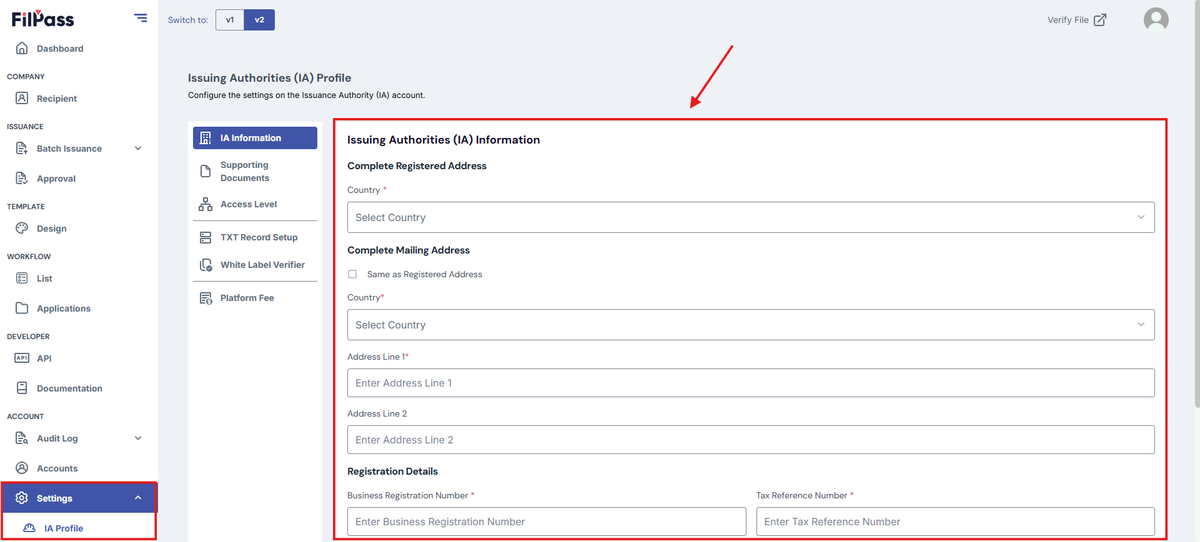
4. Under “IA Information”, fill out the necessary details
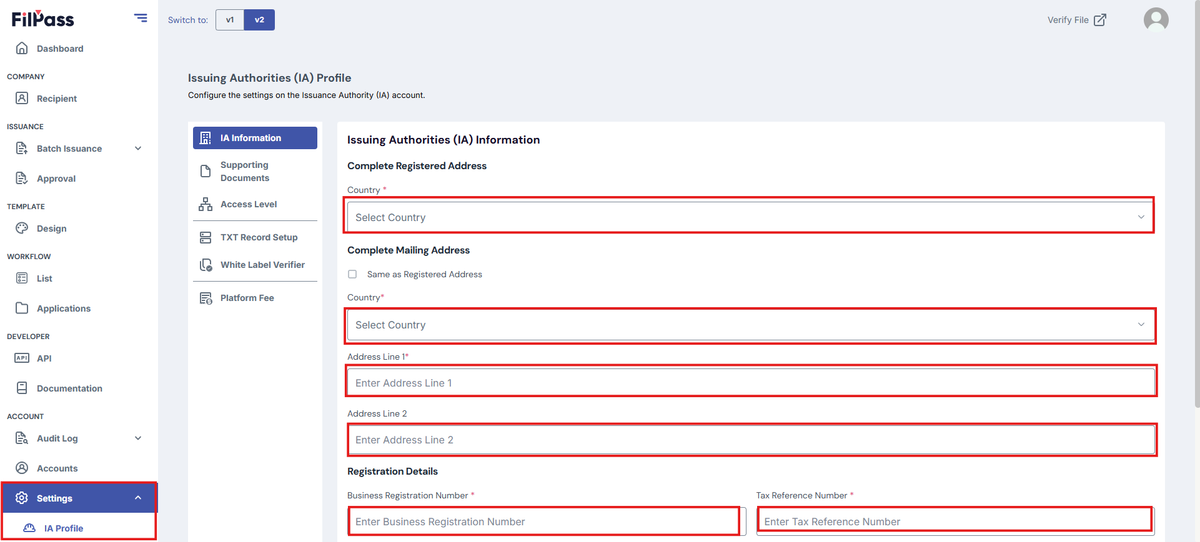
5. Click “Save Changes” button to save.
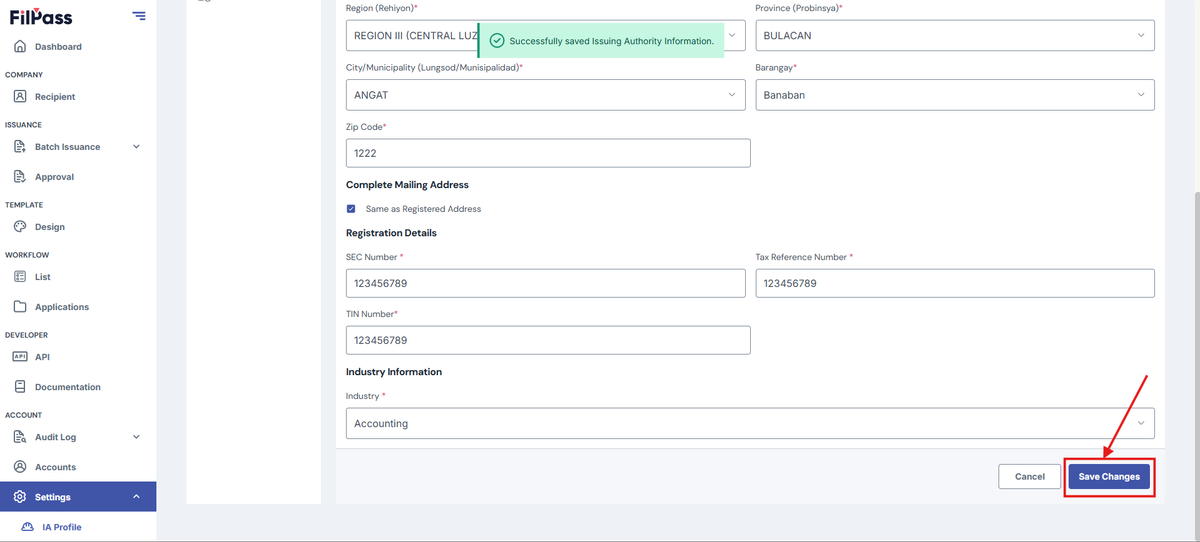
How to Update my Profile Information?
1. Log into your account
2. Click on the Settings on the Navbar then click IA profile.
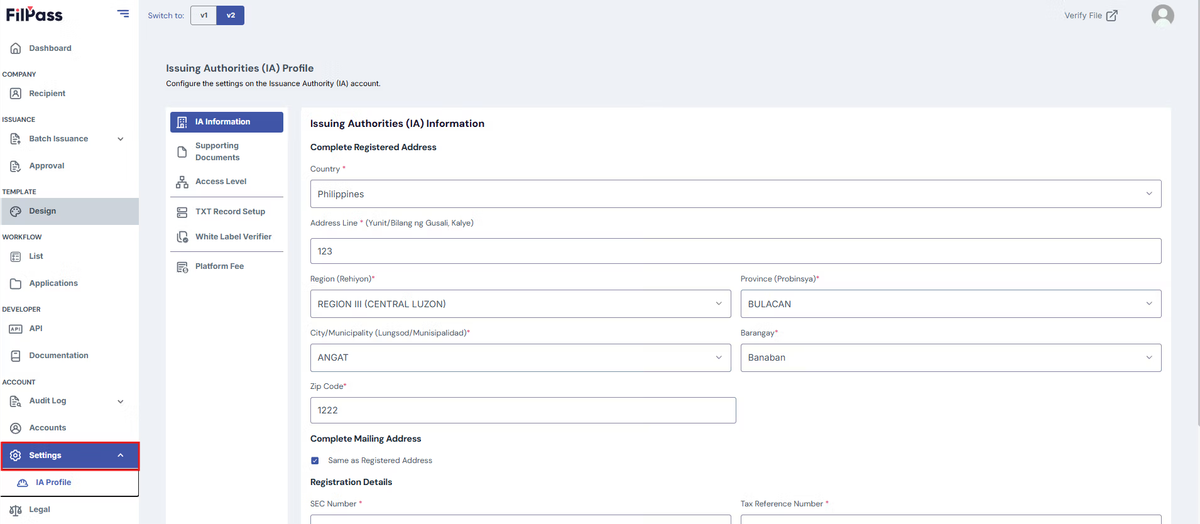
3. The landing page is the IA information. Under “IA Information”, fill out the necessary details you want to change.
4. Once you are done modifying the information on that page, click the “Save Changes” button to save the changes.
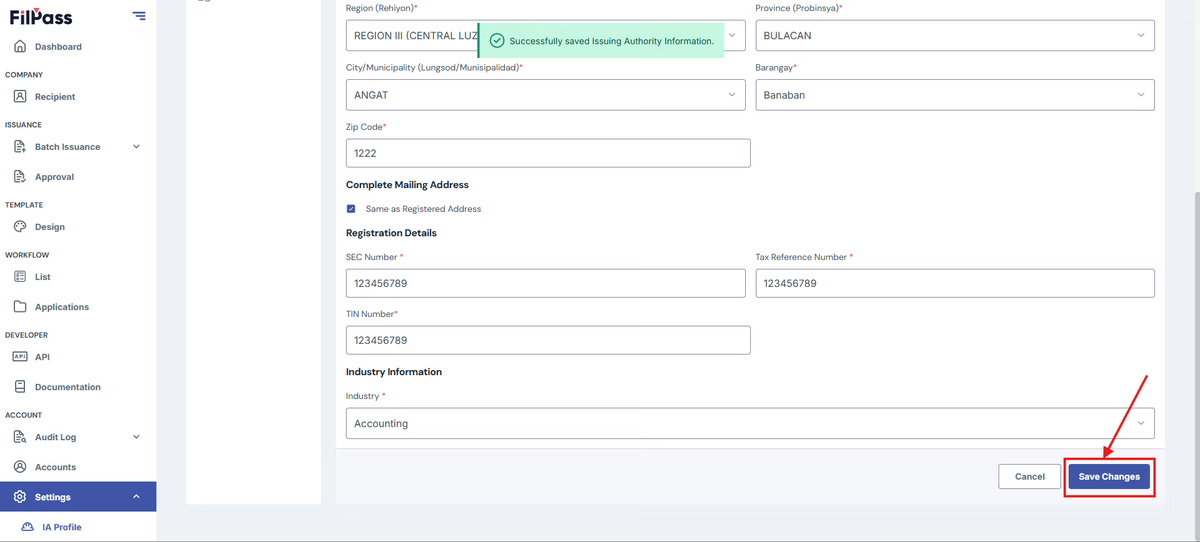
5. If the update is successful, you will receive a pop-up message stating such.

Was this helpful?