

What is Scheduled Release Date?
This section provides information using Schedule Release Date in Batch Issuance.
Note: Document status with “Pending Release – SRD" means that the Document will be released on the set Scheduled Release Date.
1. Locate Schedule Release Date
- In Mint PDF, it appears after you toggle 'Save Processed Document in the System' to Yes. It is located beneath it.
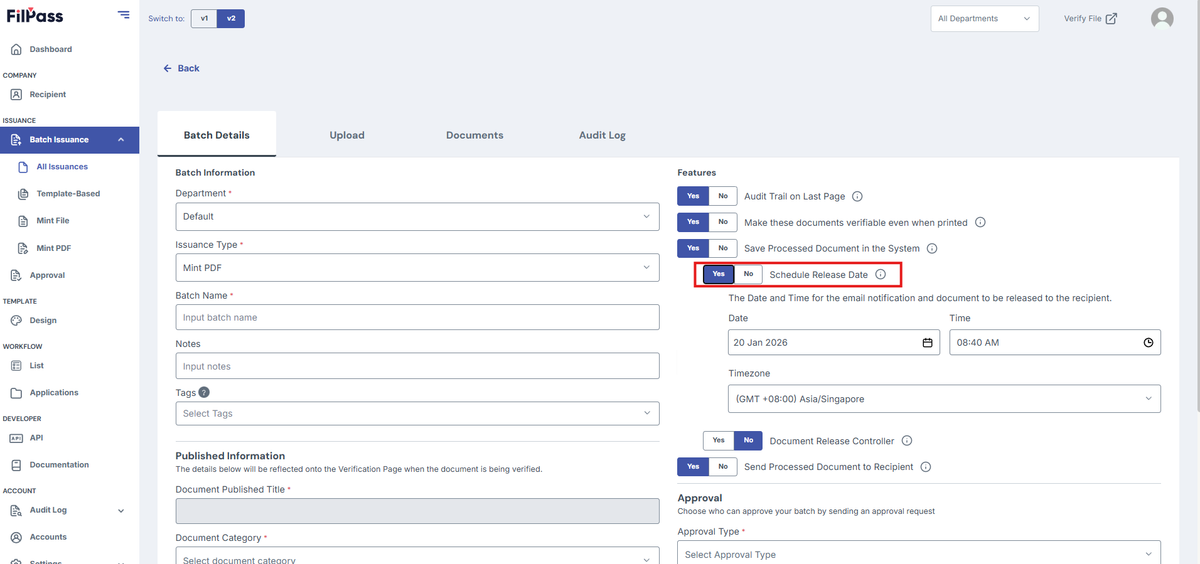
- In Mint File, it appears after you toggle 'Save Processed Document in the System' to Yes. It is located beneath it.
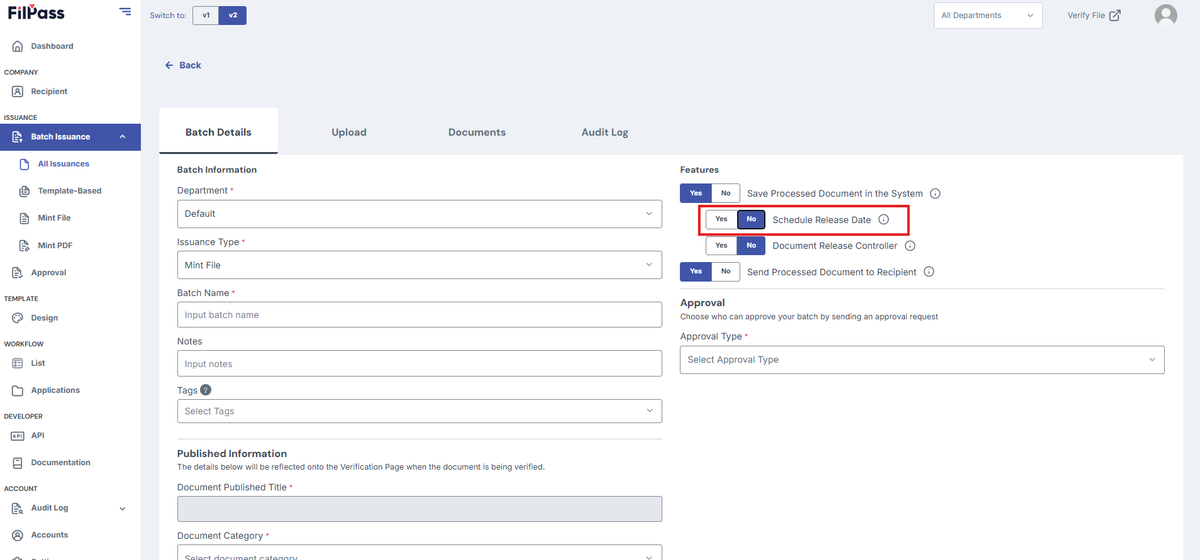
- In Template-based, it is located in the features area.
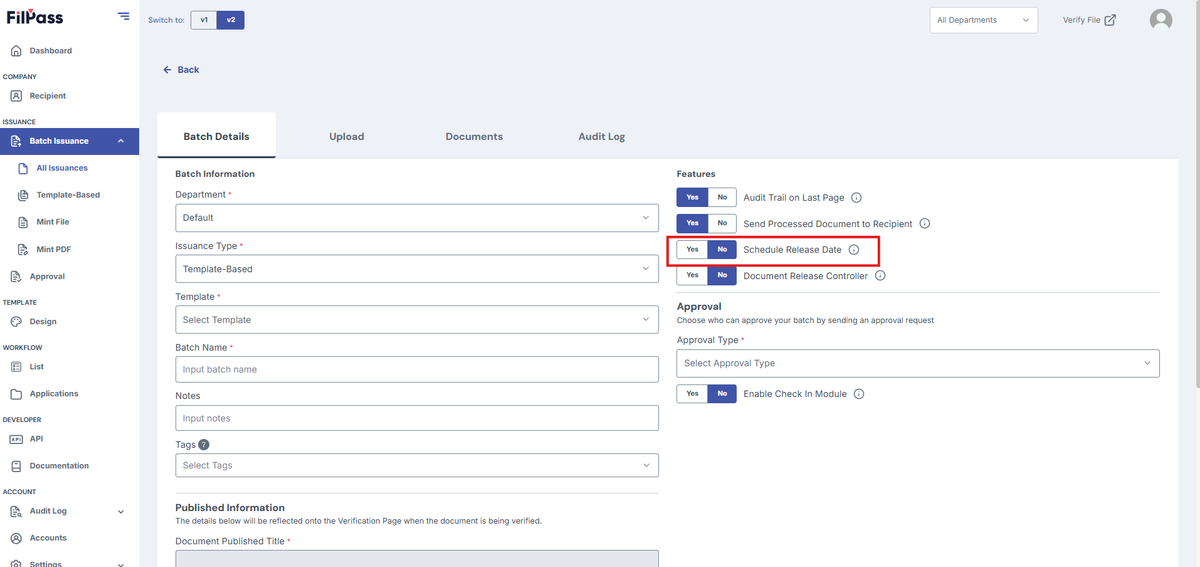
2. Using Schedule Release Date
- Focus on this portion:
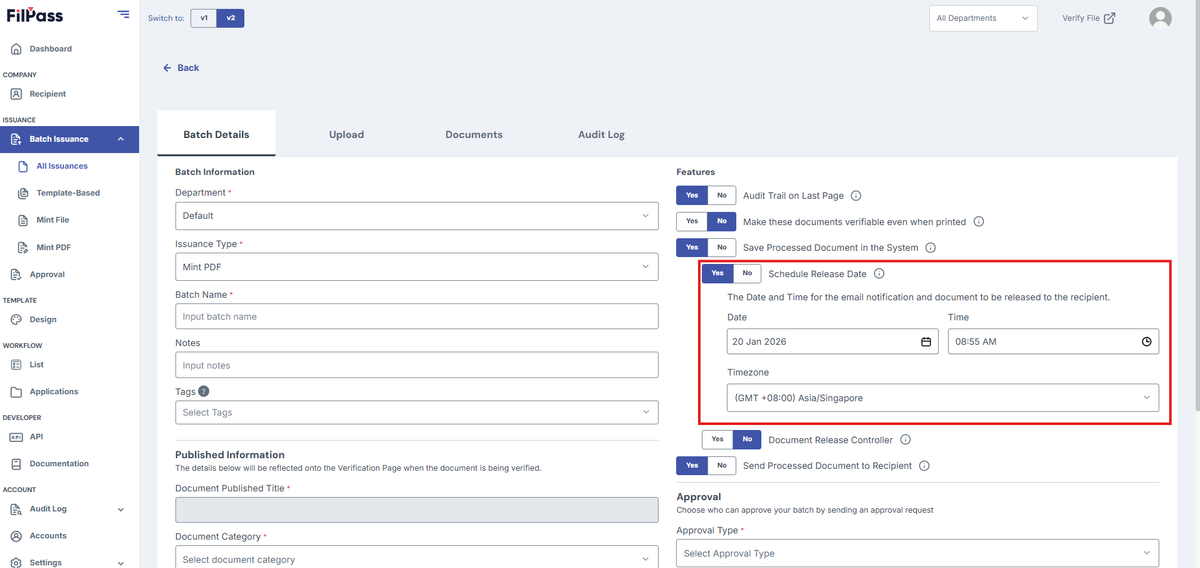
- Choose your desired date, time, and time zone for your Schedule Release Date
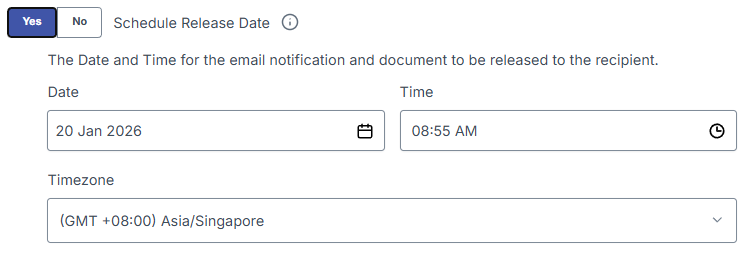
3. Demo of Schedule Release Date
SCENARIO: The current date and time is November 11, 2025 at 3:00 pm.
- We want to issue a template based Issuance with 10 templates to the recipient "stage.test.recipient1@testmail.filpass.ph" and want it to be released at the same day at 3:30 pm
- HOW TO DO THIS:
- Do the Batch Details as normal and set the SRD Date to November 11, 2025 and SRD Time to 3:30pm
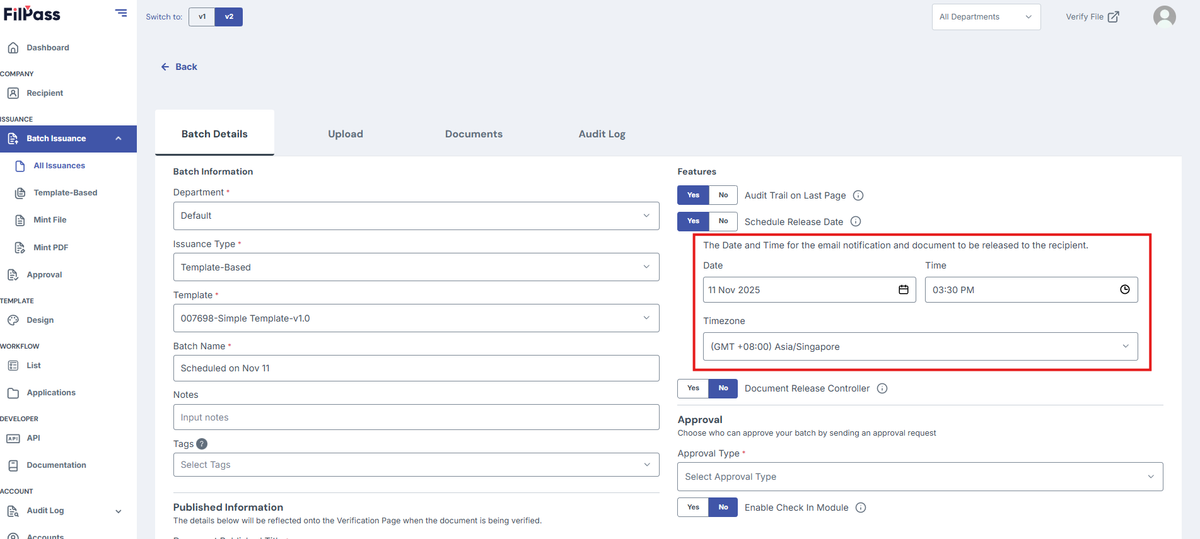
- Press Create button
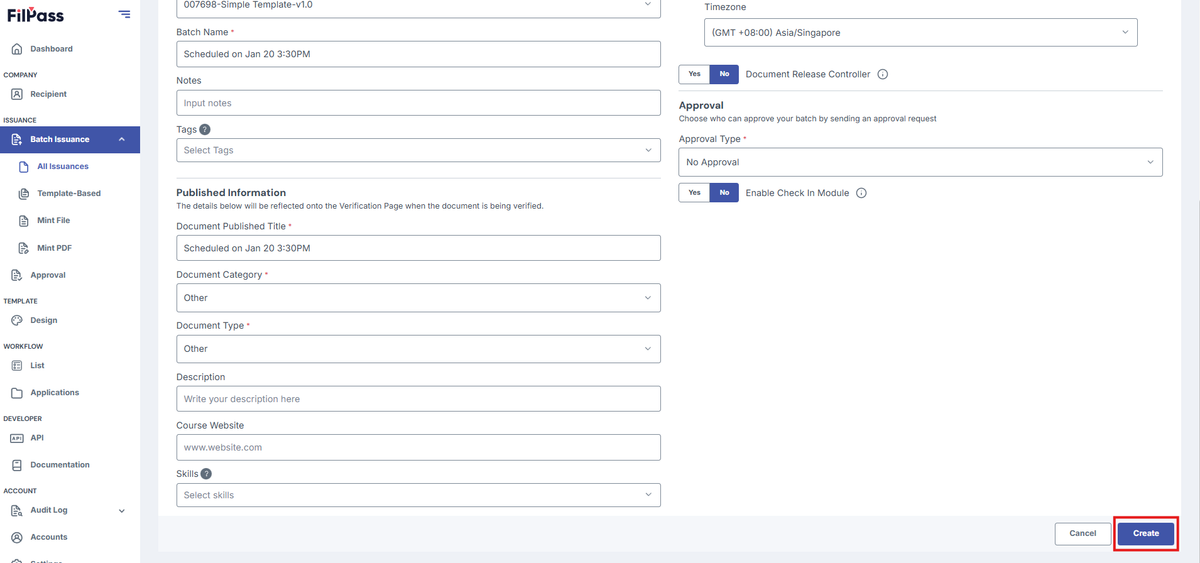
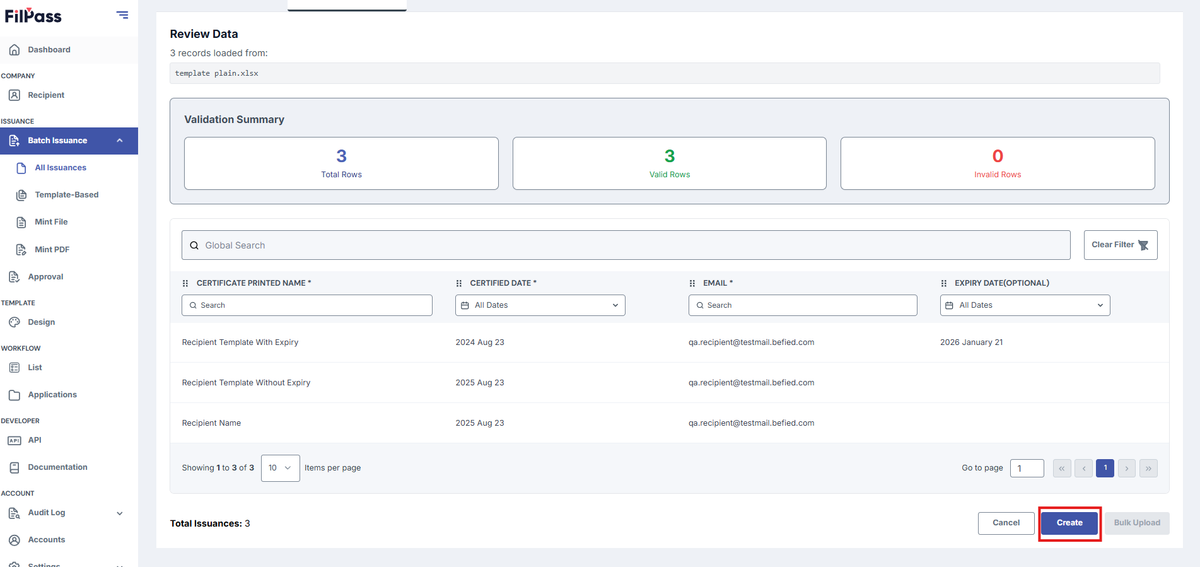
- Content of the excel file

- Upload your template file then press Create
- Go to the Documents Tab
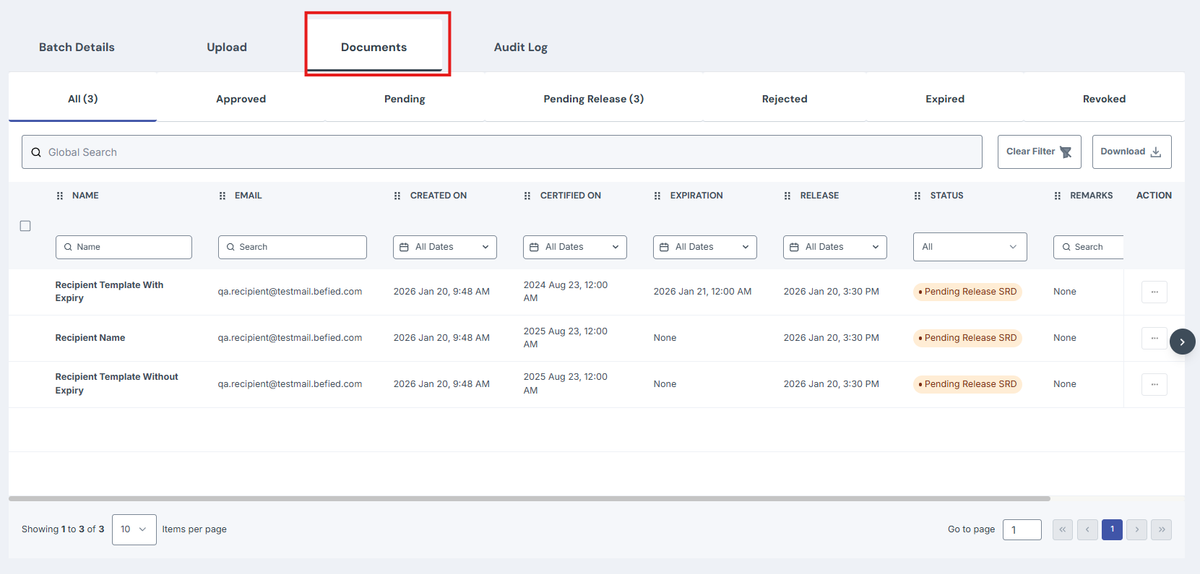
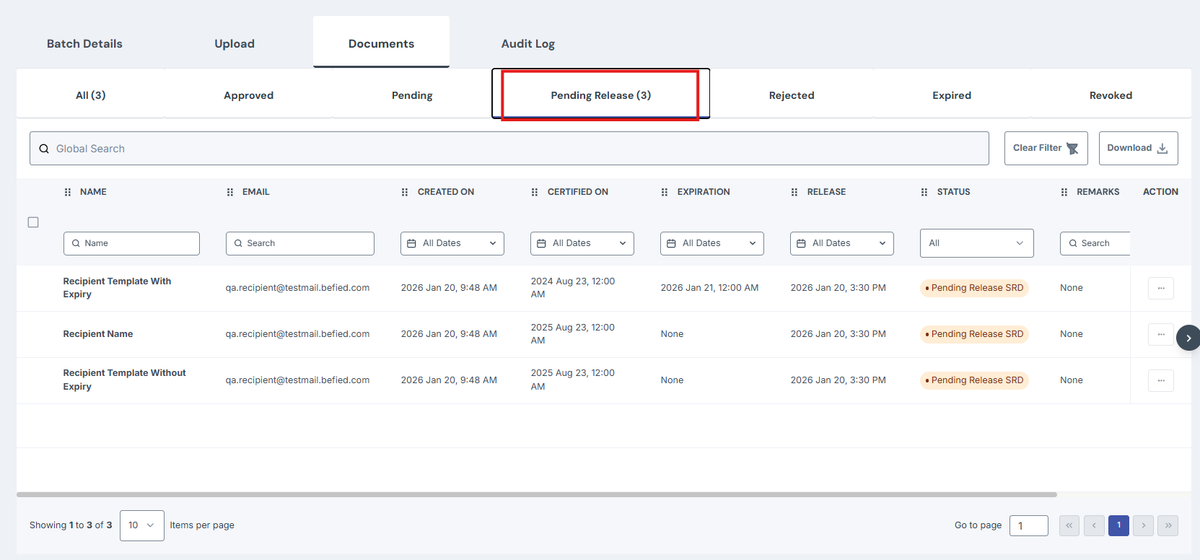
- To see if it is not yet released, go to Pending Release Tab. It will have the status of Pending Release SRD
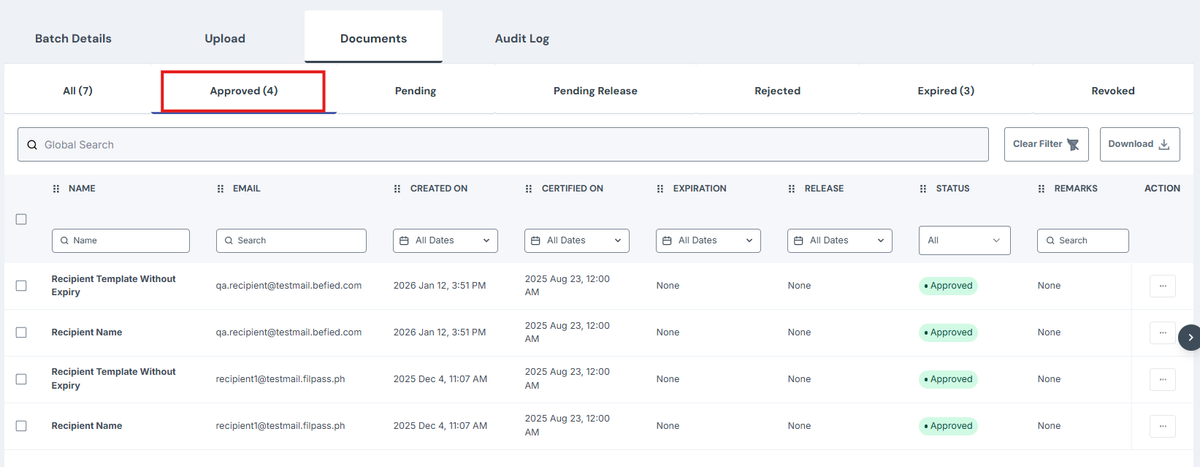
- Once it reaches that time, it will automatically release the documents to the recipient. It will be moved to the Approvals Tab
Was this helpful?