

What is Document Release Controller?
This section provides information using the Document Release Controller in Batch Issuance.
Document Release Controller allows a select user with that role to release a document once it has been approved by the System and/or approvers. Before it can reach the recipient, it has to be released by the Document Release Controller.
Note: Document status with “Pending Release – DRC" requires action from the Document Release Controller.
1. Locate Document Release Controller
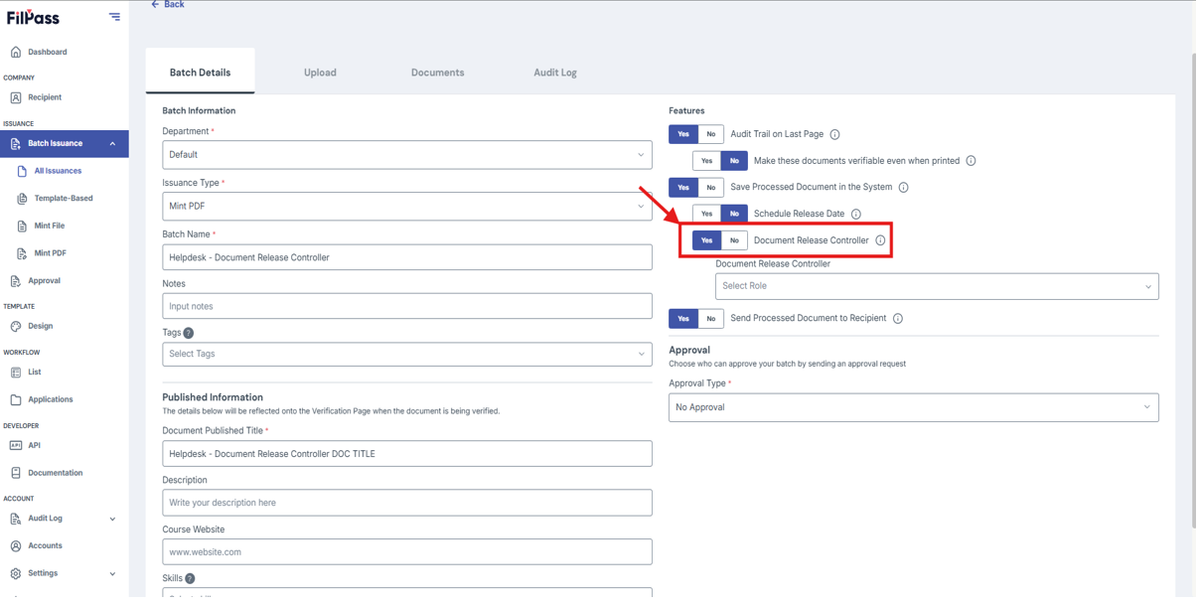
- In Mint PDF, it appears after you toggle 'Save Processed Document in the System' to Yes. It is located beneath it.
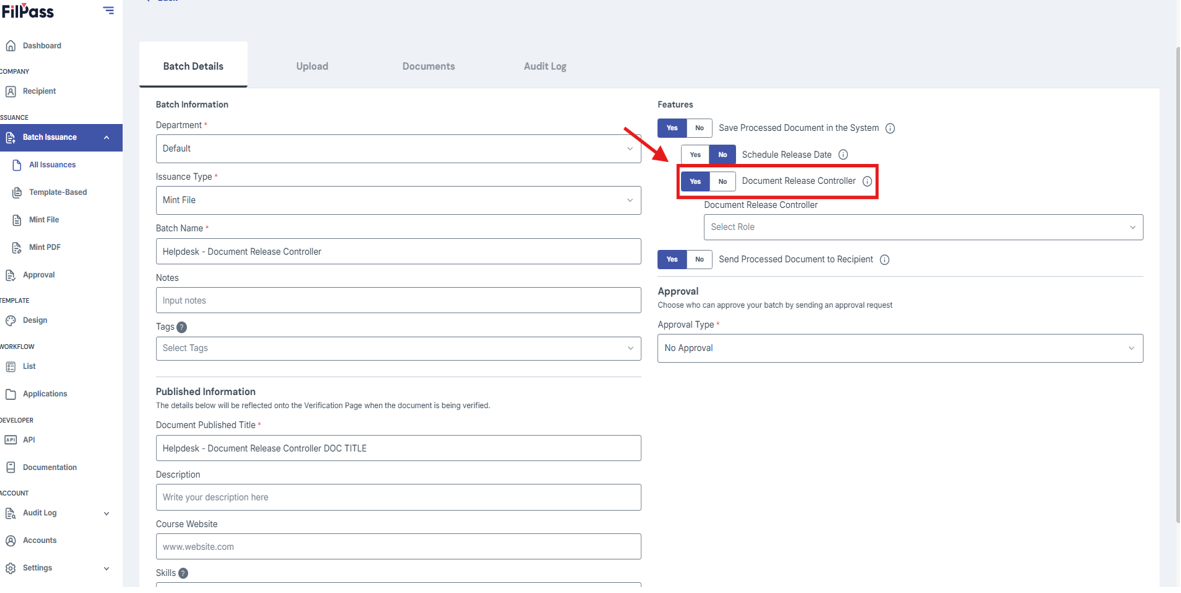
- In Mint File, it appears after you toggle 'Save Processed Document in the System' to Yes. It is located beneath it.
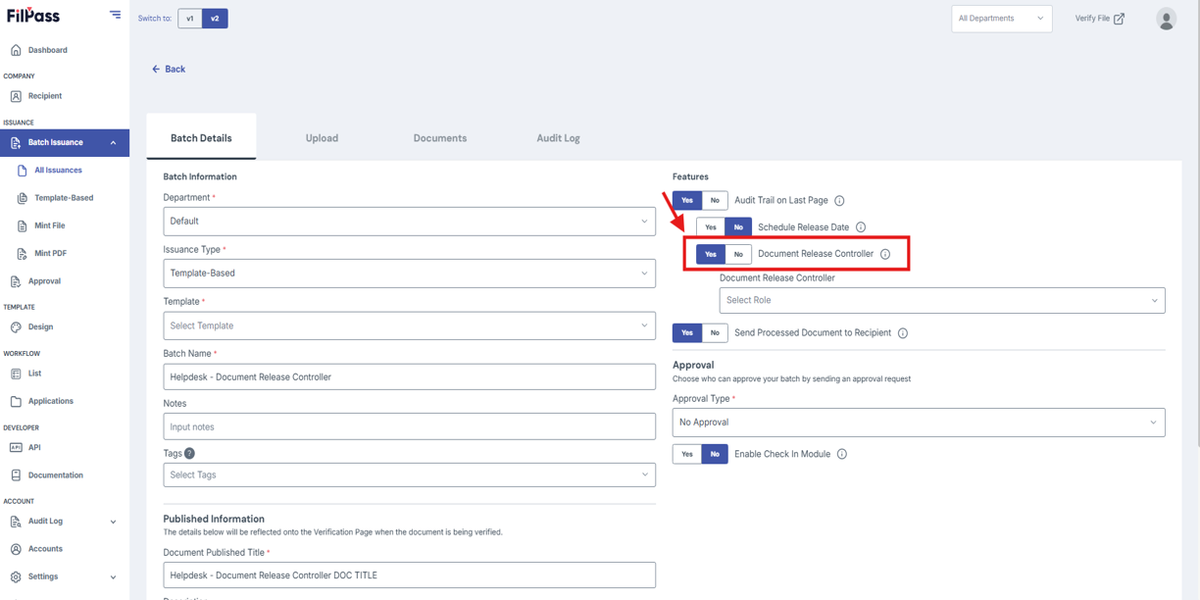
- In Template-Based, it is in the features area.
2. Using Document Release Controller
- Focus on this portion
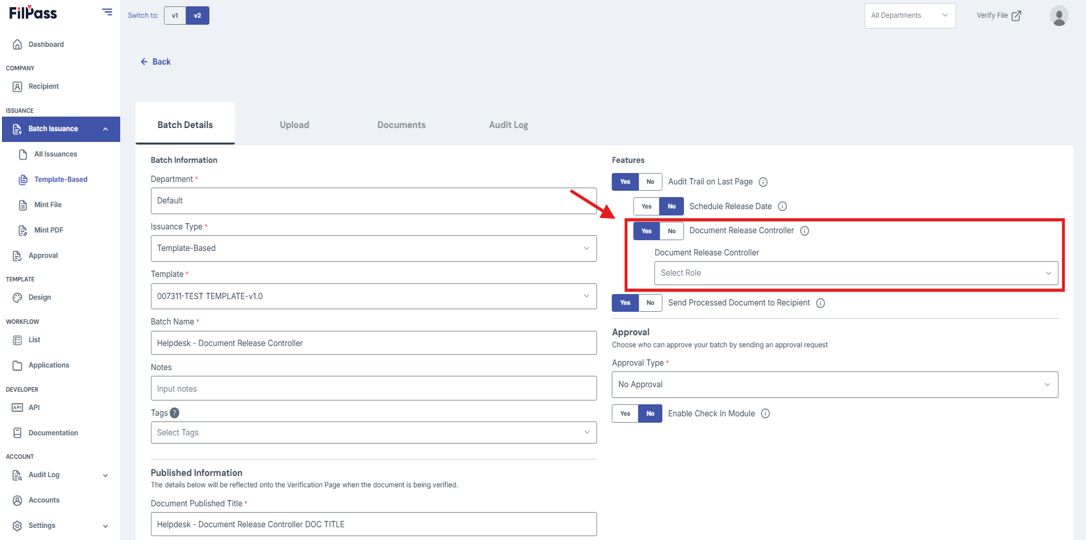
- Choose your Document Release Controller
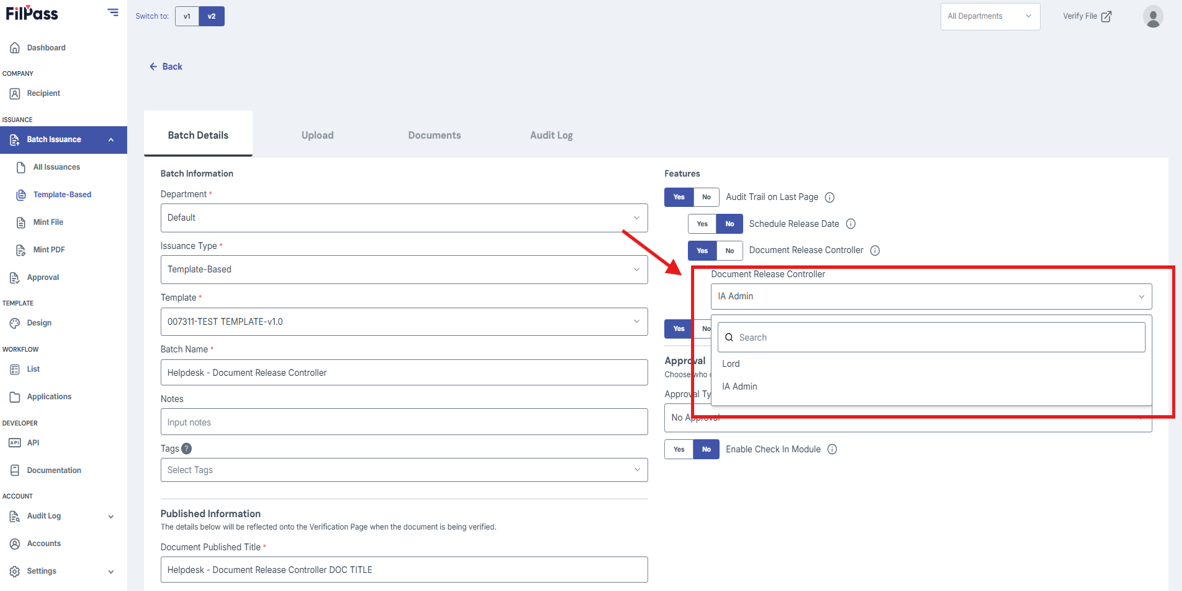
- Continue with the rest of the Batch Issuance
3. Releasing documents with a Document Release Controller
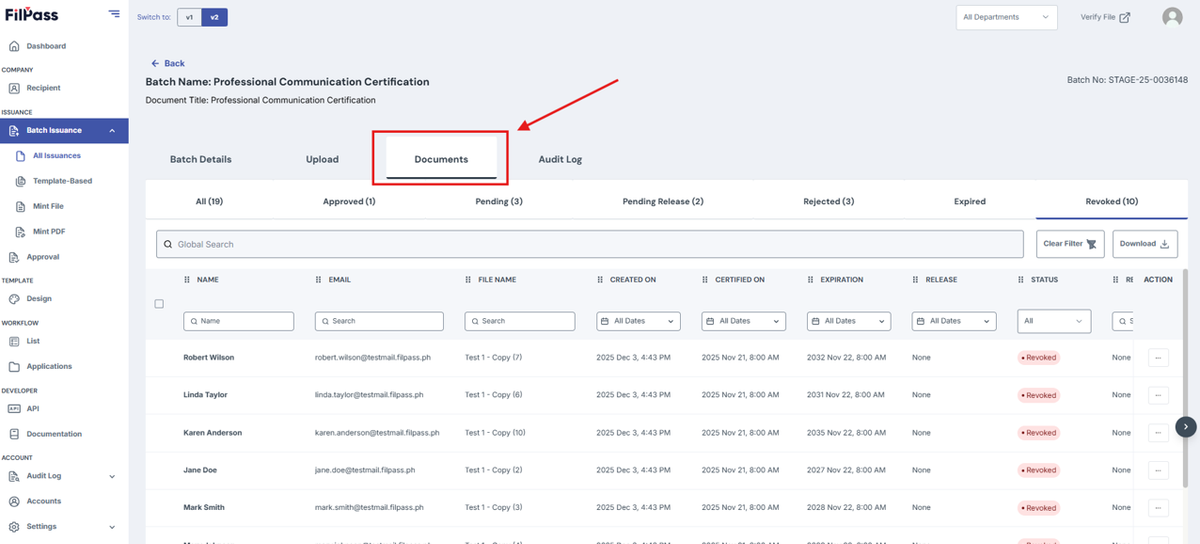
- Go to the documents tab
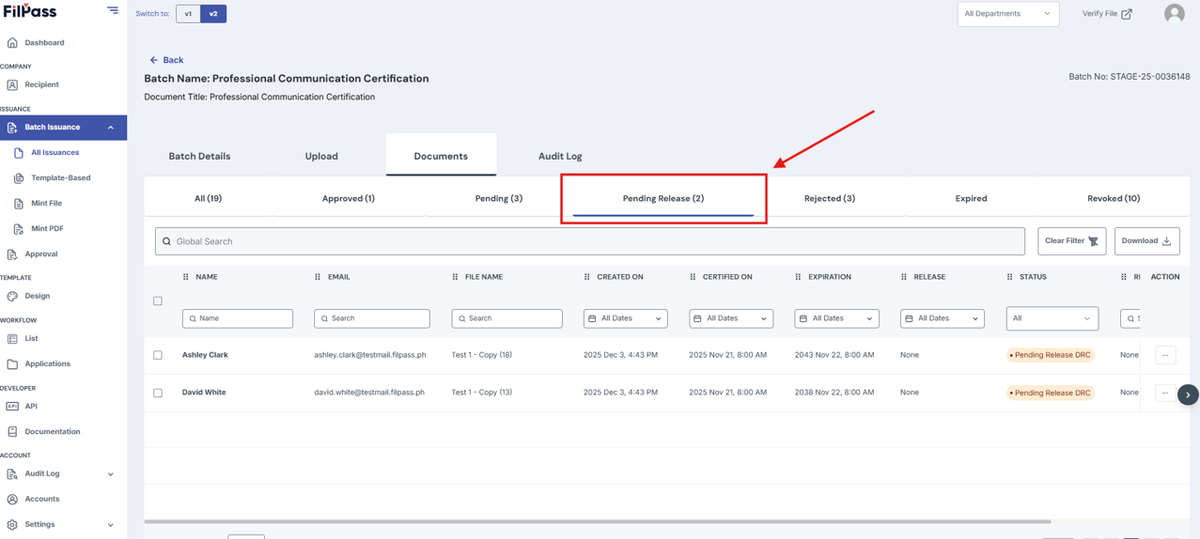
- Go to Pending-Release
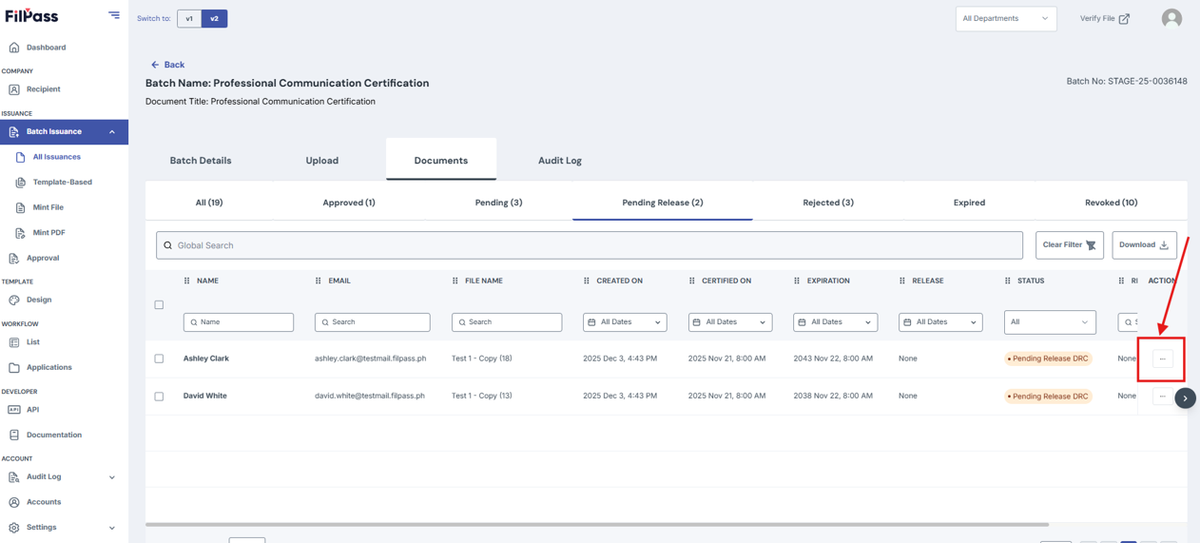
- Click the action button of your desired row of the document you want to release.
- Click Release.
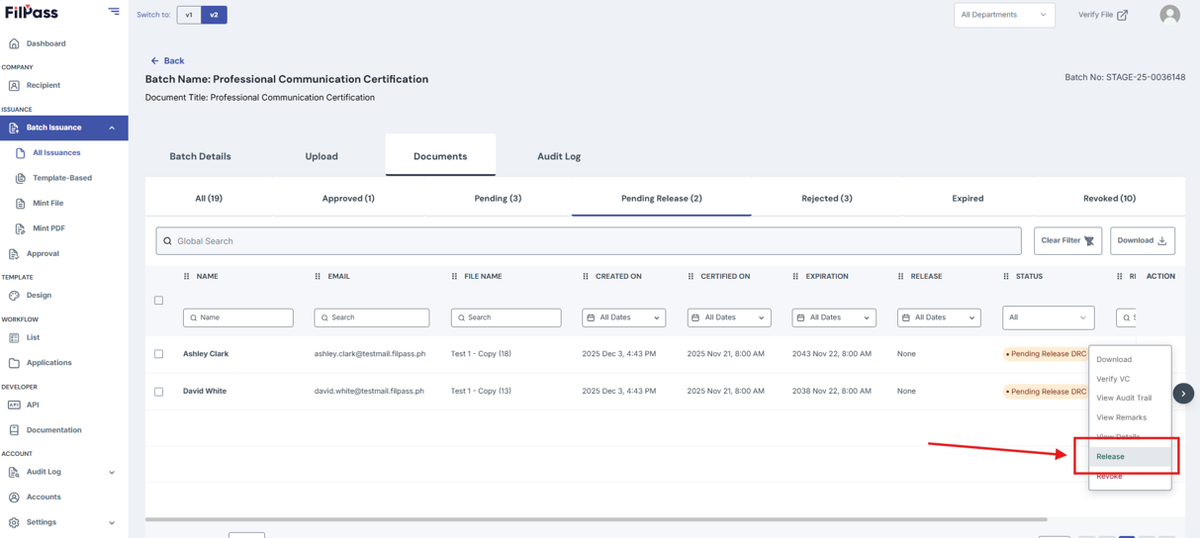
- Move through the tabs and return to Approved.
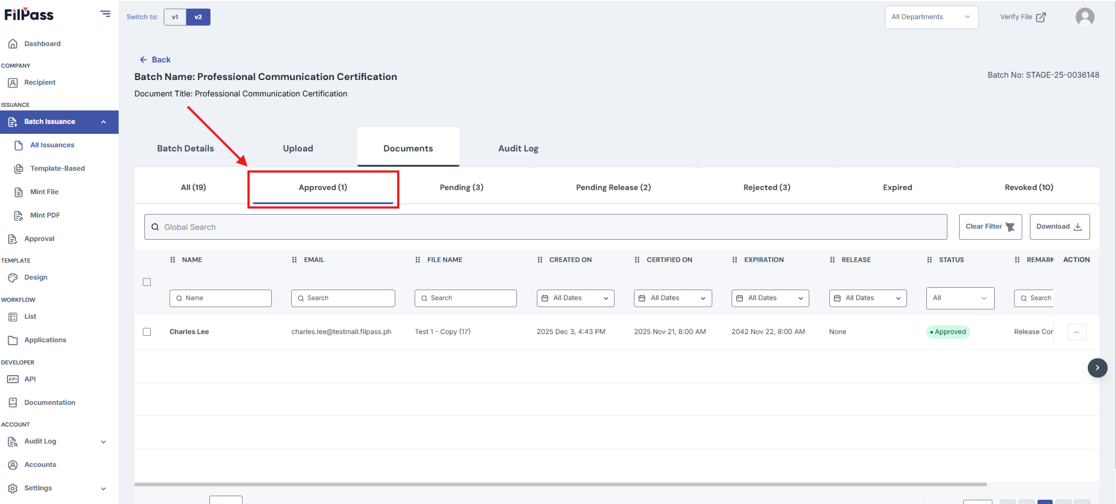
- The document has been released
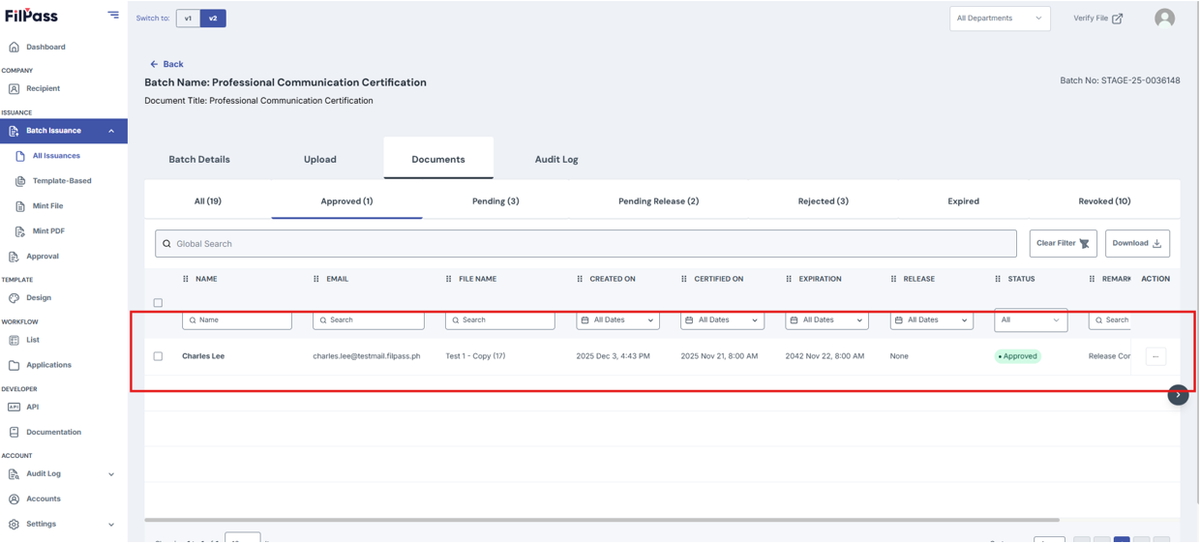
4. Revoking documents with a Document Release Controller
You can also revoke documents before it can be released.
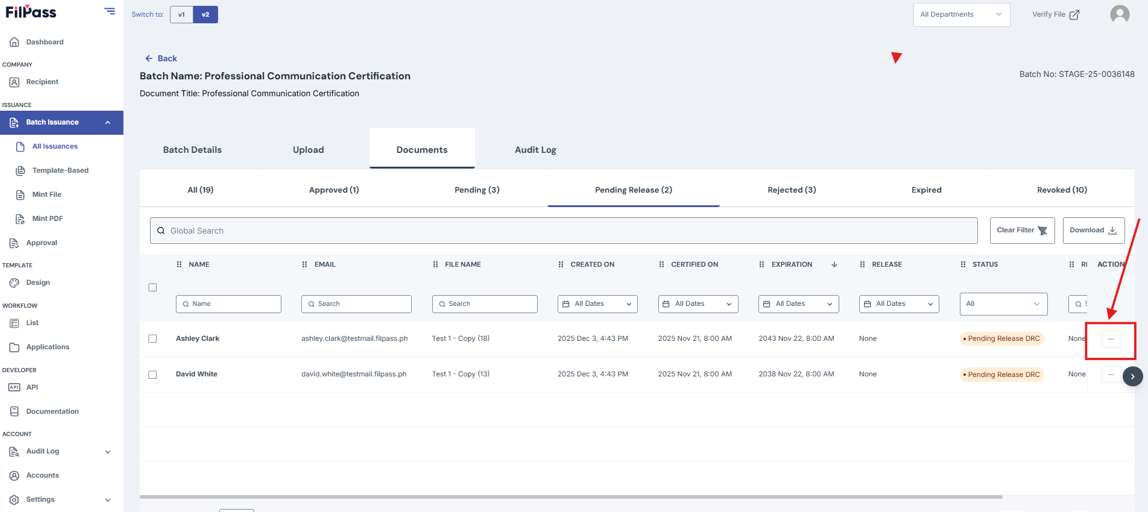
- Go to Pending Release.
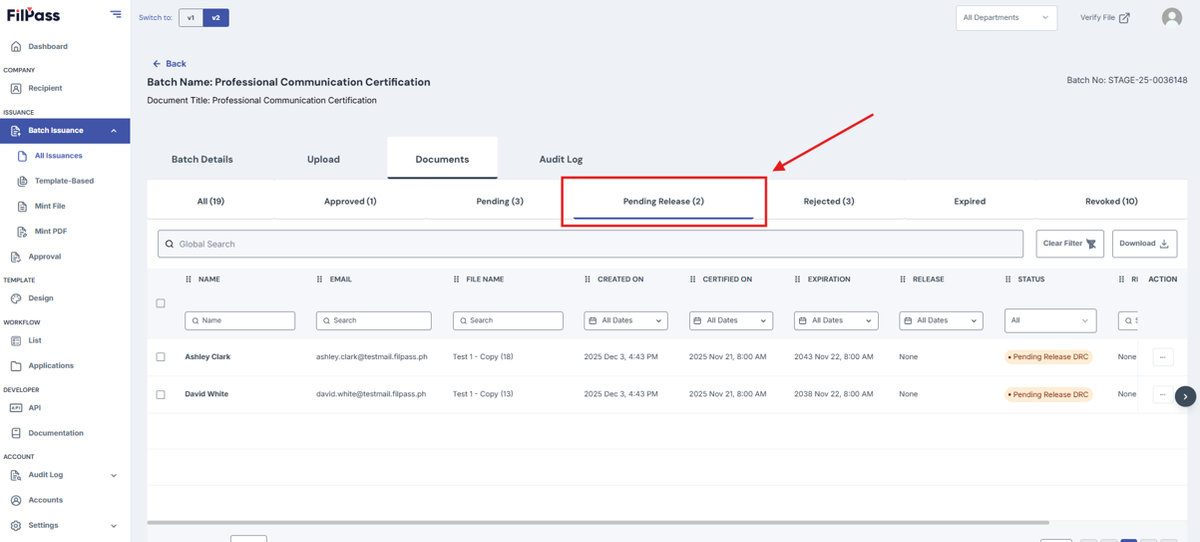
- Click the action button of your desired row of the document you want to revoke.
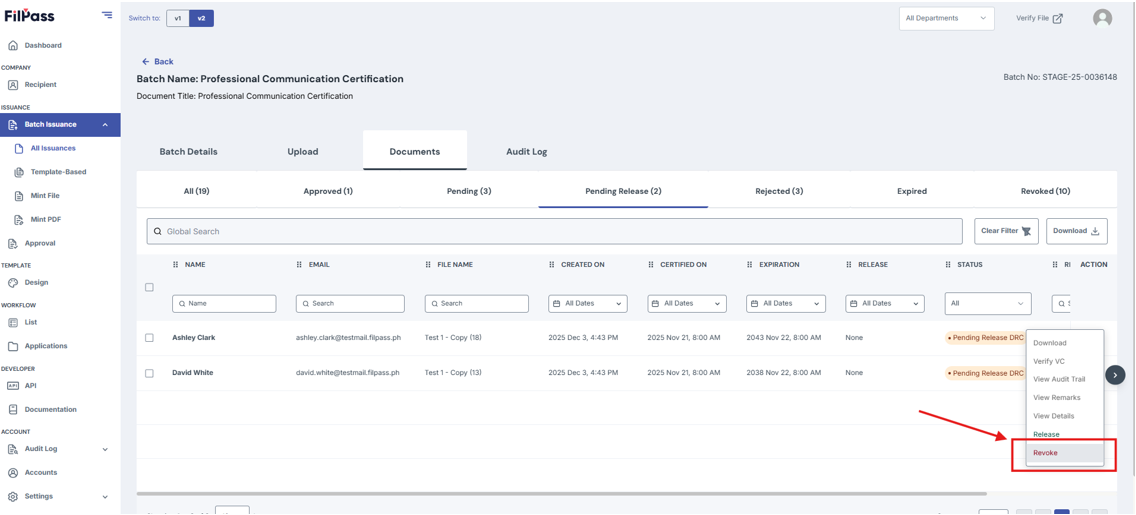
- Press Revoke.
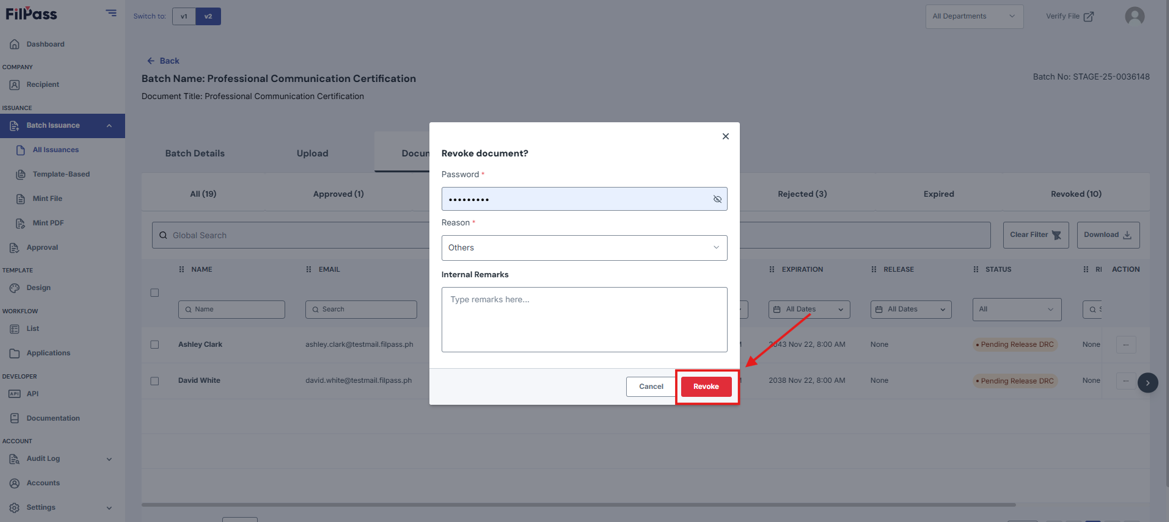
- Fill in the required details then press Revoke.
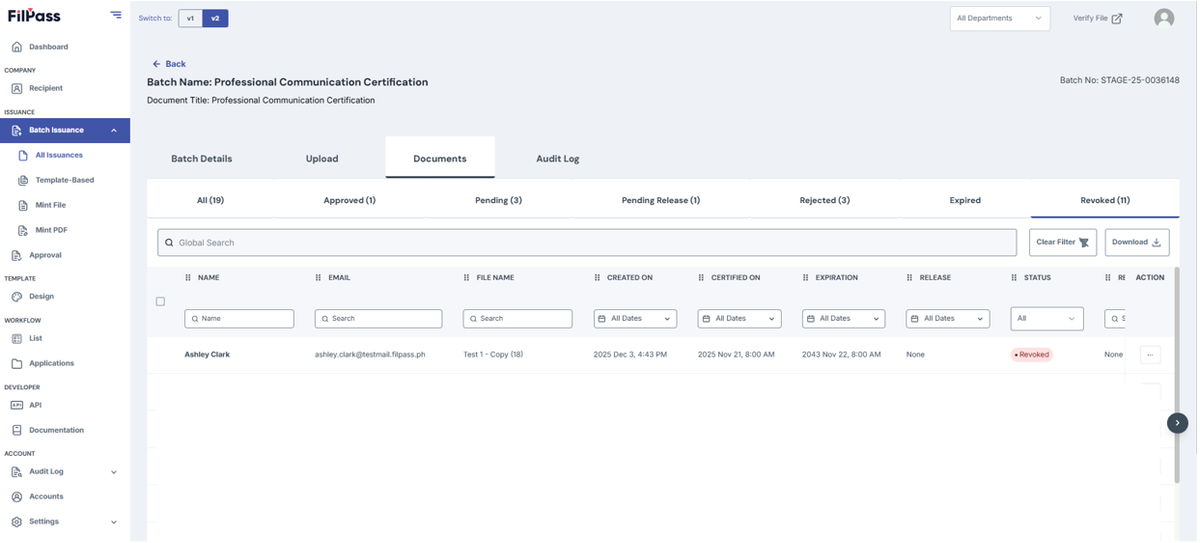
- The document has been revoked
Was this helpful?