

What is Dashboard?
The FilPass Dashboard is the first page you will land upon logging in.
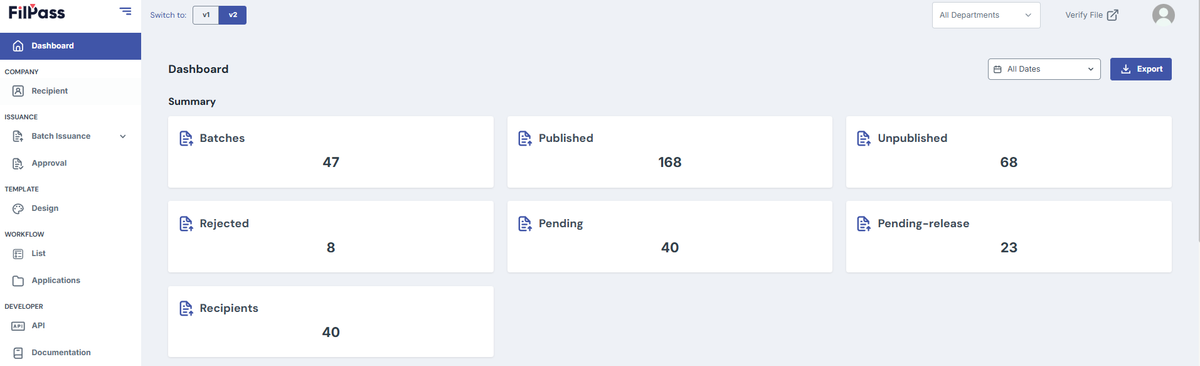
1. Batch Issuance Summary
- The summary will have:
- The number of Batches you have created.
- The state of all your documents within an issuance (Published, Unpublished, Rejected, Pending, Pending-Release)
- The number of recipients of your Issuances
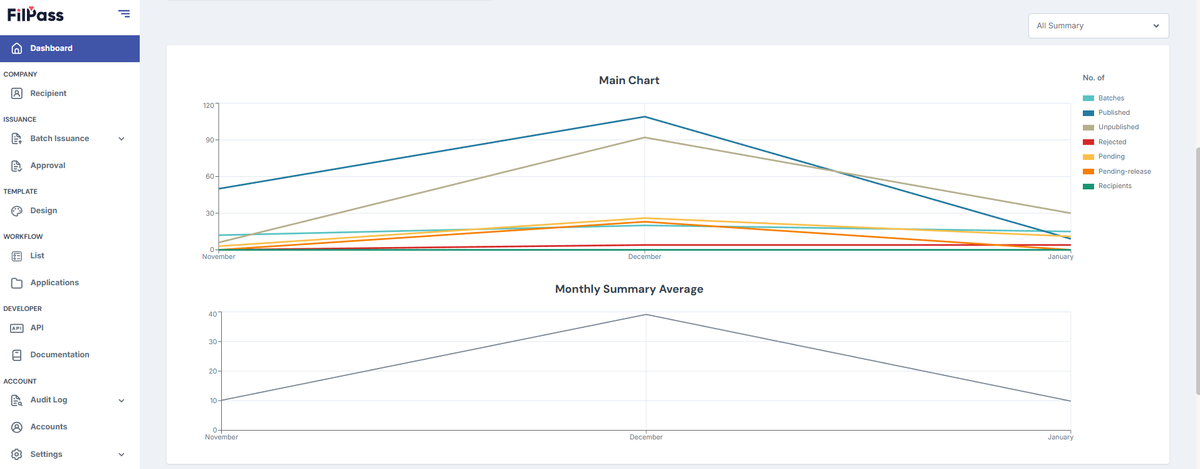
2. Line Graph
- This line graph shows the number of Issuances issued relative to time.
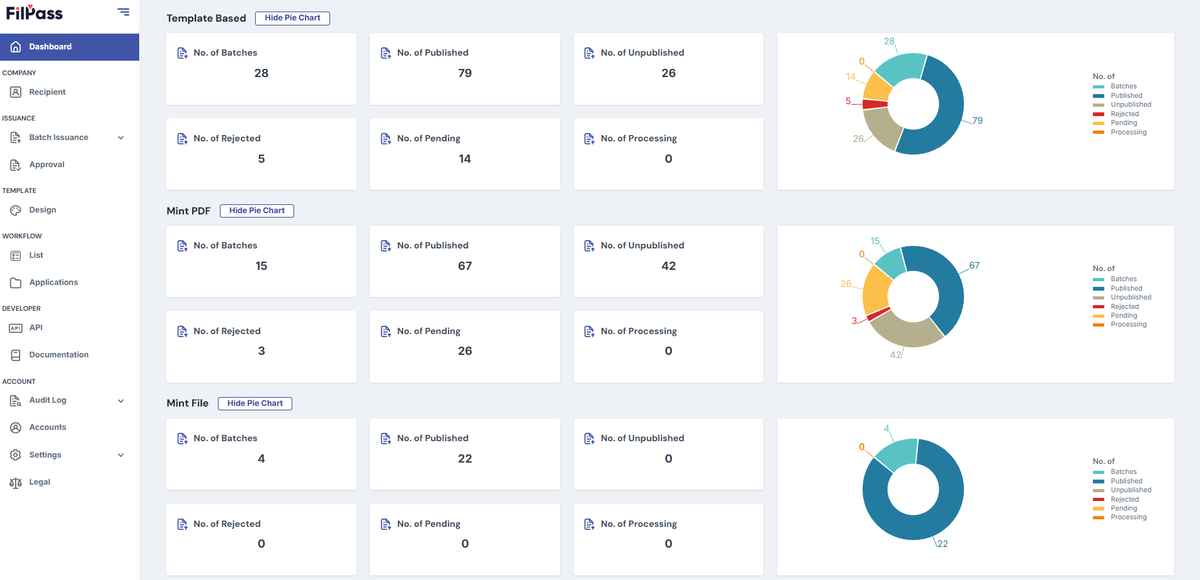
3. Summary of Issuances based on Issuance Type
- This part shows the summary of your Issuances based on the Issuance type (Mint File, Mint PDF, and Template-Based). This shows the following:
- A pie chart based on the Summary of an Issuance Type which can be hidden.
- The state of all your documents within an issuance Type (Published, Unpublished, Rejected, Pending, Pending-Release)
Was this helpful?