

Understanding Email Delivery Statuses
Email Delivery Status
Refers to the current state of an email after it is processed by the system. It indicates whether the email was successfully sent, delayed, rejected, or not sent at all.
This helps track delivery outcomes and identify any issues that may prevent emails from reaching recipients.
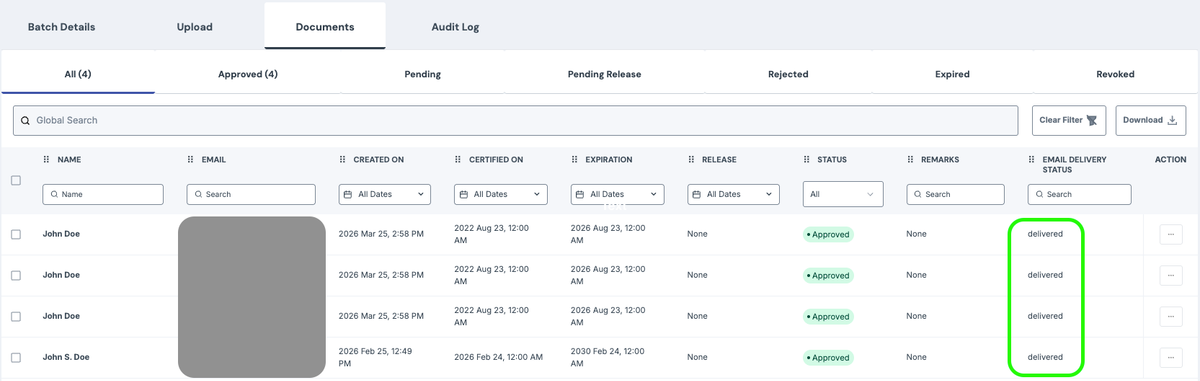
Delivered
The recipient’s mail server accepted the email. This does not guarantee the email reached the inbox, as it may still be filtered into spam or junk folders.
Deferred
The receiving server temporarily rejected the email. This can happen if the recipient’s server is busy, unavailable, or using greylisting to verify the sender. The system will automatically retry sending the email for a period of time.
Bounced
The email was permanently rejected by the recipient’s server. This may be due to an invalid or non-existent email address (hard bounce), or a temporary issue that persisted (soft bounce). It is recommended to verify, correct, or remove the email address.
Dropped
The email was not sent at all. This usually occurs when the email address is on a suppression list (such as unsubscribe, previous bounce, or spam report), or due to invalid configuration or blocked recipients.
Quick Analogy
Delivered – Successfully handed to the building
Deferred – Asked to come back later
Bounced – Address does not exist or is permanently rejected
Dropped – Not sent at all